Booking software for resorts:Rooms, villas, and day tours on one board
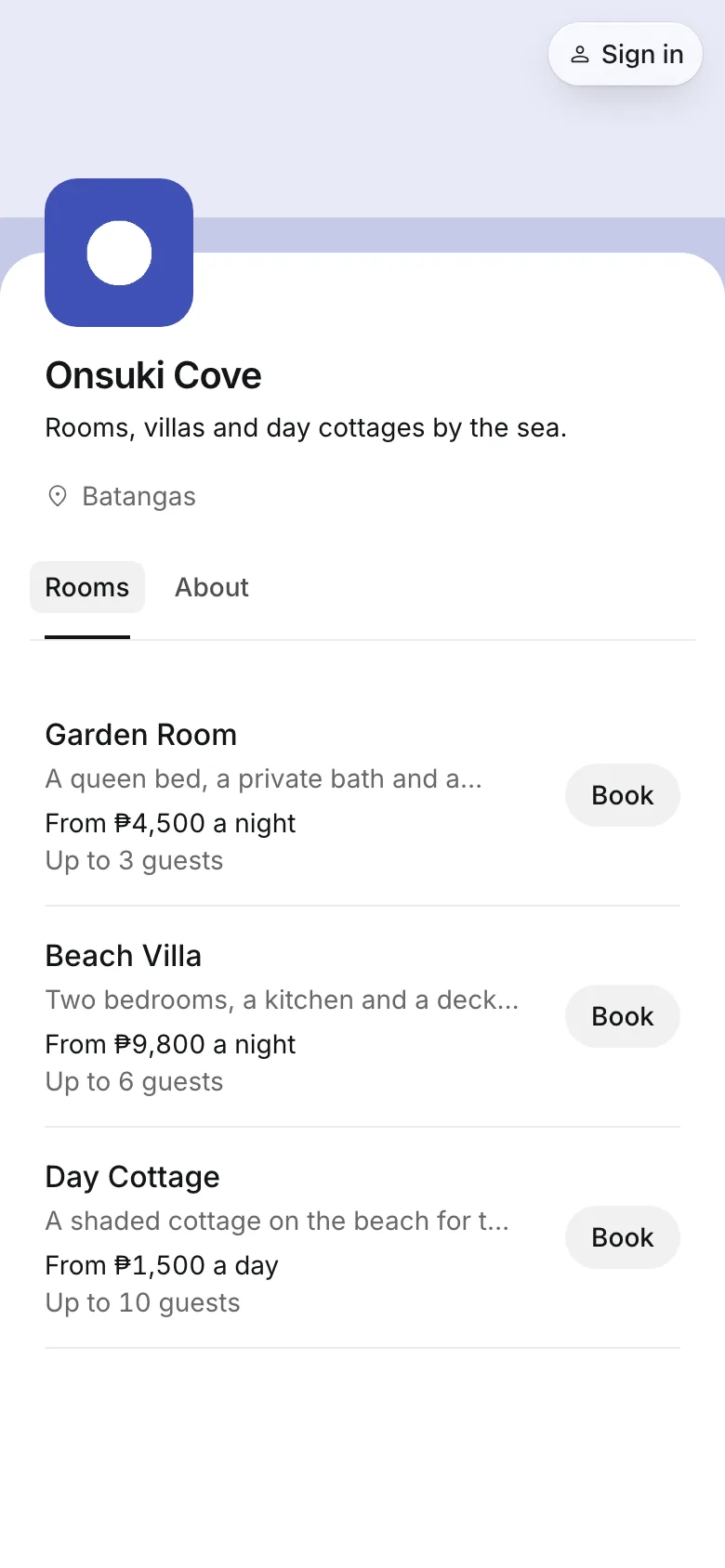
Guests pick their dates and book a room, a villa, or a day cottage on their phone, and pay a deposit. Every stay lands on one board, next to the nights sold on Airbnb, Booking.com, and Agoda.
Free 7-day trial. No credit card required.
Clients pay online or in person













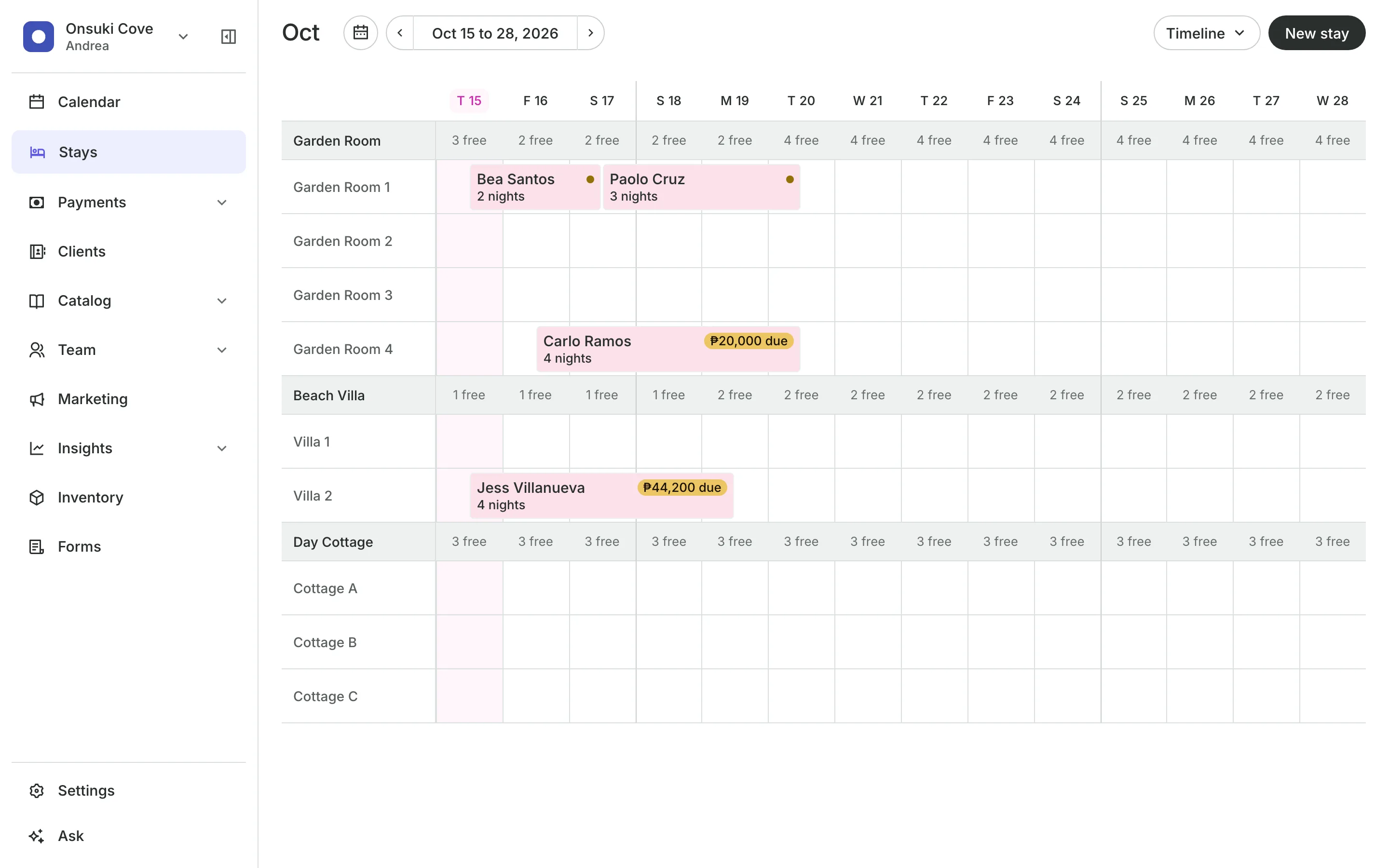
Run the front desk from one board
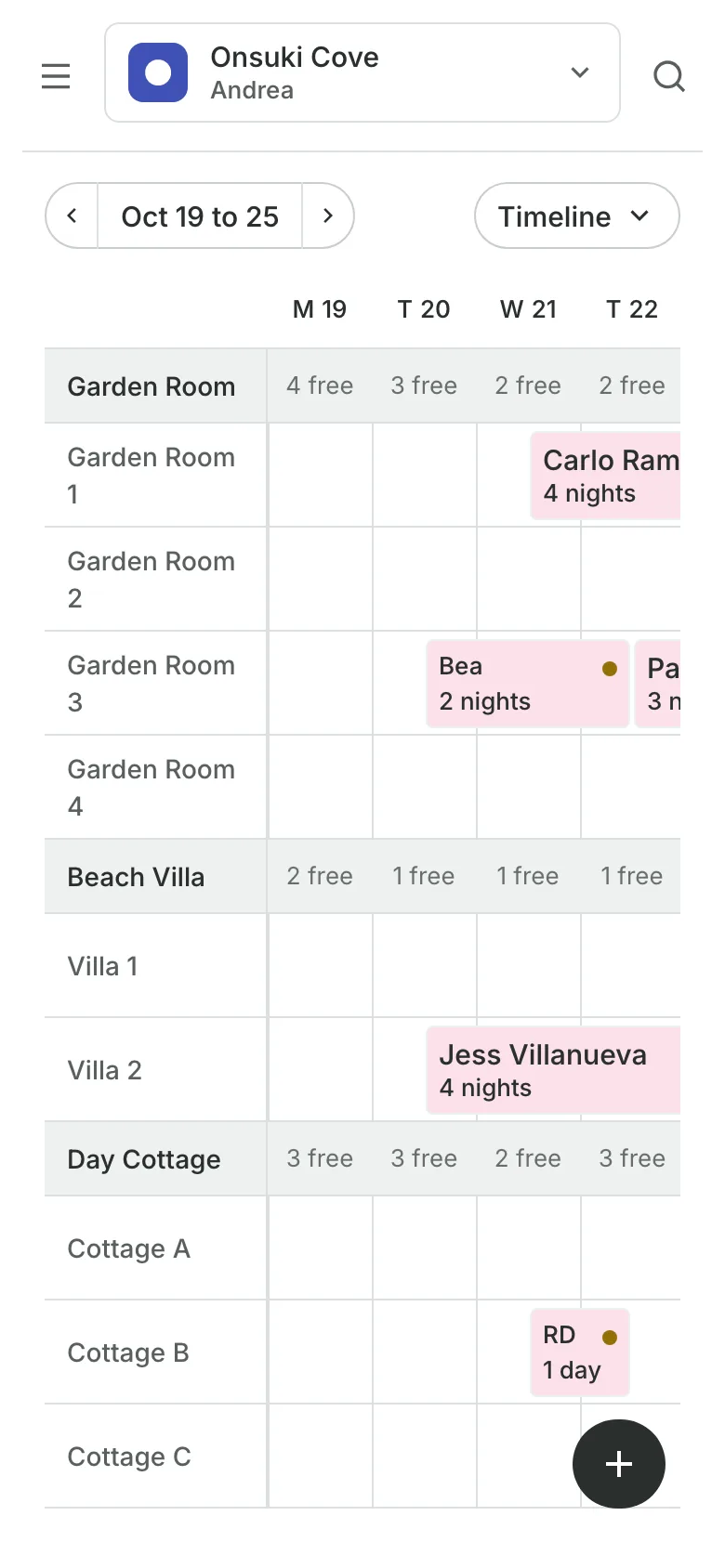
Each room is a row and each night a column, with what each guest still owes.
Calendar sync
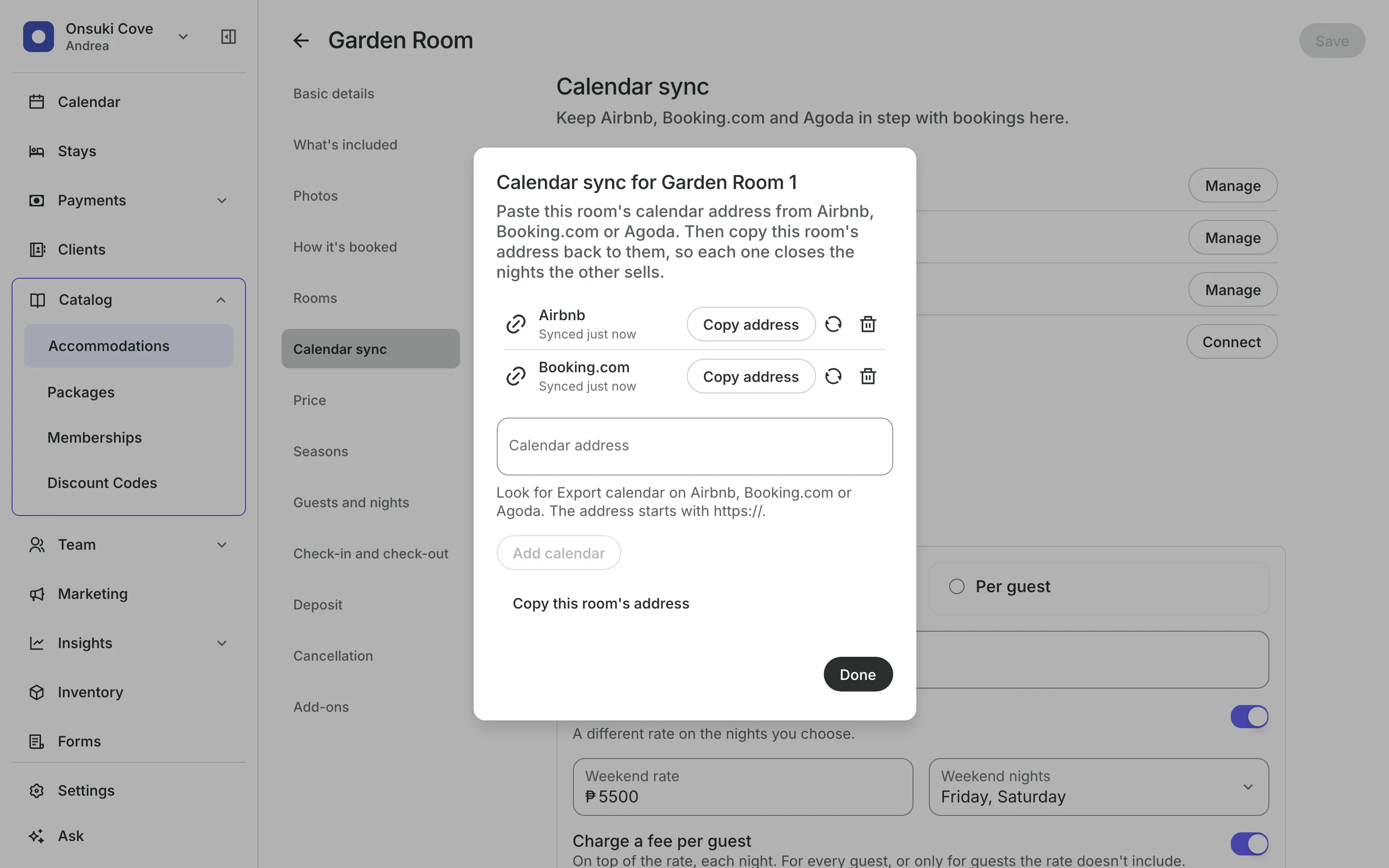
Keep Airbnb, Booking.com, and Agoda in step
Connect each room to its listings. The sync runs both ways, automatically, every 30 minutes, so a night sold on one is closed on the others.
Each room shows when it last synced.
An overlap is flagged on the room, and you get an email.
Sync now whenever you want.
Rates
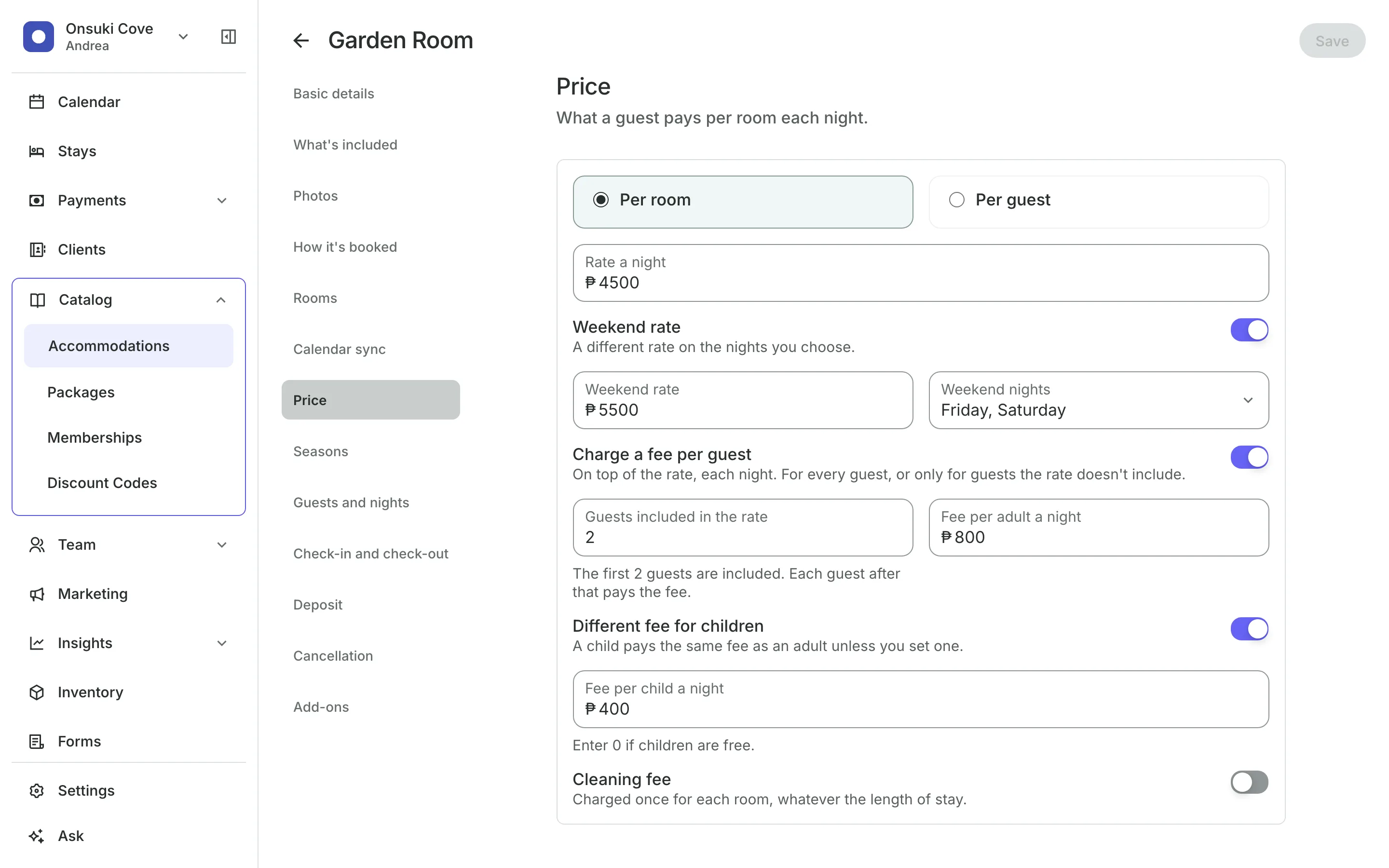
Price each room and season
Charge per room or per guest for a room, a villa, or a day pass.
Set weekend rates on the nights you choose.
Extra guests pay a fee each night, with a lower fee for children.
Seasons set their own rate and fewest nights for the holidays.
Booking
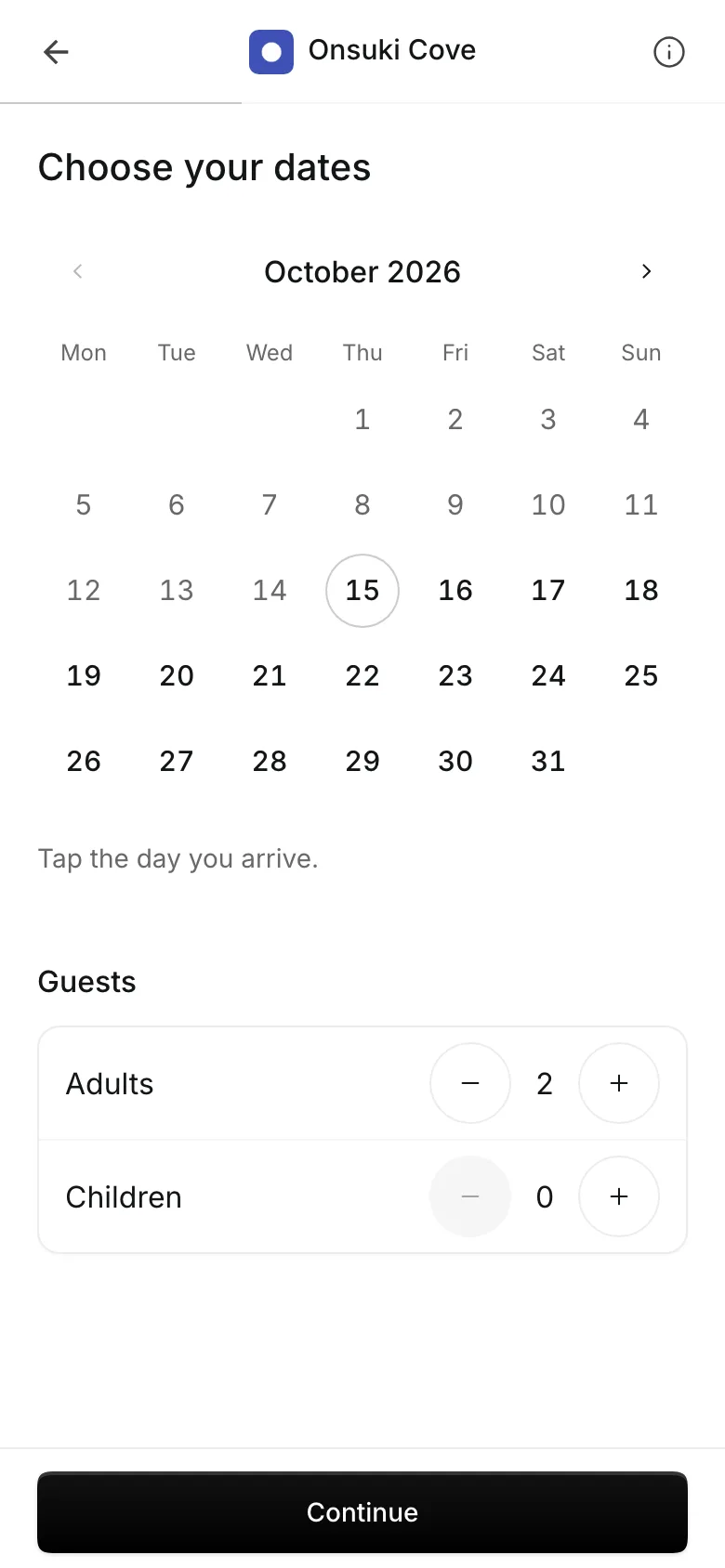
Guests book and pay a deposit online
Guests choose their dates, adults, and children, add breakfast or an extra bed, and pay a deposit online or by transfer to your own GCash, QR Ph, or bank account.
Take a deposit as a percent or a fixed amount.
Refunds depend on how many days before arrival they cancel.
Sell day use for cottages and day tours.
Front desk
Arrivals and departures for the day
Today lists arrivals, departures, and guests in house.
Check guests in and out from the stay and see what is still due.
New stay books a guest who calls or walks in.
Arrival notes go out with each guest's confirmation.
See what your resort gets
- StaysRooms, villas, tents, and day cottages by the night or the day, synced with Airbnb, Booking.com, and Agoda.
- Online BookingYour own booking site where clients book, pay, and manage their bookings.
- PaymentsOnline checkout, transfers to your own accounts, deposits, invoices, and sales reports.
- ClientsClient profiles with bookings, balances, notes, intake forms, and waivers.
- TeamRoles, schedules, commissions, and locations for everyone who works with you.
- AI AssistantAn assistant in your dashboard. Type what you need, then confirm each change.
Frequently asked questions
Yes. An accommodation can be booked by the day, open to close, as well as by the night.
Automatically, every 30 minutes, both ways. You can also sync a room by hand at any time.
Every plan. A business set up as a resort starts with Stays on.
7 days, with every feature of your plan. You choose a plan when the trial ends.
No. You sign up with your email or Google account, tell us what you run, and start setting up.
Each plan is one monthly price with unlimited bookings. See the pricing page for the plans and what each includes.
Set up your booking page today.
Free 7-day trial. No credit card required.