Get paid before they walk in
Clients pay or put down a deposit when they book, so fewer skip. Every payment is matched to its booking, so End of Day totals each payment method for you.
Free 7-day trial. No credit card required.
Clients pay online or in person













Every common way to pay in the Philippines
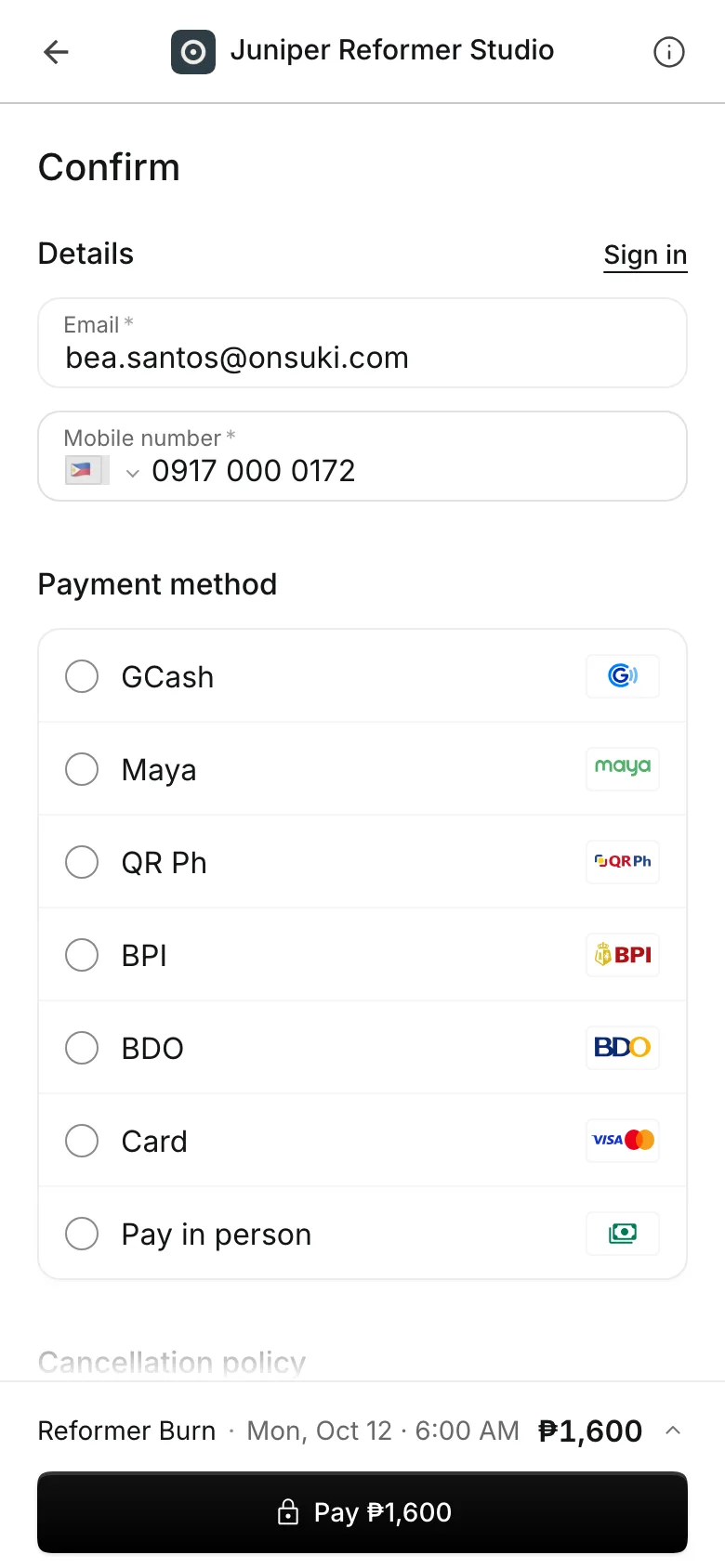
Cards, GCash and other e-wallets, QR Ph, online banking, transfers to your bank, and cash. Turn on the ones you want, in the order you want.
Ways to pay
Choose how clients pay
Turn on any mix of three ways to pay. Clients pick one at checkout, in the order you set.
Pay online by card, e-wallet, or online banking through PayMongo. The booking is paid the moment checkout ends.
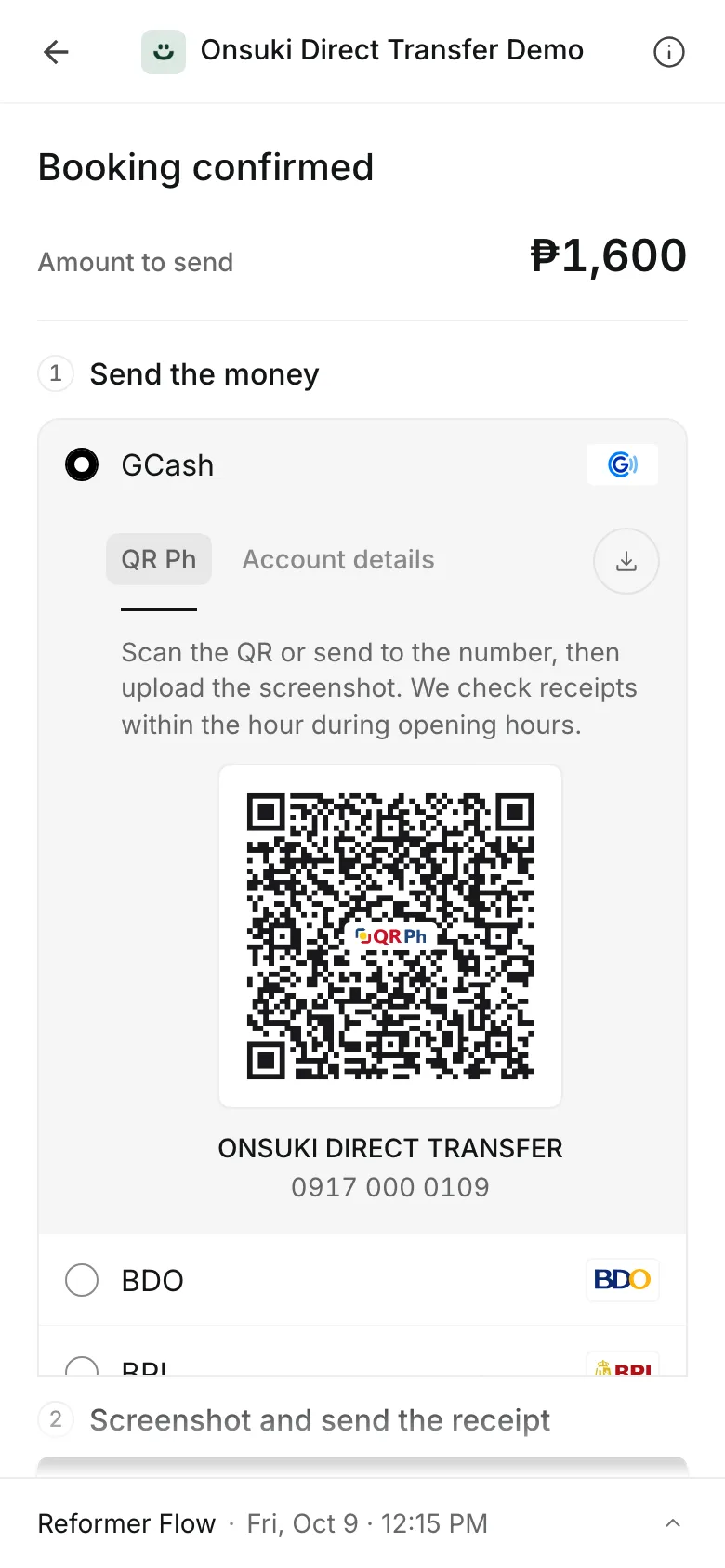
Transfer and upload to your own GCash, QR Ph, or bank account. The client uploads the receipt.
Pay in person holds the spot, and the client pays when they arrive.
Deposits take a fixed amount or a percent up front, so fewer clients skip.
Transfers
Approve every receipt from one list
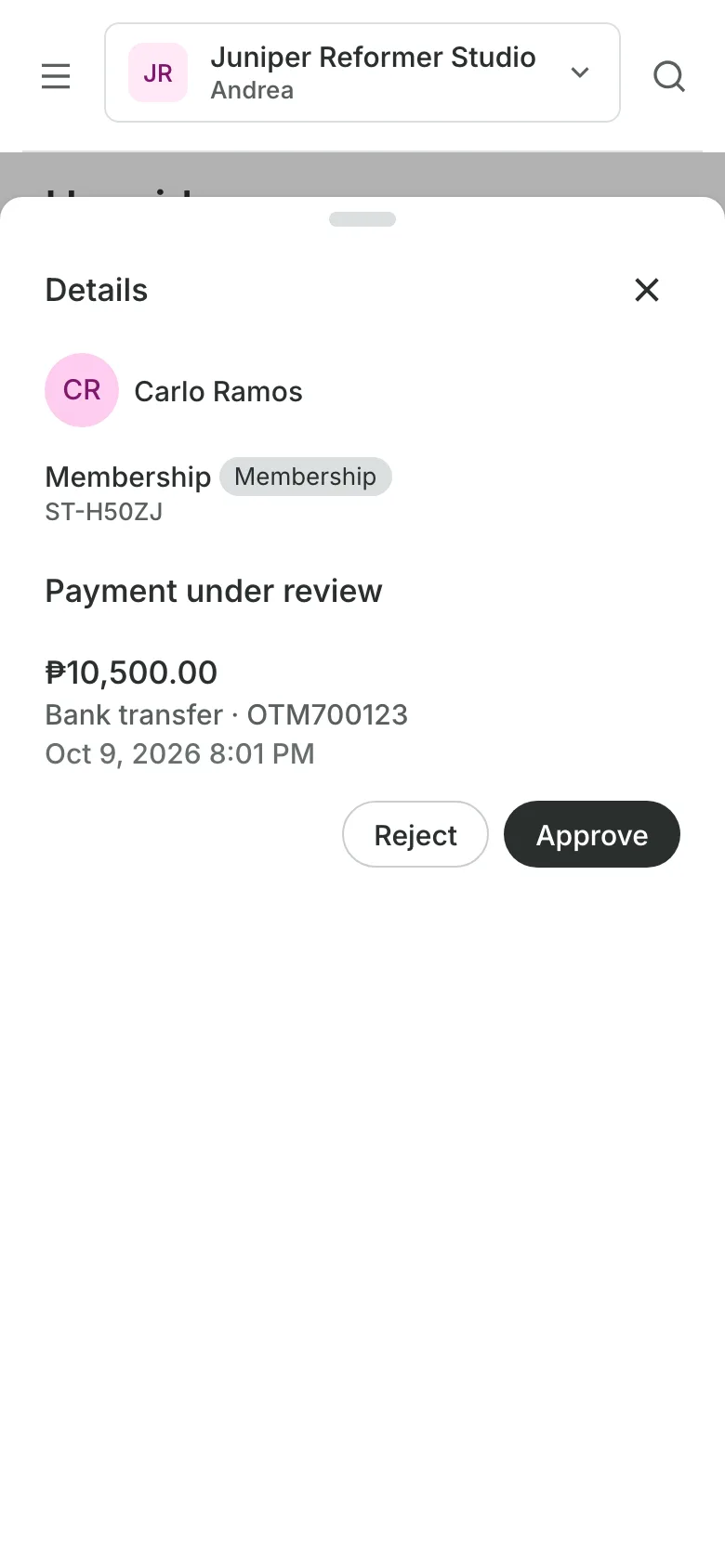
Clients see your QR or account number with the amount, and pay from their own GCash or bank app. The money goes straight to you, with a 0% fee from Onsuki. Each receipt waits under To verify with the amount and reference beside it.
- Approve, and the booking is confirmed
- A package or membership is ready to use at once
- Reject with a reason the client sees
In person
Take payment at checkout
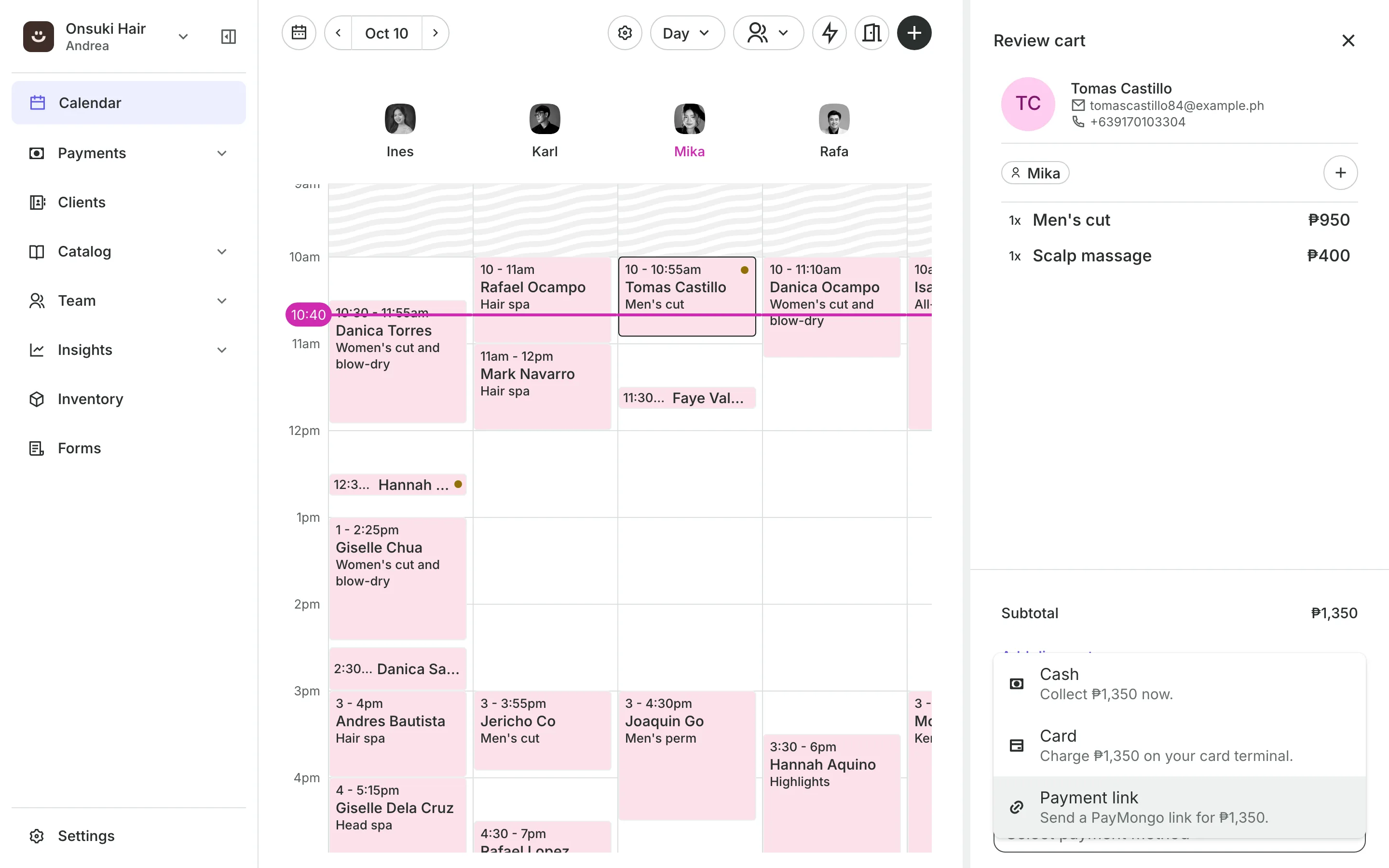
When the client arrives, open their booking and check them out. Add products and discounts to the same sale, and take cash, a card on your own terminal, or a transfer.
- Services, products, and discounts on one sale
- Cards charged on your own terminal and recorded
- A deposit paid online comes off what is due
Reconciliation
Every payment matched to its booking
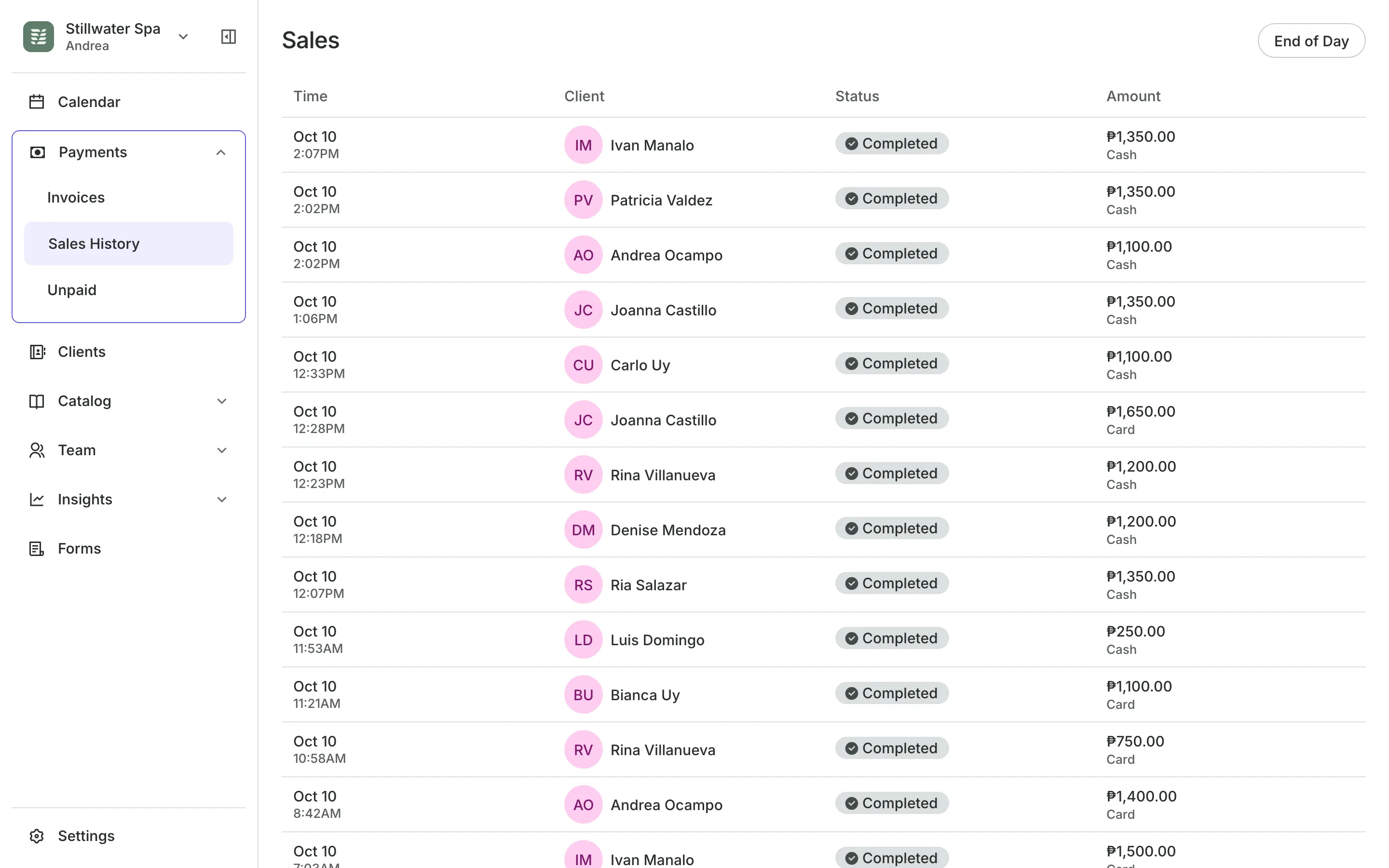
Online payments, approved receipts, and checkouts are each recorded on their booking, so the day adds up without a spreadsheet.
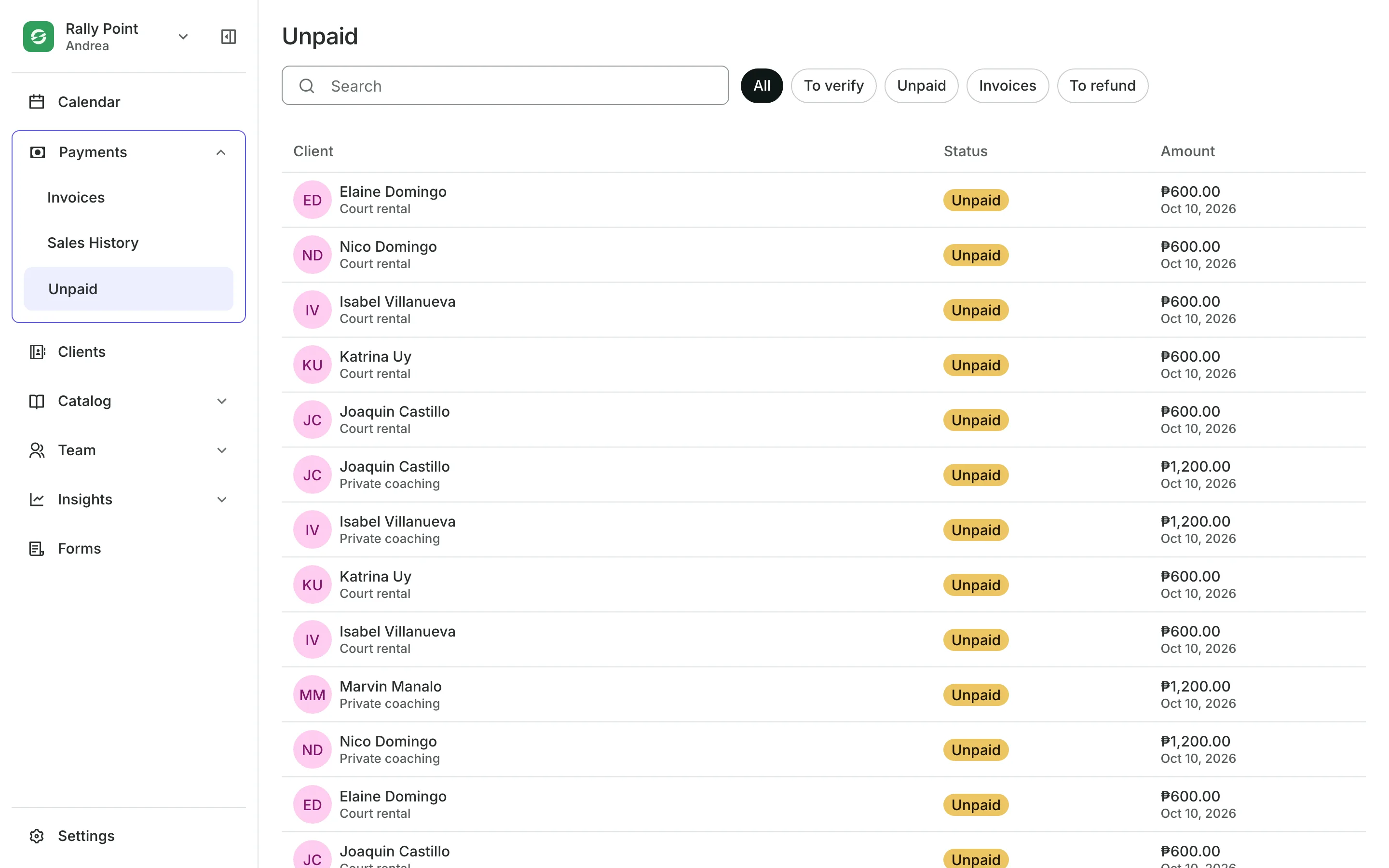
Sales History lists every sale with the client, the amount, and how they paid.
Refunds send back all or part of a sale, the same way it was paid.
Unpaid lists who still owes you and the receipts waiting to be checked.
End of Day totals each way you were paid and counts the cash drawer.
Start taking payments today
Pick your ways to pay, set a deposit if you want one, and share your booking page.
1
Choose your ways to pay
Add your GCash, QR Ph, or bank account, turn on Pay in person, or request PayMongo from Settings.
2
Set a deposit
Ask for a fixed amount or a percent when clients book, or leave deposits off.
3
Share your booking page
Clients pick how to pay at checkout. Transfer receipts wait in one list for you to approve.
Booking for any business
Tell us what you run and Onsuki sets itself up for it: your words, your way of booking, the screens you need.













Guides on Payments

Frequently asked questions
Online by card, GCash and other e-wallets, QR Ph, or online banking through PayMongo. By transfer to your own GCash, QR Ph, or bank account. Or in person. You choose which ones show at checkout and in what order.
Through PayMongo. Select Connect PayMongo in Settings, finish setup with PayMongo, and turn on the methods you want once your account is active.
Until then, clients can pay by transfer to your own accounts, and you can take cards in person on your own terminal.
Transfers go straight to your own GCash, QR Ph, or bank account, with a 0% fee from Onsuki. PayMongo payments are paid out to your PayMongo account.
Yes. Turn on Pay in person, and clients book without paying online. The booking shows as owed until you take the payment at checkout.
Yes, and it is the simplest way to cut no-shows. Choose a fixed amount or a percent of the price. Clients pay it when they book, and the rest at the visit. A no-show keeps the deposit, and a service can have its own deposit, or none.
7 days, with every feature of your plan. You choose a plan when the trial ends.
No. You sign up with your email or Google account, tell us what you run, and start setting up.
Each plan is one monthly price with unlimited bookings. See the pricing page for the plans and what each includes.
Take bookings and get paid, the simple way.
Free 7-day trial. No credit card required.