Chart every treatment, then sign it
Write each visit's chart from your own note templates, mark up photos, record the products used, and sign it with your PIN. Charting is on the Clinic plan.
Free 7-day trial. No credit card required.
Clients pay online or in person













Keep each client's chart in one place
A client's chart holds their entries, medical summary, photos, consents, and treatment plans, next to their bookings and payments.
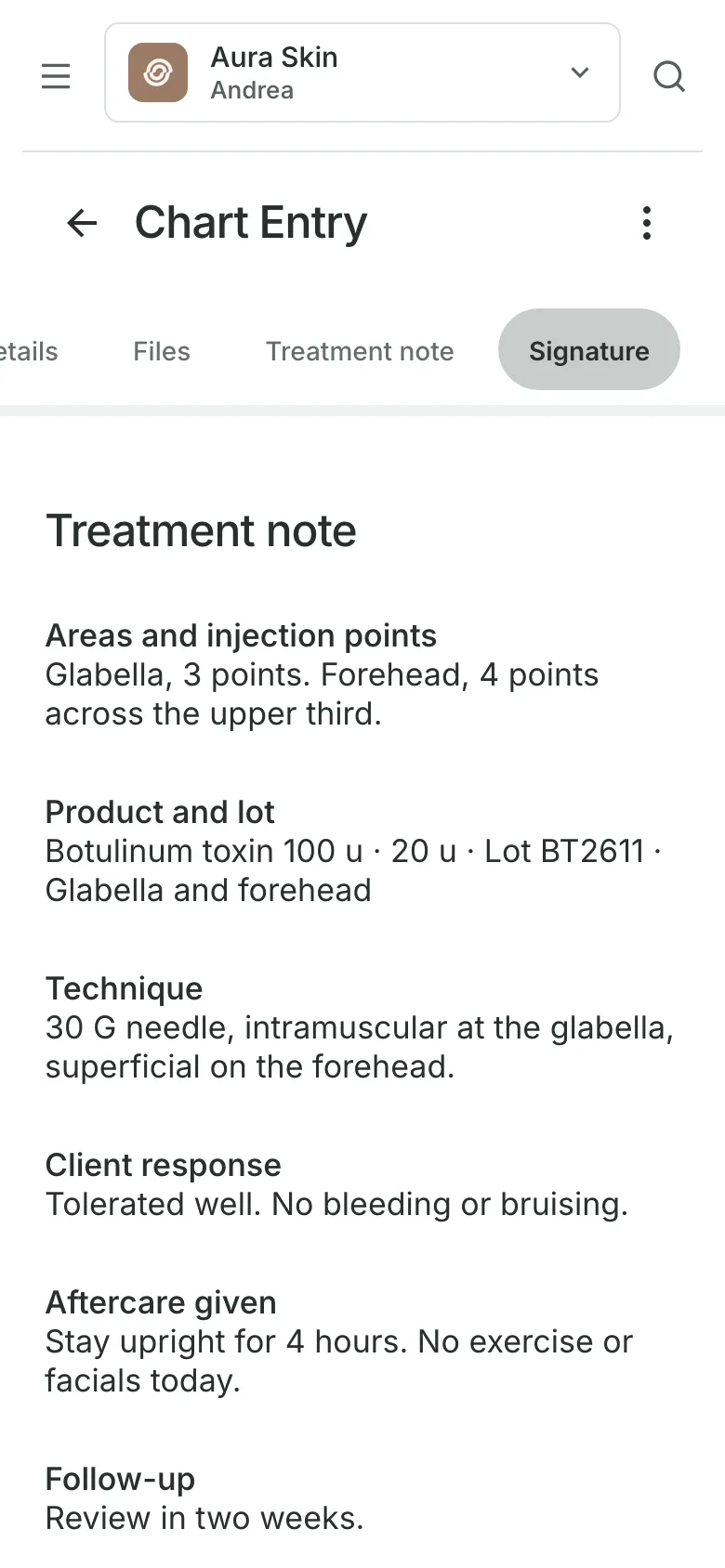
Chart entries
Write each visit from a template
Note templates set the sections your team writes each entry from.
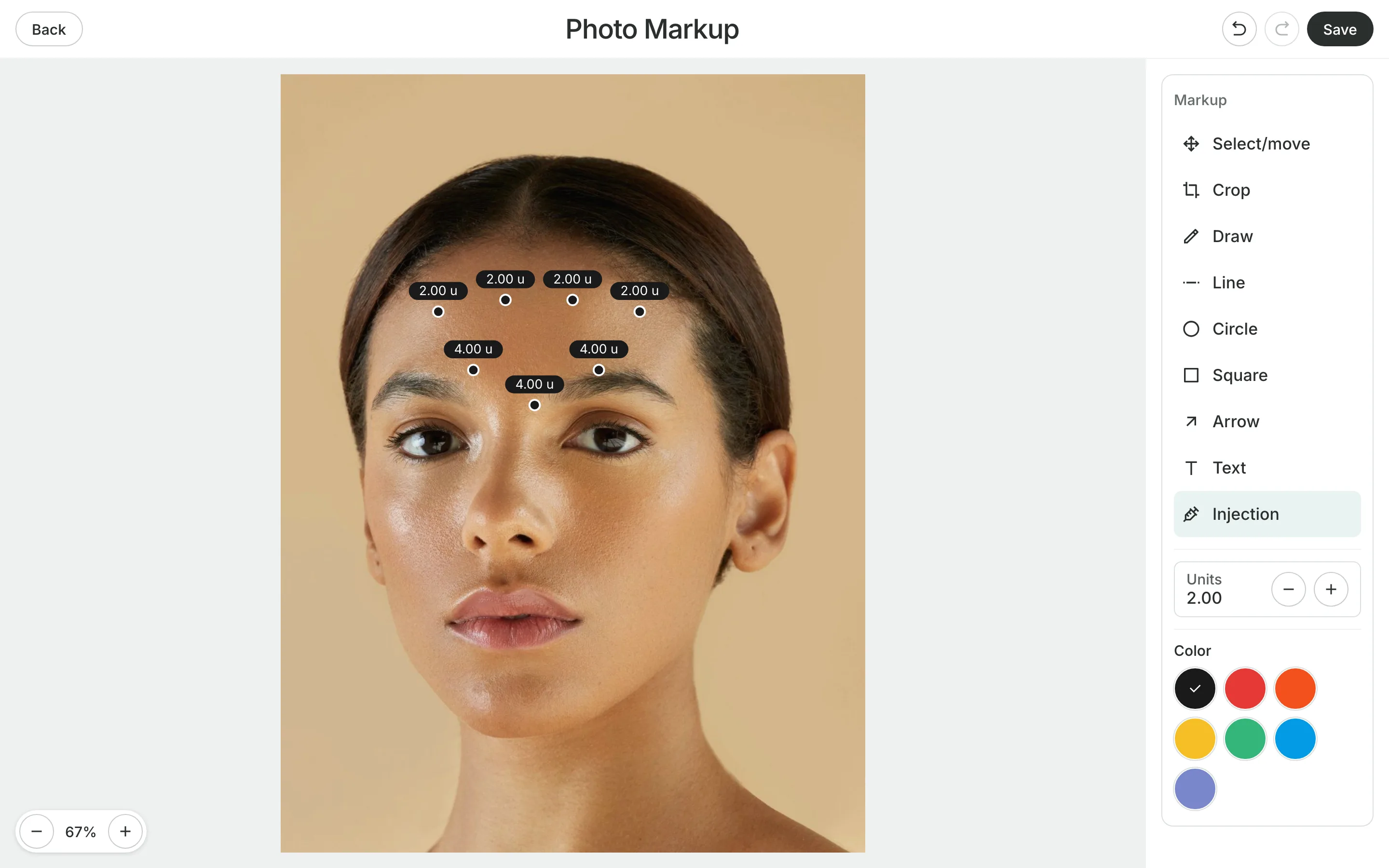
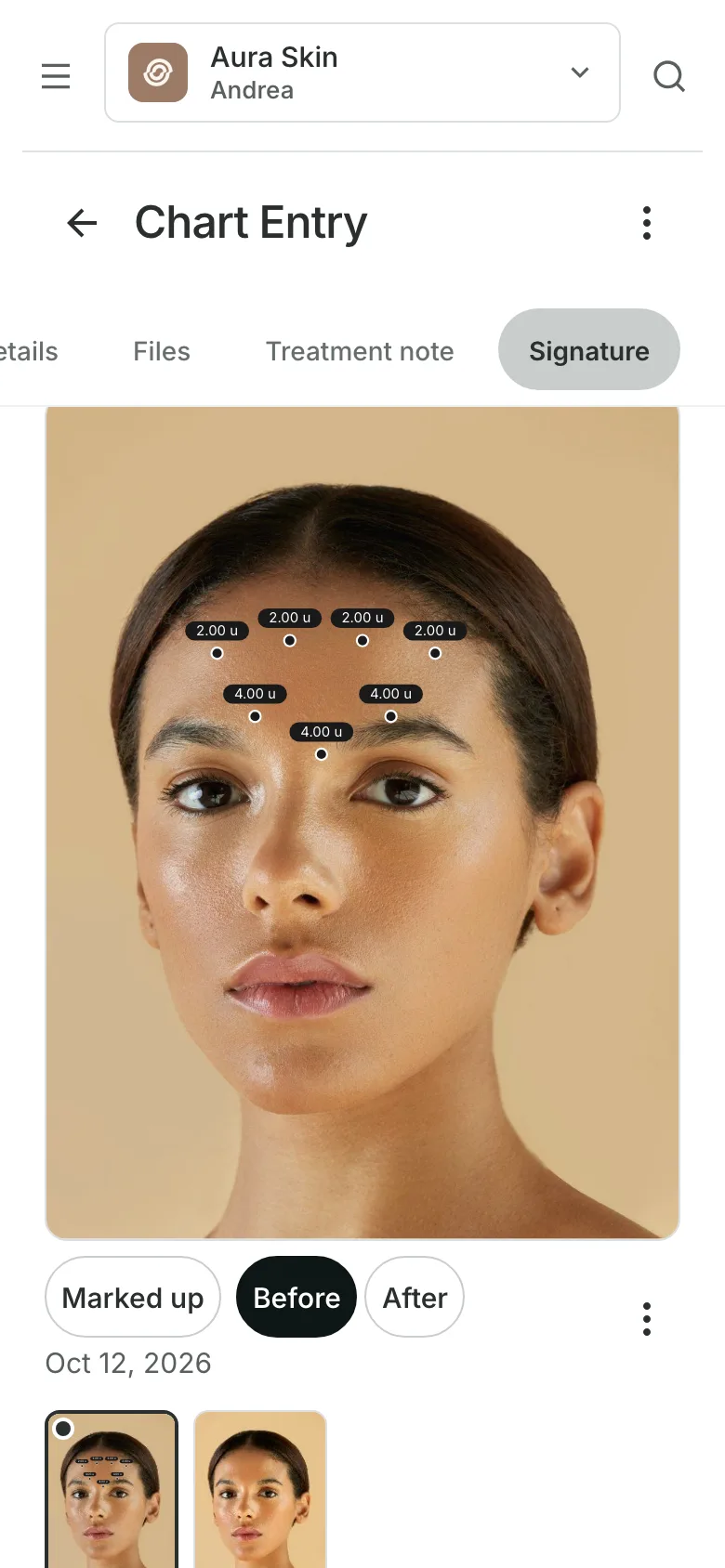
Photo markup puts injection points and units on a photo or an outline.
Before and after photos are labeled and compared side by side.
Products used come from your stock, with lot number and expiry.
Treatment plans
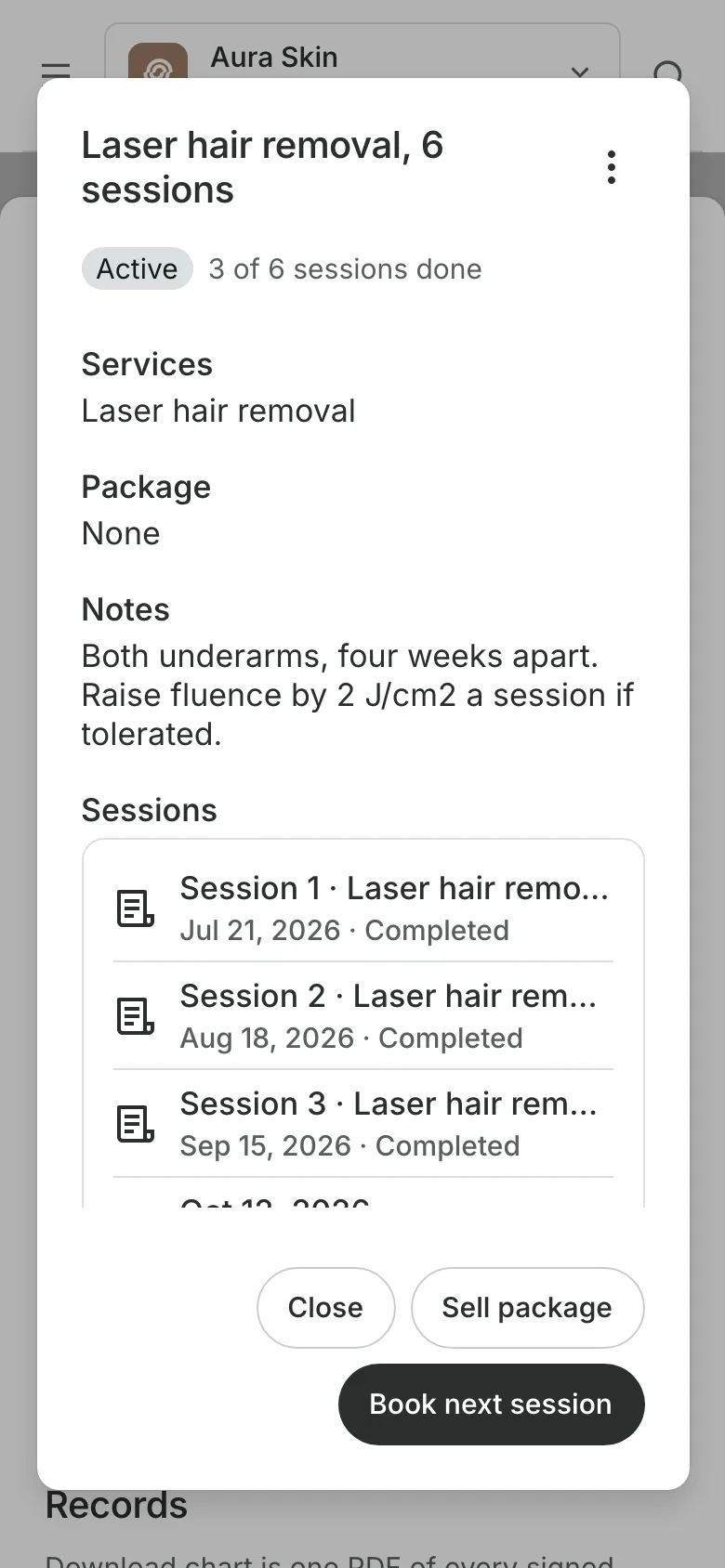
Count a course session by session
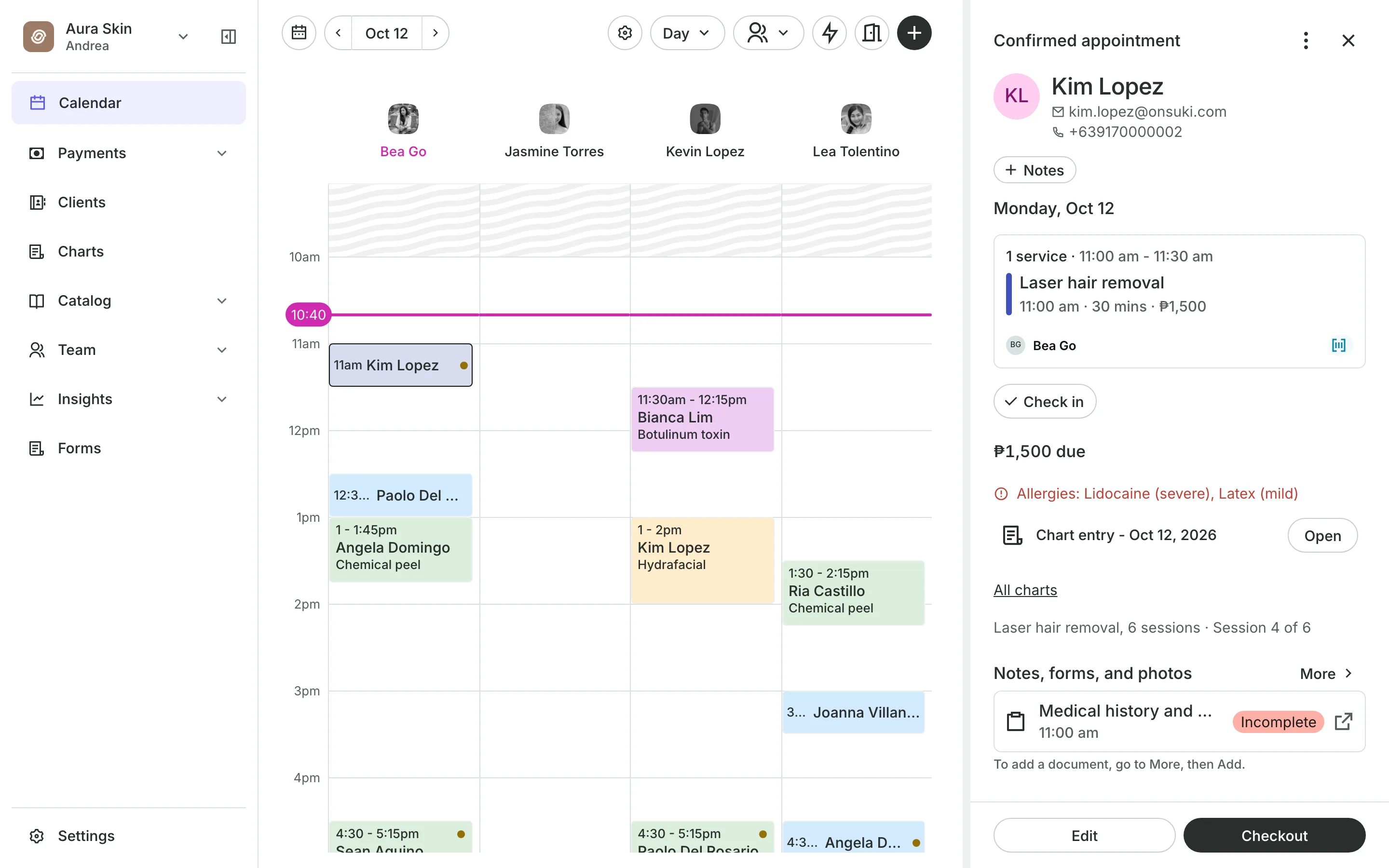
A plan holds the treatment, the number of sessions, and your notes. Each signed visit takes the next number, so the appointment reads Session 4 of 6.
- Book the next session from the plan
- Link the plan to the client's package
- Mark a plan completed, or stop it with a reason
Signing
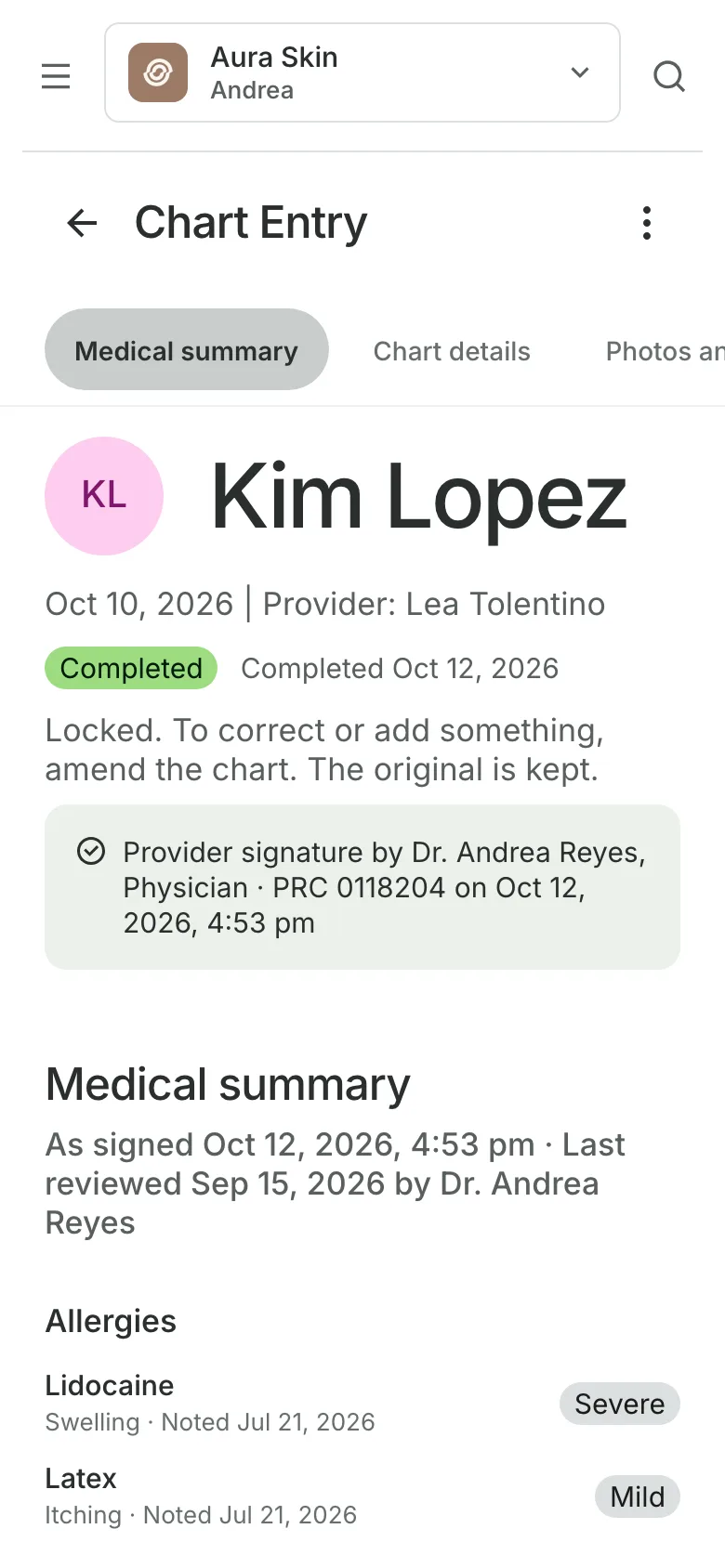
Sign each entry with your PIN
PIN or passkey signs the entry, with Face ID or a fingerprint on the device.
Signer details come from the account: name, profession, and PRC number.
Amendments change a signed entry and record the change and the reason.
Access log shows the owner who opened each entry.
At the appointment
See allergies before you start
A client's allergies show in red on the appointment, for the people allowed to view medical information. The visit's chart entry opens from there.
- Consents the client signed, on the visit's entry
- Medical Director sign-off when you require it
- Separate permissions to view, sign, and export
Start charting your treatments
Charting is on the Clinic plan. Set up your templates, then chart each visit.
1
Set up your templates
Choose the sections your team fills in for each kind of treatment.
2
Write and sign the entry
Chart the visit, add photos and products, and sign with your PIN.
3
Keep the record
Amend with a reason when something changes, and download a PDF when asked.
Booking for any business
Tell us what you run and Onsuki sets itself up for it: your words, your way of booking, the screens you need.
















Guides on Charting

Frequently asked questions
Charting is on the Clinic plan. See pricing for what each plan includes.
Only by an amendment, which records what changed and why. Earlier versions are kept.
Only team members with the charting permissions. The owner can see who opened each entry in the access log.
Yes. Attach photos to a chart entry, label them Before and After, and compare two side by side.
Yes. Download one signed entry or the client's chart as a PDF. The purpose is recorded with every download.
7 days, with every feature of your plan. You choose a plan when the trial ends.
No. You sign up with your email or Google account, tell us what you run, and start setting up.
Each plan is one monthly price with unlimited bookings. See the pricing page for the plans and what each includes.
Take bookings and get paid, the simple way.
Free 7-day trial. No credit card required.