Booking software for barbershops:Run your shop by the chair
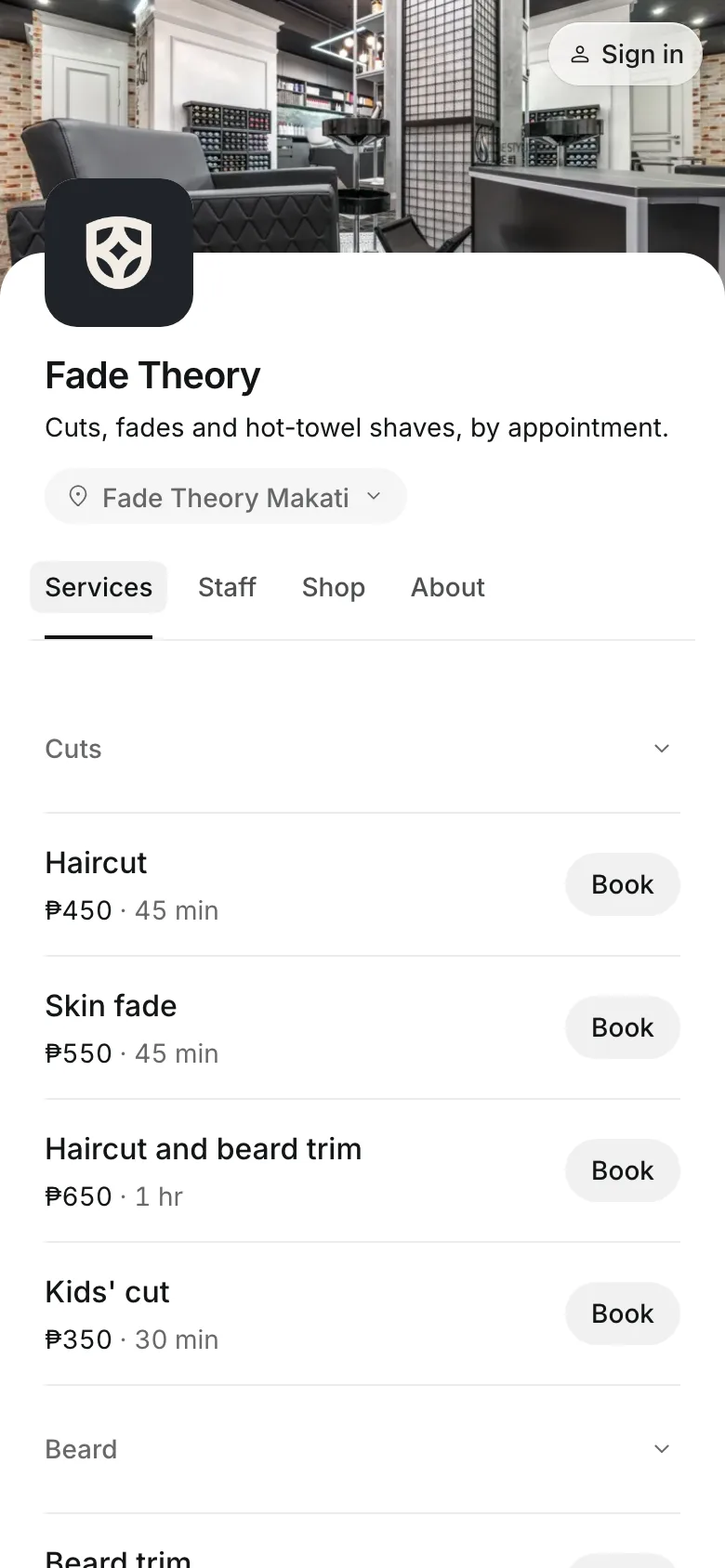
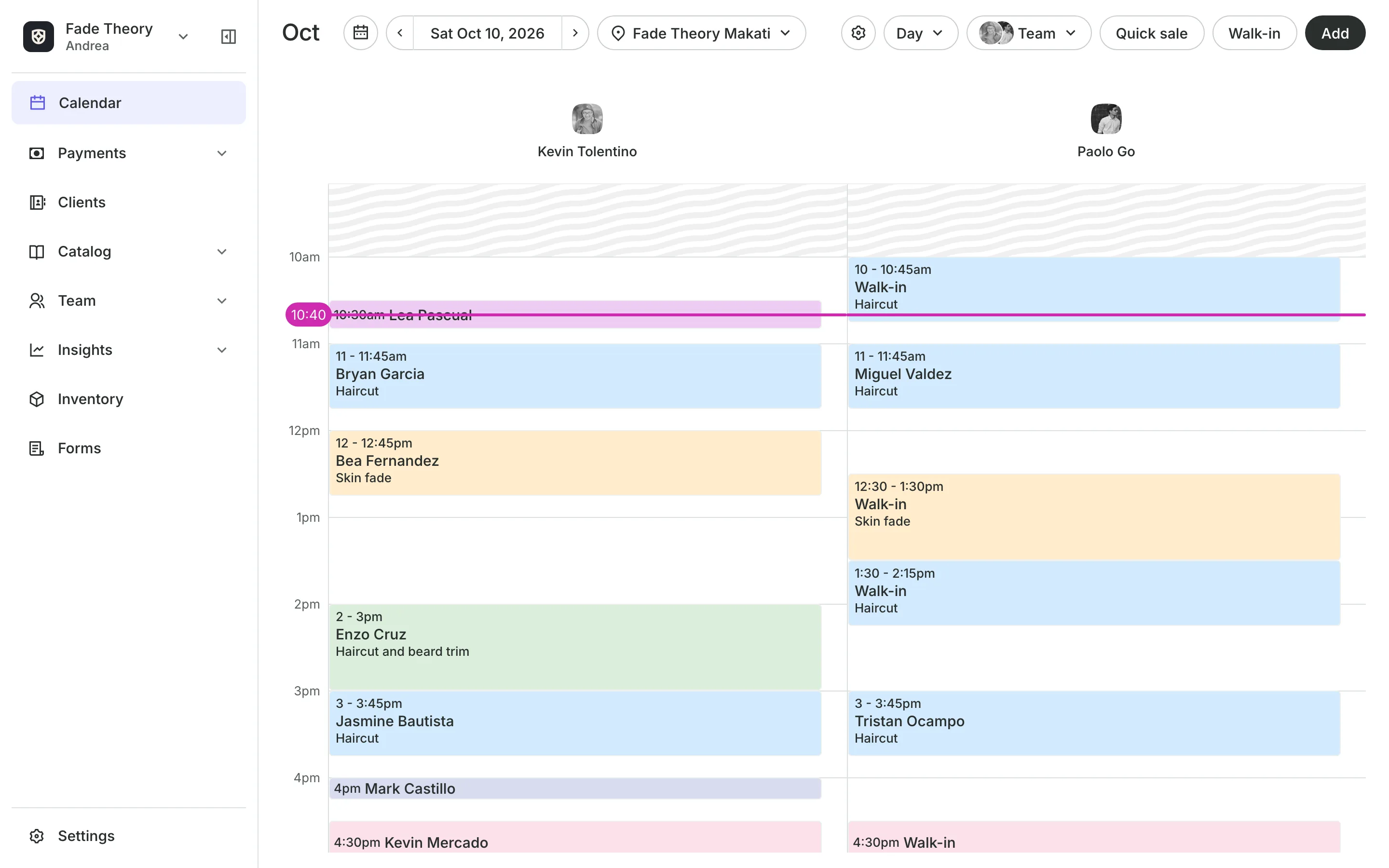
One haircut, a price for each barber level. Clients book their barber online, walk-ins go to whoever is free soonest, and each barber's commission is worked out for you.
Free 7-day trial. No credit card required.
Clients pay online or in person













Set prices the way your shop does
Junior and Senior barbers charge differently for the same cut. Keep one service, give each level its price, and clients pay the price of the barber they book.
Staff levels
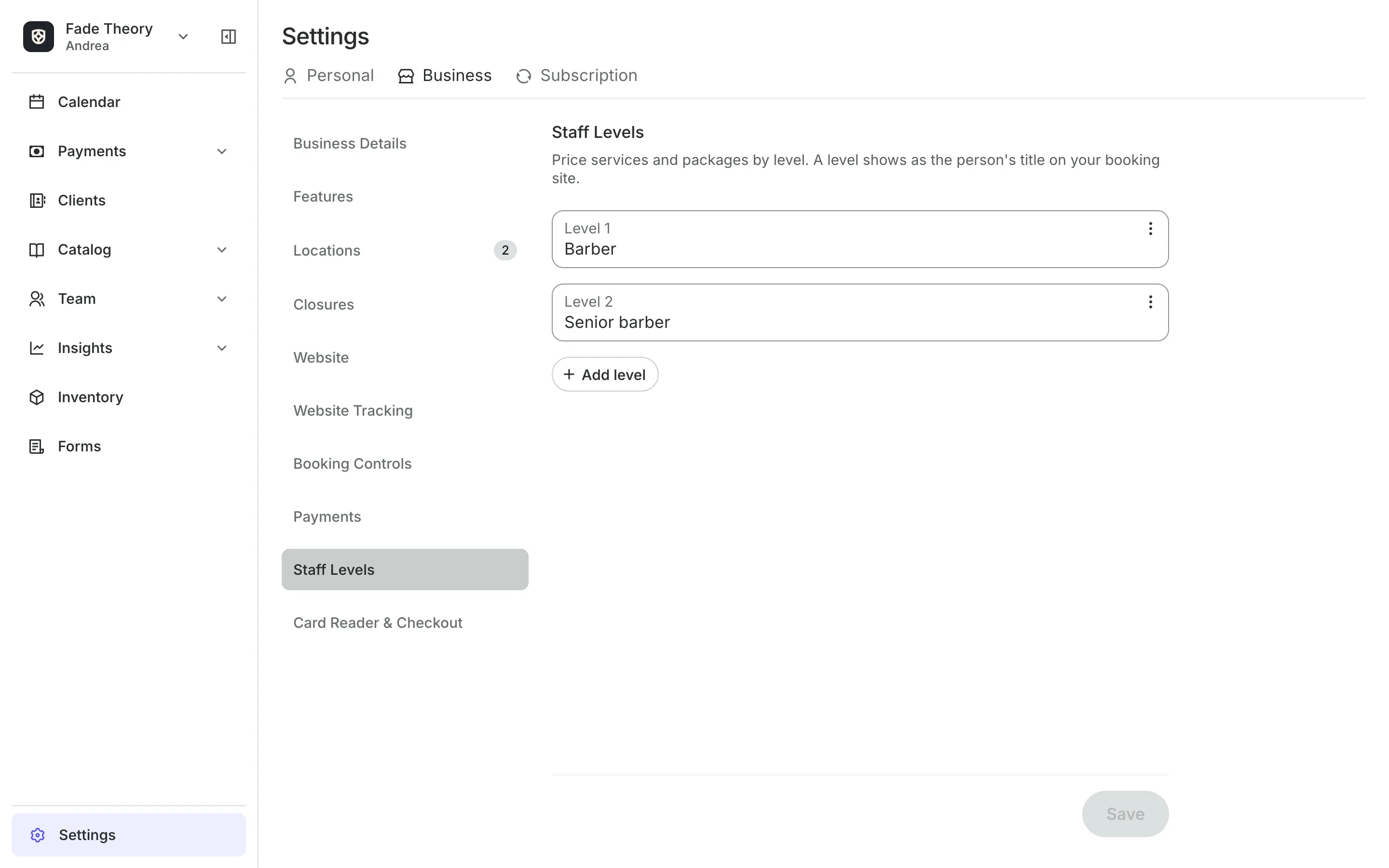
Charge more for your senior barbers
Staff levels like Junior, Senior, and Master set a price and a title.
Price by level keeps one haircut with a price for each level.
Barbers by level can be filtered on your booking site, with each price.
Packages can cover one level, so a Senior pack pays for a Senior.
Walk-ins
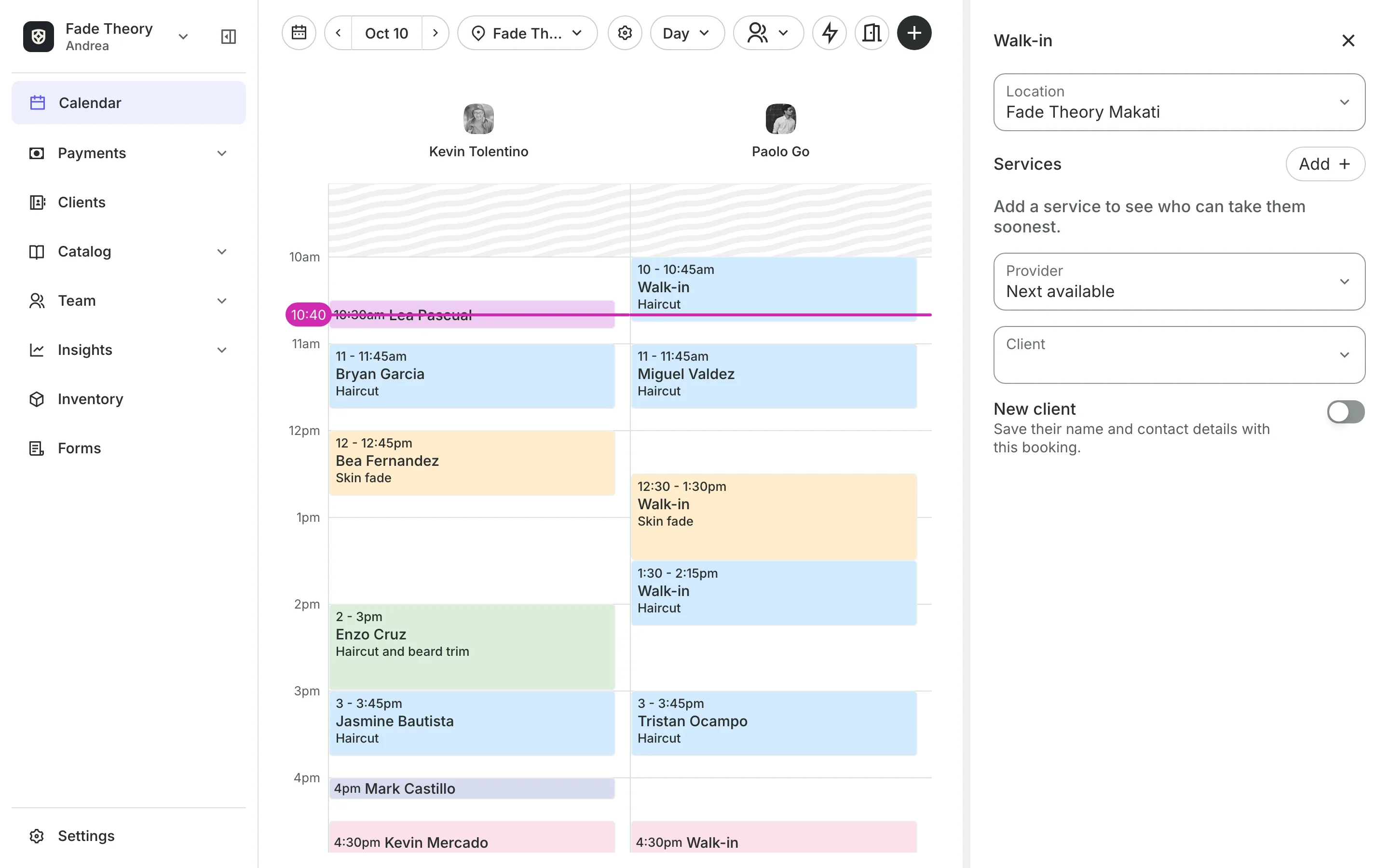
Seat walk-ins with the next barber
Add the service and Onsuki lists who can take the client and when, soonest first: Now, In 12 min, or later. One tap books them, with or without a name.
- Booked clients and walk-ins on one calendar
- Each barber's own booking link for their Instagram
- A hot towel or a wash as an add-on to any cut
Payments
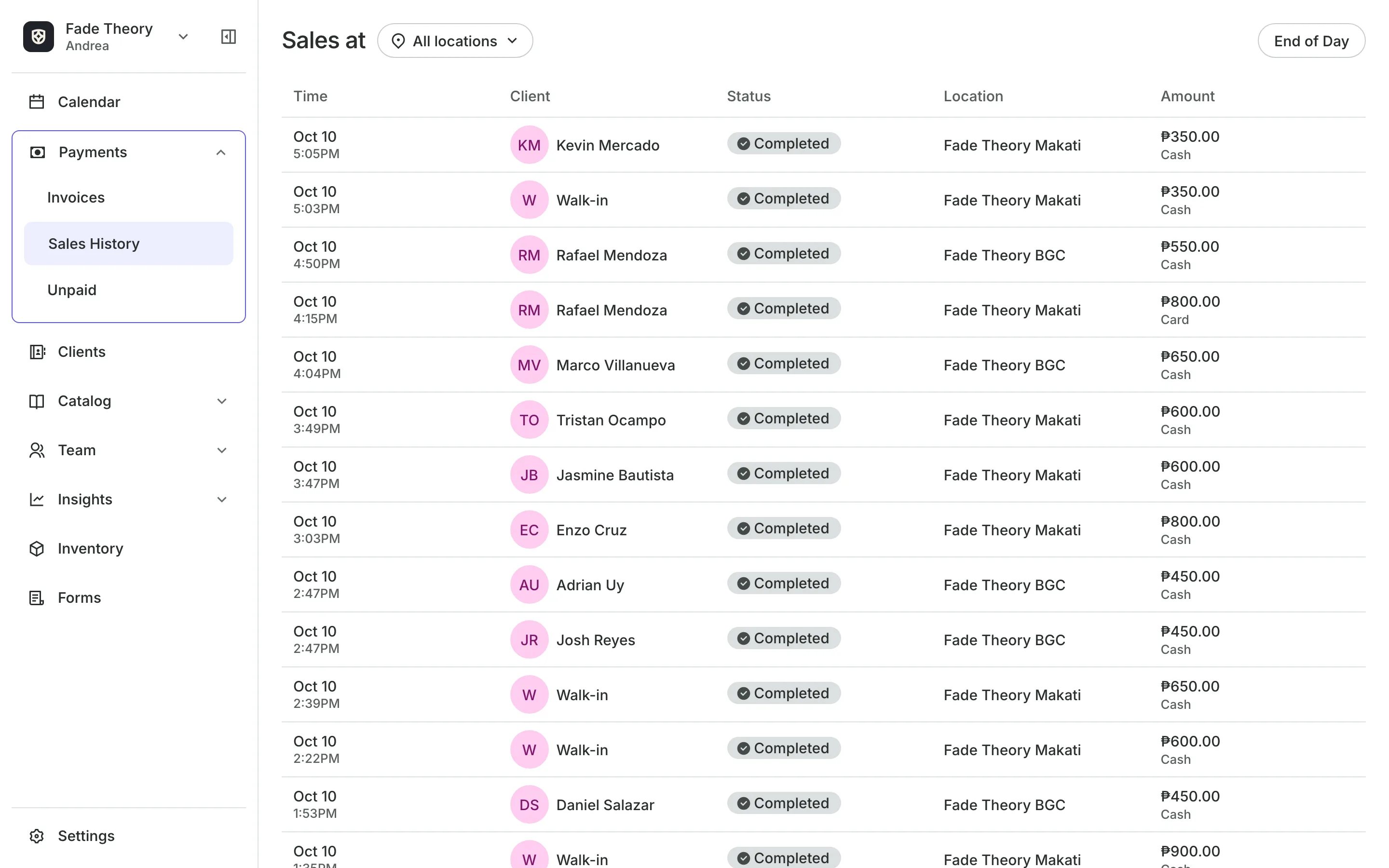
Get paid the way clients pay
Pay online by card, e-wallet, or online banking at checkout.
Your own GCash or bank shows at checkout, and you approve the receipt.
Pay in person lets clients book now and pay after the cut.
Sales history lists every sale and how it was paid.
Commissions
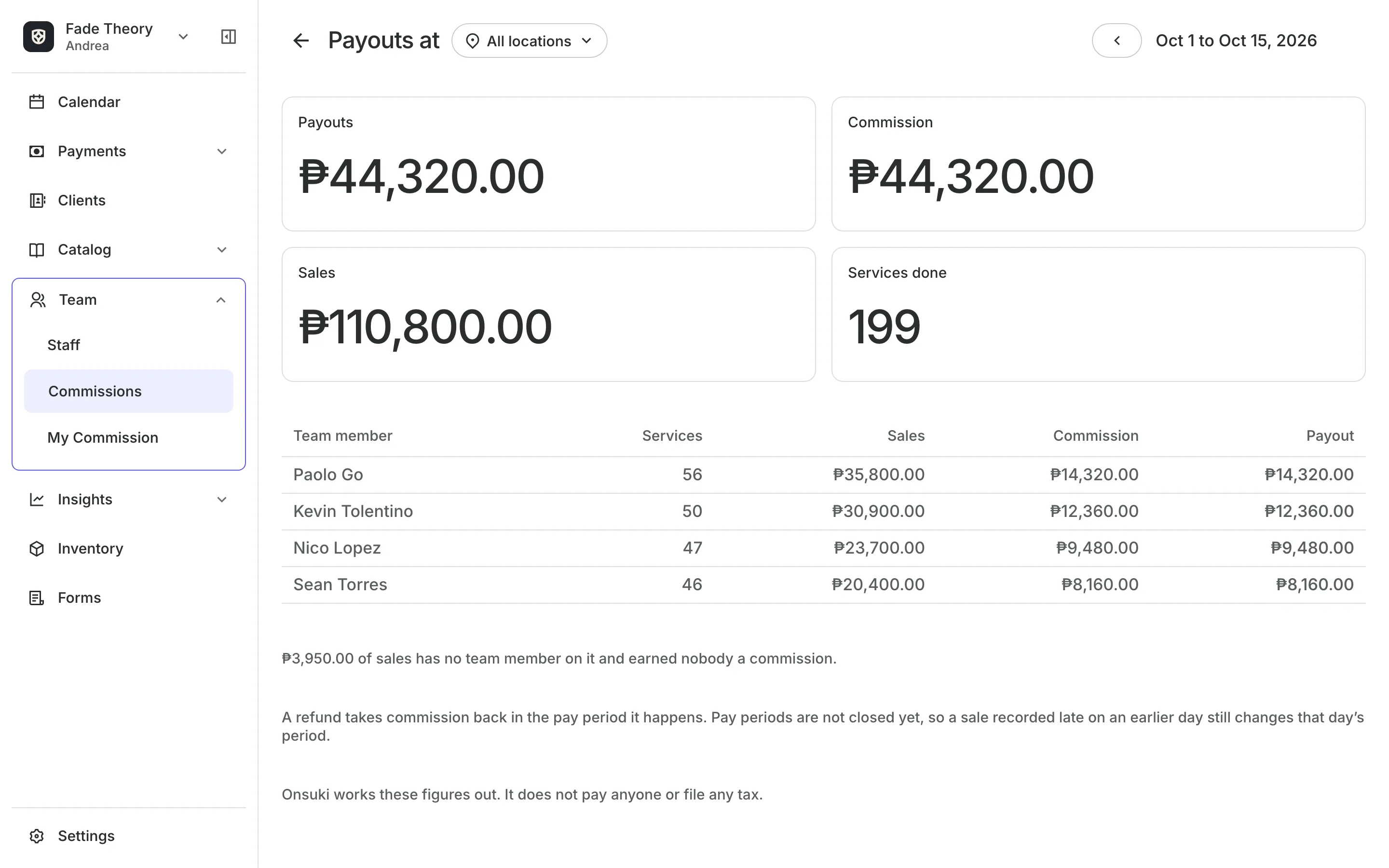
Work out each barber's pay
Start from the Weekly barbershop template: a percent of each barber's services, paid weekly, with VAT taken out first and an allowance if you give one. Change any of it before you save.
- A statement for each barber, every pay period
- A rate for each level, or a barber's own rate
- Each barber sees their own statement
See what your shop gets
- Online BookingYour own booking site where clients book, pay, and manage their bookings.
- AppointmentsServices, staff, rooms, and add-ons, booked online or from the calendar.
- TeamRoles, permissions, hours, and time off for everyone who works with you.
- CommissionsWhat each team member earned in commission, for every pay period.
- PaymentsOnline checkout, transfers to your own accounts, and Pay in person.
- ClientsClient profiles with bookings, balances, notes, feedback, and packages.
- LocationsEach branch with its own hours, team, rooms, and prices, in one account.
- InventorySell products online and at checkout, with stock counted as you go.
- ReportsAnalytics, reports, sales history, and a cash count at the end of the day.
- ConciergeA chat on your booking page that answers customers and books a class or an appointment.
- AssistantType what you need done, in English or Taglish, and confirm each change.


Frequently asked questions
Yes. Set up staff levels, give each barber a level, and set a price for each level on the service. Clients pay the price of the barber they book.
Yes. Turn on Walk-ins, add what the client wants, and pick from the list of barbers by who can start soonest.
Yes. Turn on the Staff Page, then copy each barber's booking link. It opens your booking site with that barber already chosen.
Yes. Set a different price at each location. When a barber's level has its own price, the level's price wins.
7 days, with every feature of your plan. You choose a plan when the trial ends.
No. You sign up with your email or Google account, tell us what you run, and start setting up.
Each plan is one monthly price with unlimited bookings. See the pricing page for the plans and what each includes.
Take bookings and get paid, the simple way.
Free 7-day trial. No credit card required.