Booking and charting software for aesthetic clinics:Chart treatments, plan courses, and take deposits
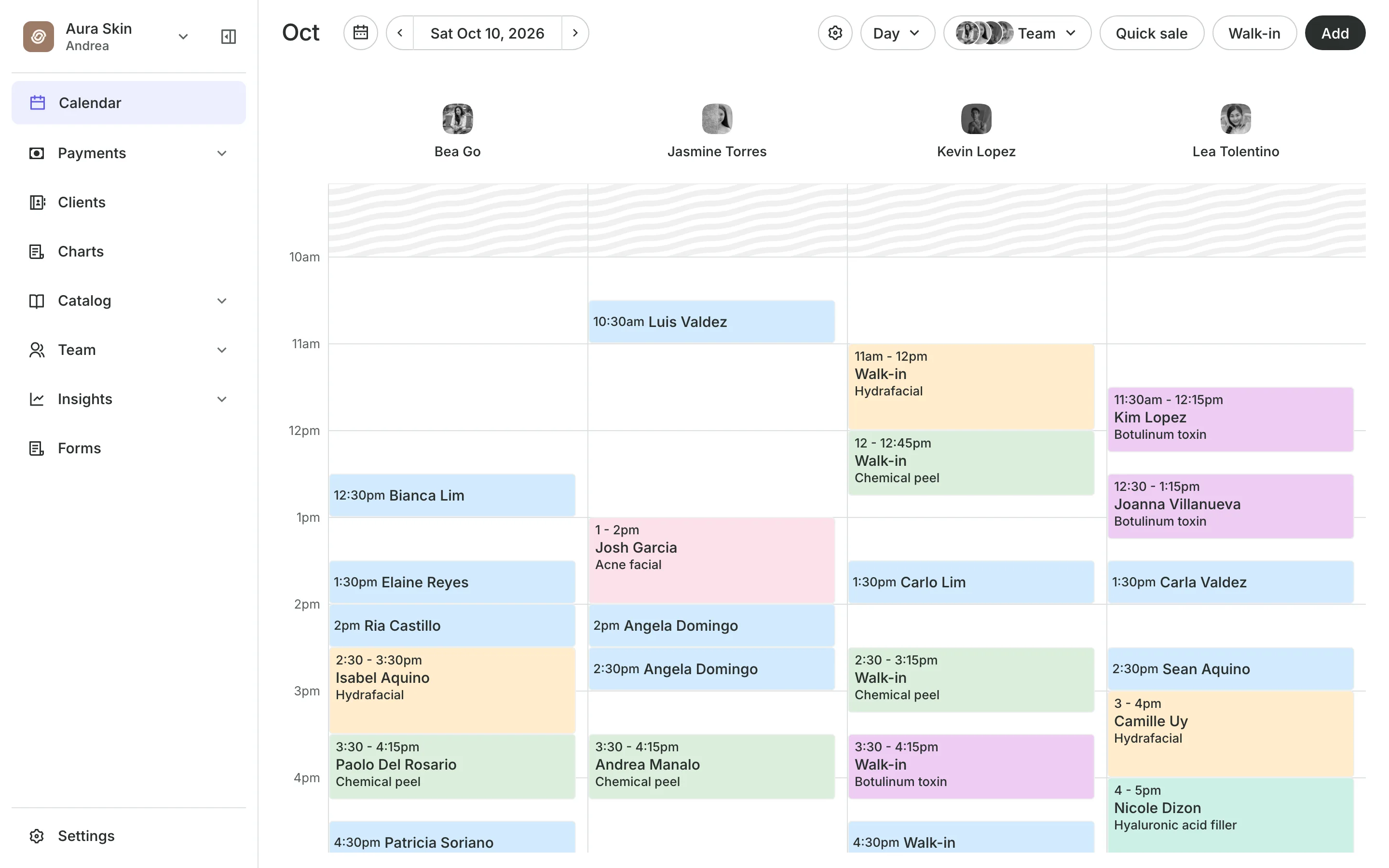
Each visit gets a signed chart entry with photos, injection points, and the products used. A course is a plan your team counts session by session. A deposit holds every booking, so an empty slot is paid for.
Free 7-day trial. No credit card required.
Clients pay online or in person













Keep the record where you book
The booking, the deposit, the consent, the chart, and the plan sit on one client record. Your front desk and your doctors work from the same screen.
Charting
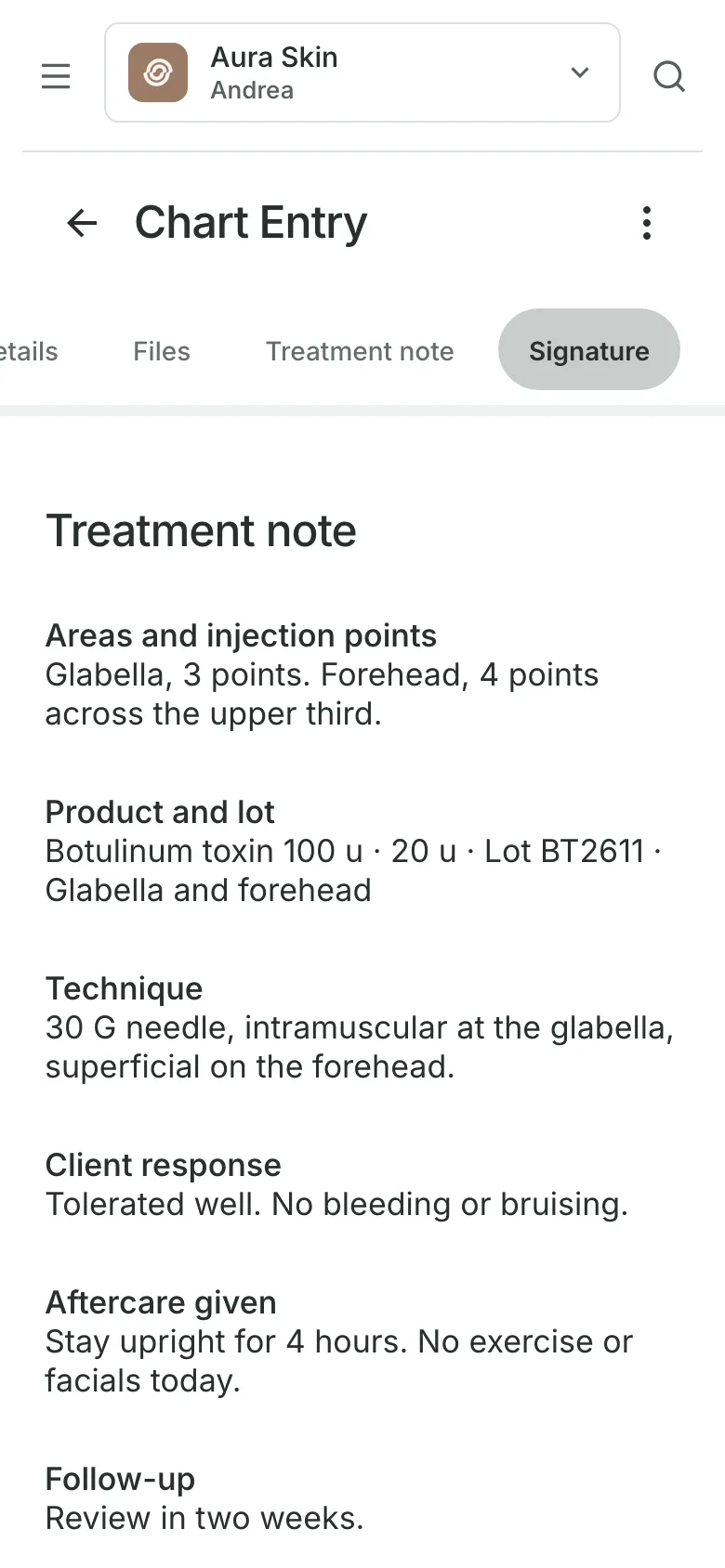
Chart each treatment as you work
Note templates for injectables, lasers, peels, and microneedling, or your own.
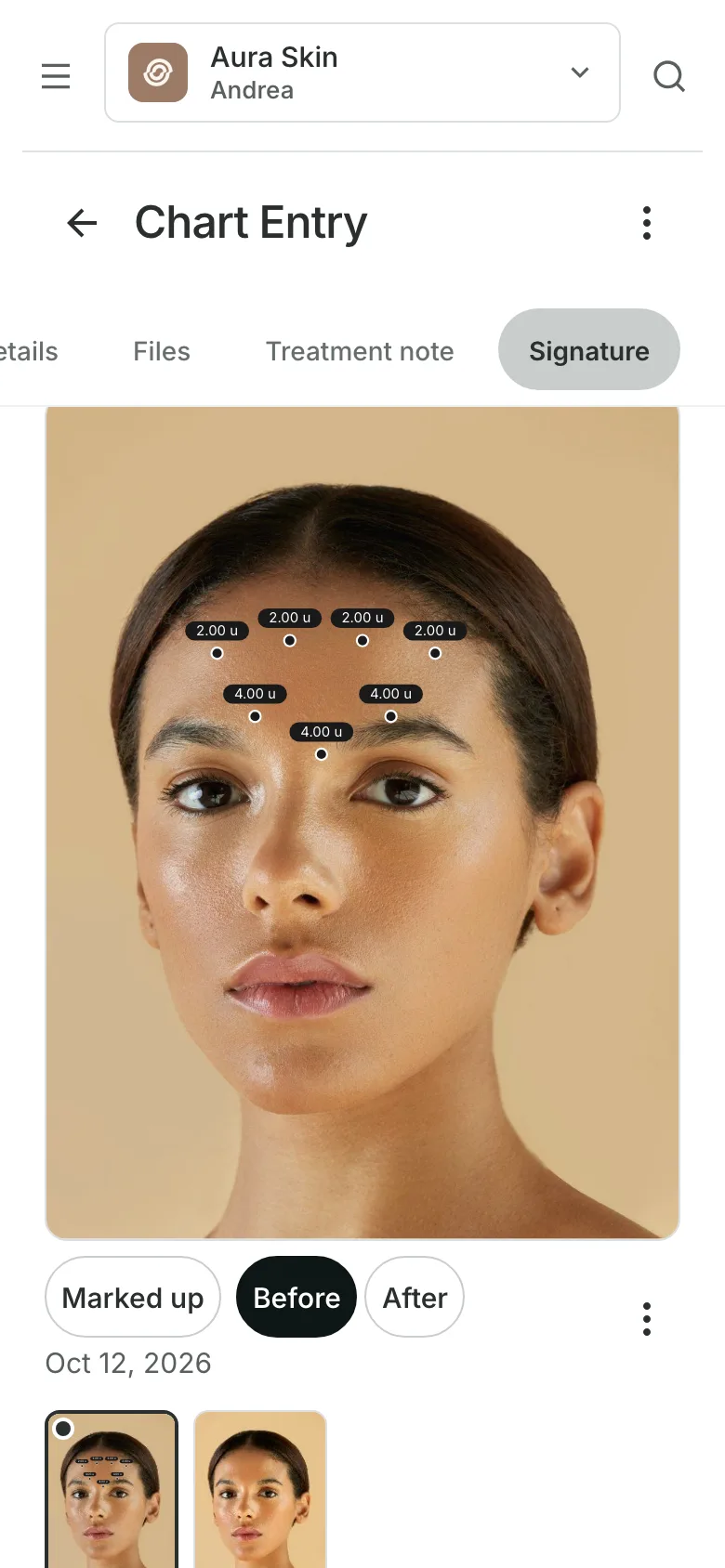
Photo markup puts injection points and units on a photo or a face outline.
Before and after photos are labeled and compared side by side.
Products used come from your stock, with lot number and expiry.
Treatment records
Sign it, lock it, keep every version
A provider signs each entry with a PIN or Face ID, and the entry locks. A change after that is an amendment with a reason, and the original is kept.
- An access log of who opened each chart
- Medical Director sign-off when you require it
- A PDF of one entry or the whole chart
At the appointment
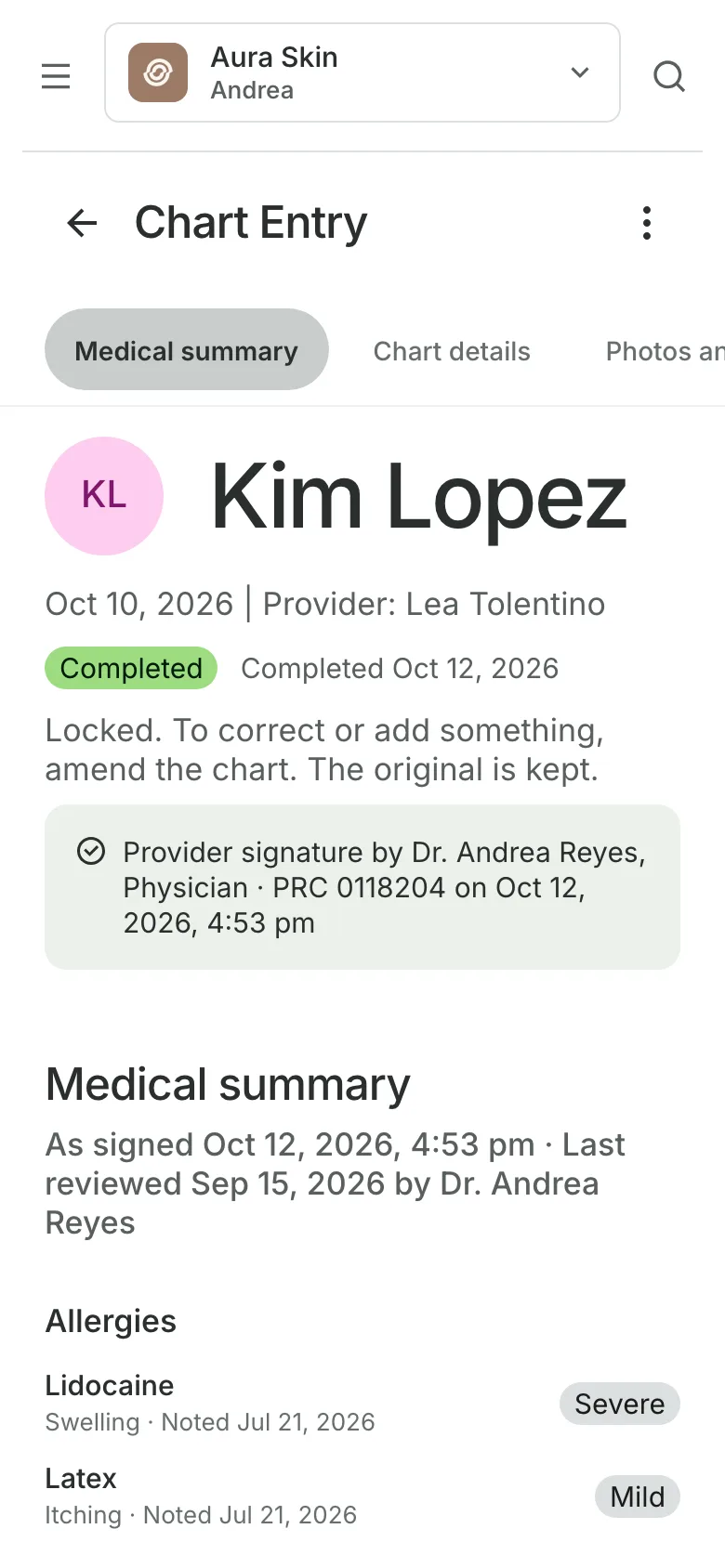
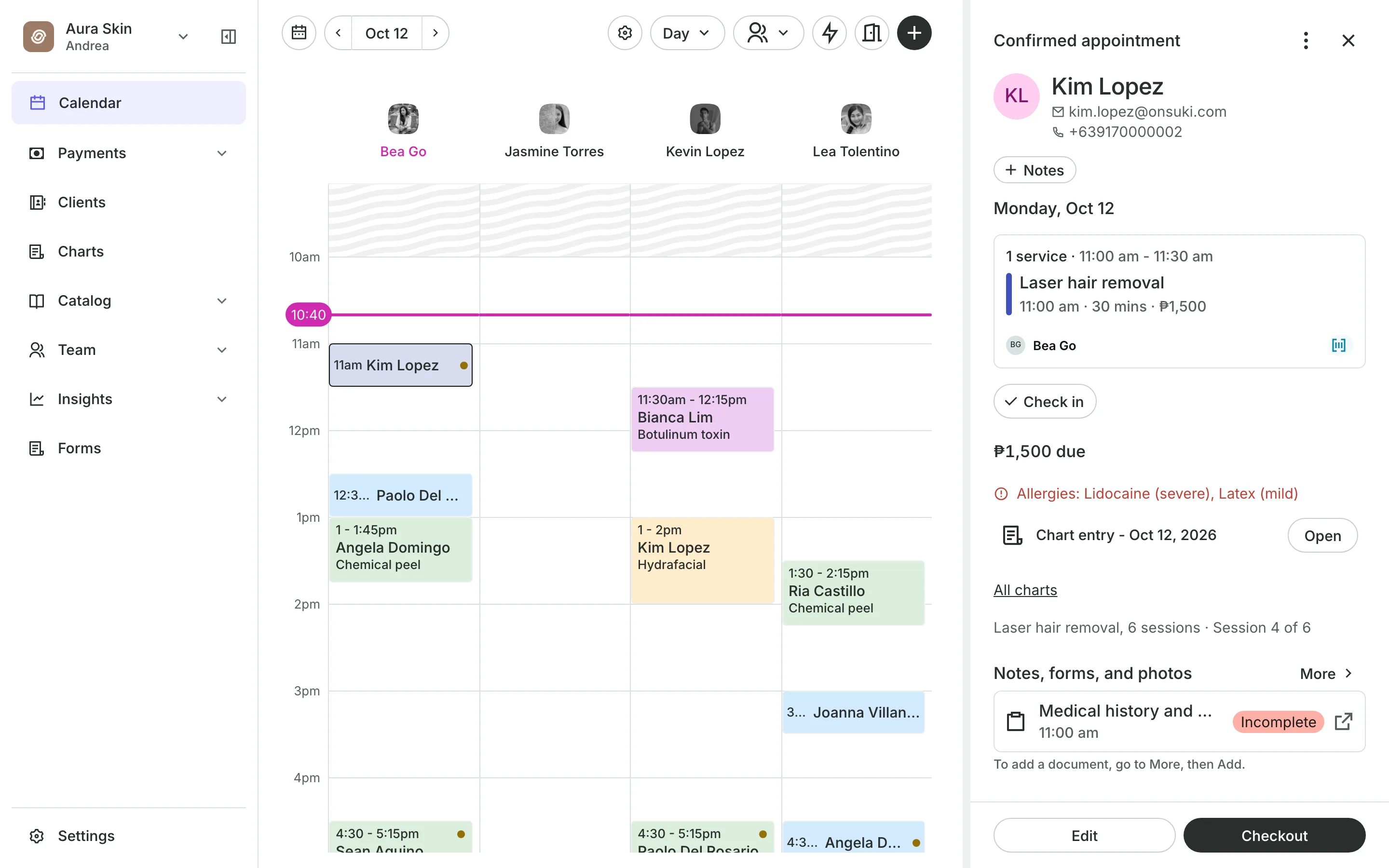
See allergies before you start
Allergies show in red on the appointment, with their severity.
Medical summary lists allergies, medications, and conditions.
The chart entry for the visit opens from the appointment.
Permissions set who views medical information and who signs.
Treatment plans and courses
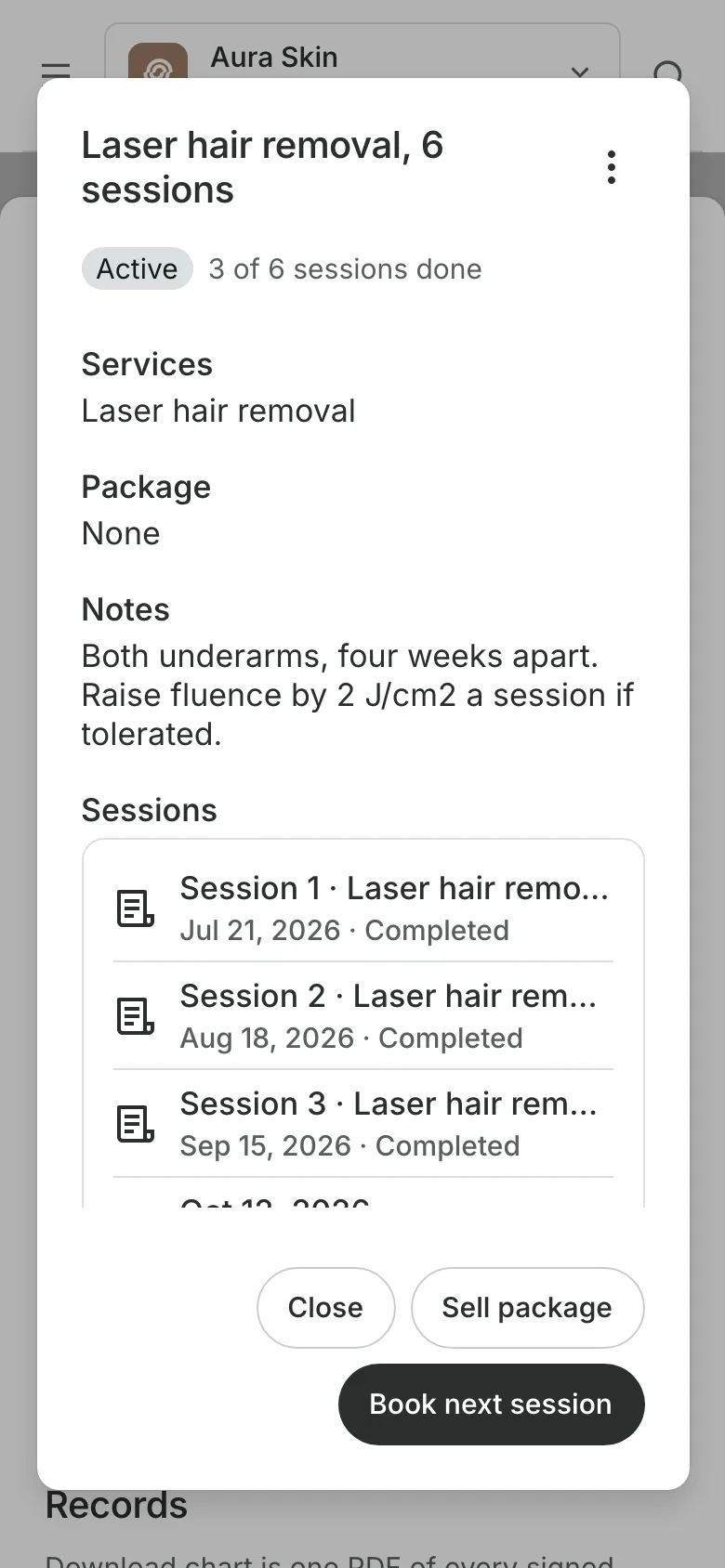
Plan a course, count every session
Set a plan for the client: the treatment, the number of sessions, and your notes. Each signed visit takes the next number, so the appointment and the calendar read Session 4 of 6.
- Book the next session from the plan
- Sell the course as a package with an expiry
- Packages clients buy on your booking site
Deposits and no-shows
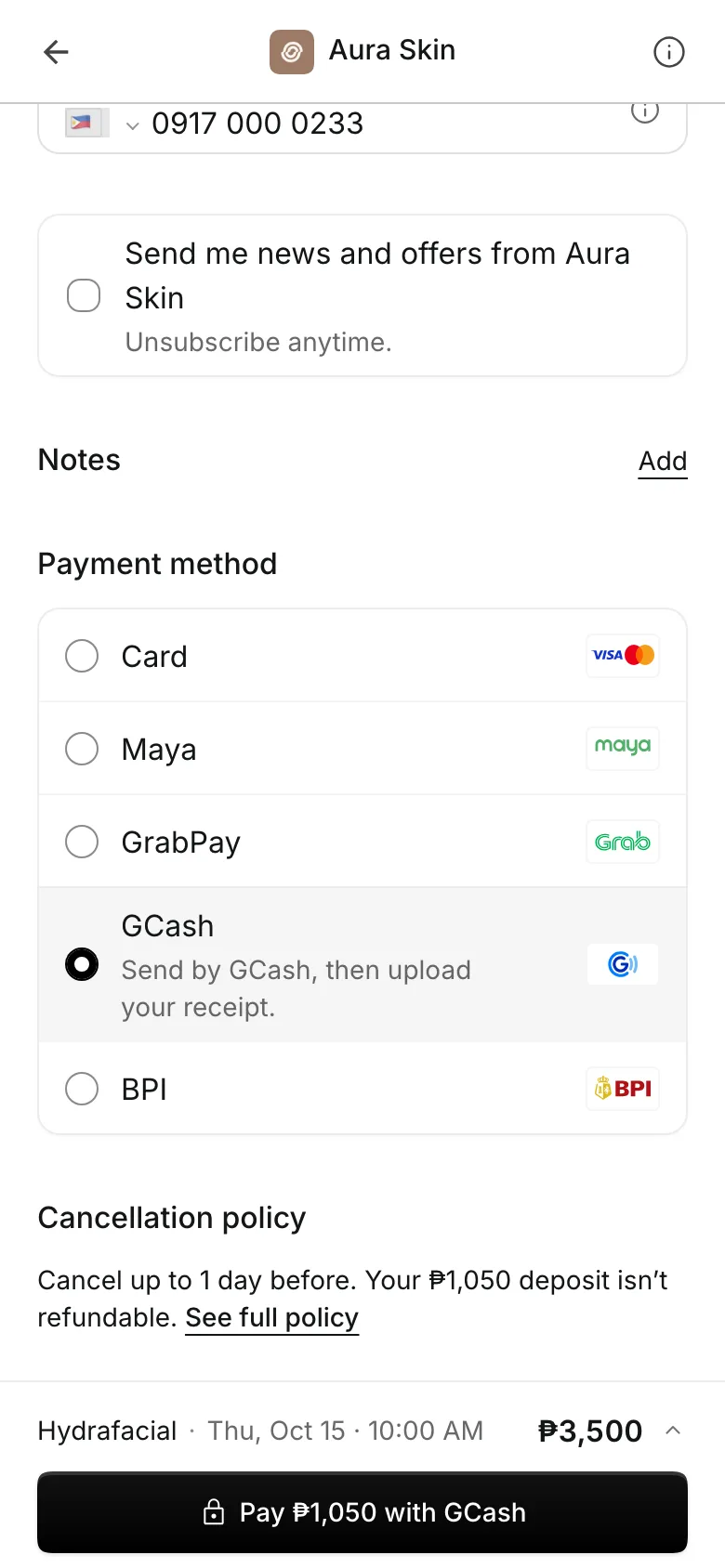
Take a deposit with every booking
Deposits are a percent or a fixed amount, for all or by treatment.
Your cancellation policy shows before the client pays.
Reminder emails go out the day before the appointment.
A no-show keeps the deposit, and the visit is marked.
Getting paid
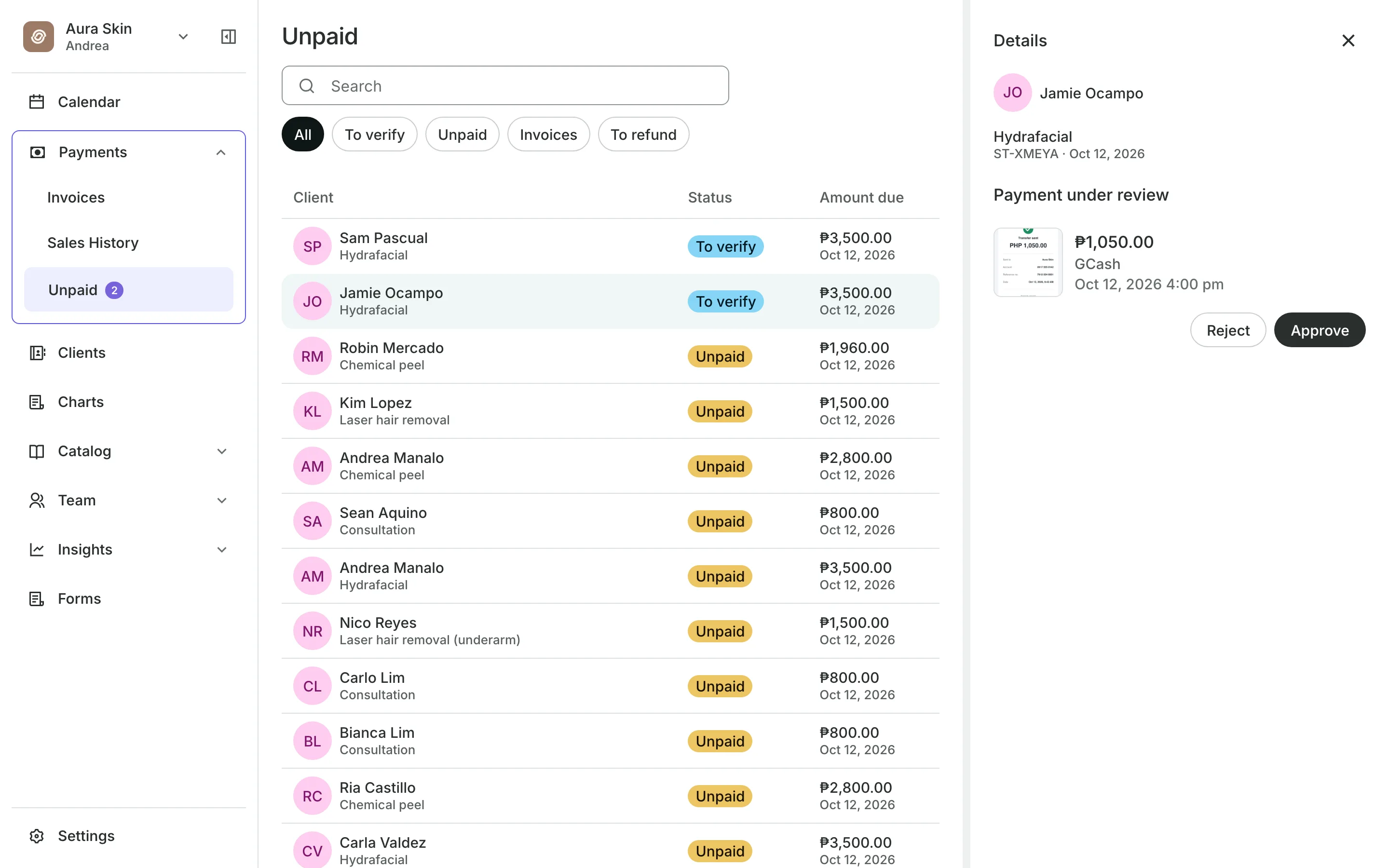
Approve transfers and close the day
Clients pay online through PayMongo, by transfer to your own GCash, QR Ph, or bank account, or in person. A transfer arrives with its receipt on the booking, and you approve or reject it. Onsuki takes a 0% fee on payments to your own account.
- An Unpaid list of who owes what
- End of Day totals by payment method
- A cash drawer count for the day
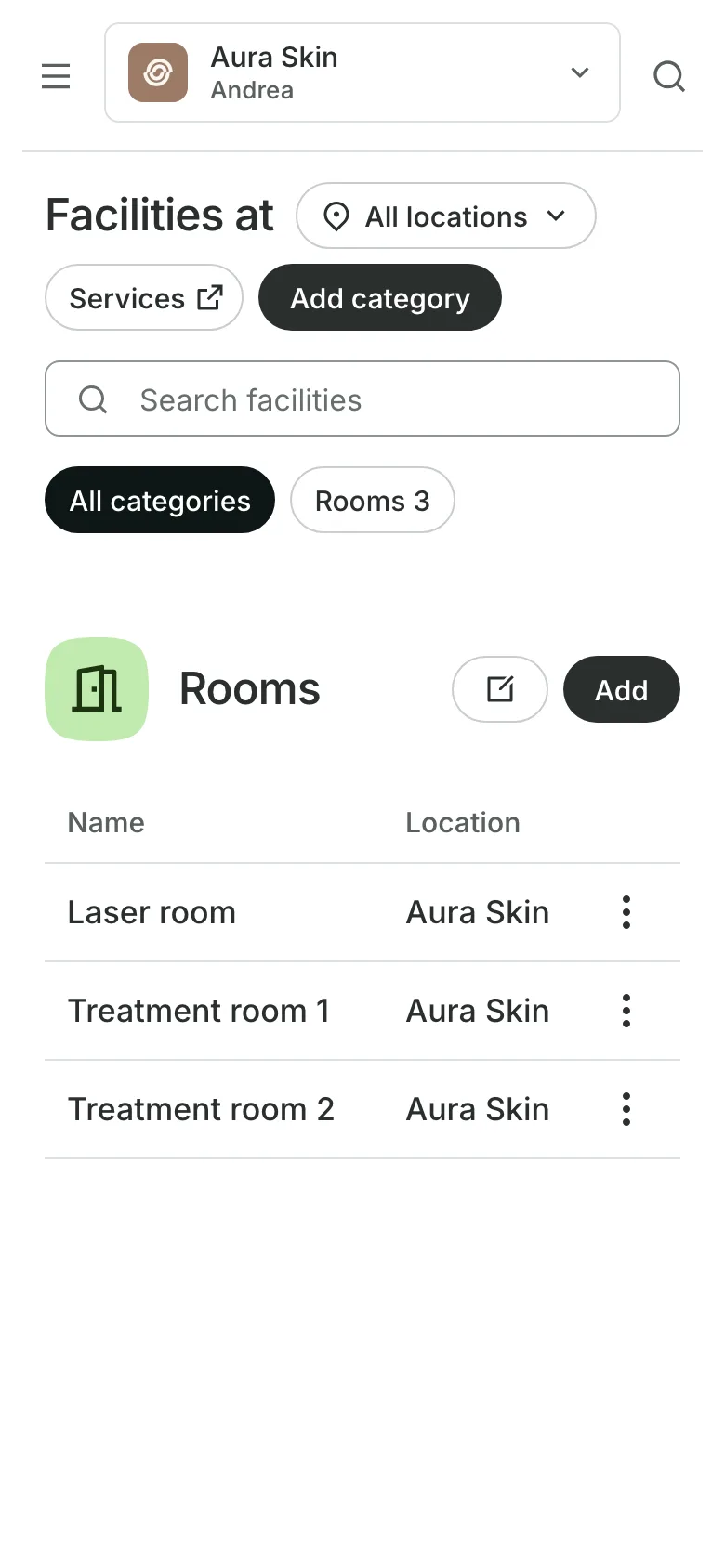
Rooms, machines, and consents
Book the laser and the room
Rooms and machines are booked with the provider, never twice.
Consents are asked only for the treatments that need them.
A consultation first for treatments you assess before booking.
Practitioner levels set the price of the same treatment.
See what your clinic gets
- ChartingClinical charts with templates, photos, consents, and signed entries.
- PackagesPacks of visits and memberships that renew, with credits clients see in their wallet.
- DepositsTake part of the price when clients book, so fewer skip.
- GCash and Bank TransfersClients pay your own accounts, with a 0% fee from Onsuki.
- FormsIntake forms and a waiver, filled in before the visit or at the front desk.
- AppointmentsServices, staff, rooms, and add-ons, booked online or from the calendar.
- Online BookingYour own booking site where clients book, pay, and manage their bookings.
- ClientsClient profiles with bookings, balances, notes, feedback, and packages.
- InventorySell products online and at checkout, with stock counted as you go.
- AssistantType what you need done, in English or Taglish, and confirm each change.
Pricing
Charting is on the Clinic plan
The Clinic plan is ₱4,400 a month, billed annually, or ₱5,500 month to month. Your whole team is included.
Clinic has everything in Business, plus client charts. Booking, deposits, consents, packages, and reports are on every plan.



Frequently asked questions
It keeps each client's treatment record: a signed entry for every visit, with the note, photos, products used, consents, and the medical summary of allergies, medications, and conditions.
It can be amended, with a reason. The earlier version is kept, so the record shows what changed.
Only team members you give charting permissions to. Viewing medical information, signing, and exporting are separate permissions, and the owner sees who opened each chart.
You choose. Keep it, or return it when the client cancels in time, by the cancellation window you set. A no-show keeps the deposit.
Yes. Set a treatment to book online as a consultation first. Clients see the treatment on your menu, and booking it books the consultation.
7 days, with every feature of your plan. You choose a plan when the trial ends.
No. You sign up with your email or Google account, tell us what you run, and start setting up.
Each plan is one monthly price with unlimited bookings. See the pricing page for the plans and what each includes.
Take bookings and get paid, the simple way.
Free 7-day trial. No credit card required.