Sell tickets to your next event
Create a recital, a workshop, or a showcase, add its tickets, and put it on your booking site. Every ticket has a code to scan at the door.
Free 7-day trial. No credit card required.
Clients pay online or in person













Keep each event on one page
Tickets, sales, and the guest list all sit on the event's page, from the first sale to the last guest in.
Tickets
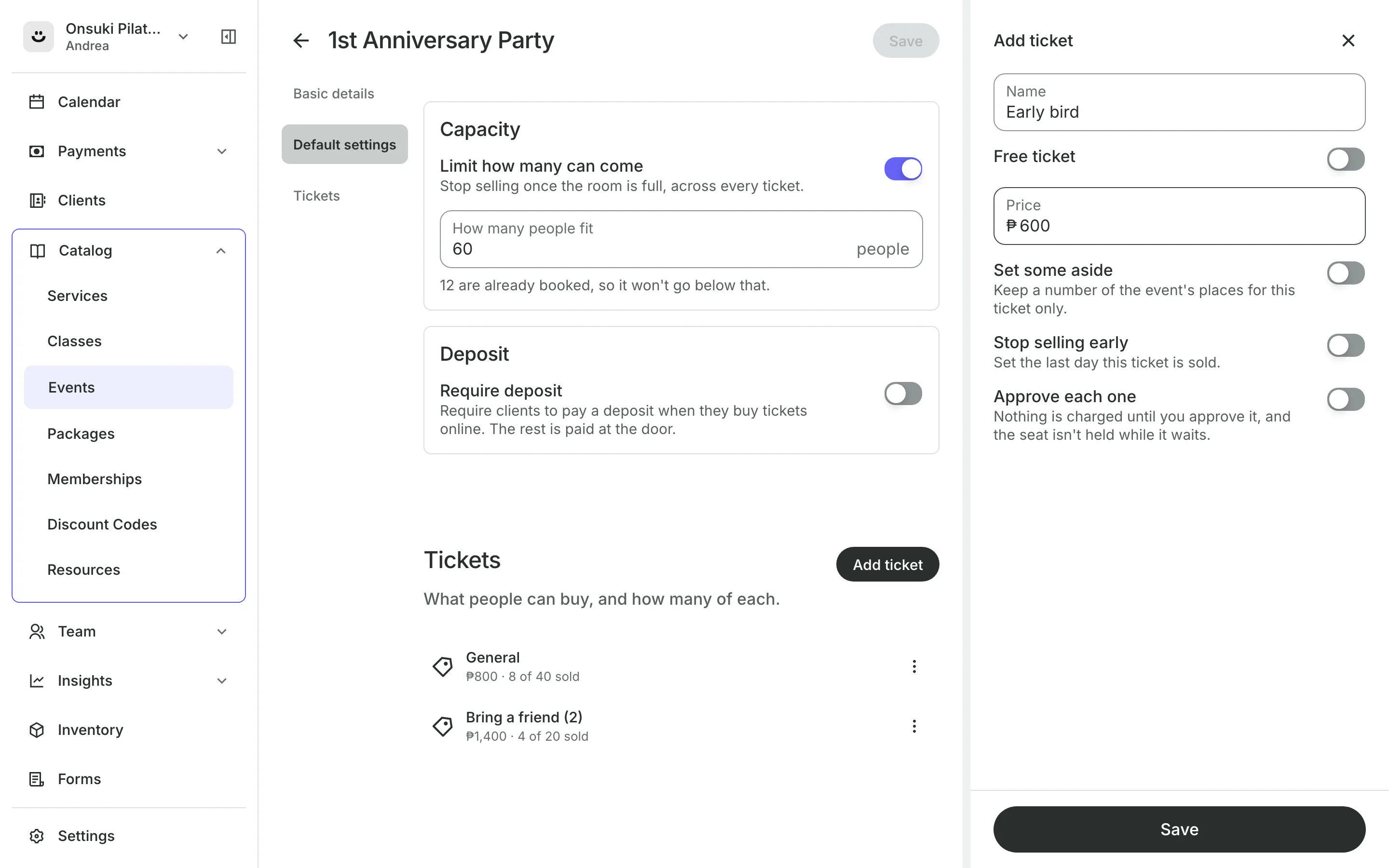
Add every ticket type you sell
Ticket types like Adult and Child, each with its own price or free.
Capacity stops sales once the event is full, across every ticket.
Set some aside keeps places for one ticket type only.
Sales end dates stop a ticket on a date, like an early bird price.
Buying
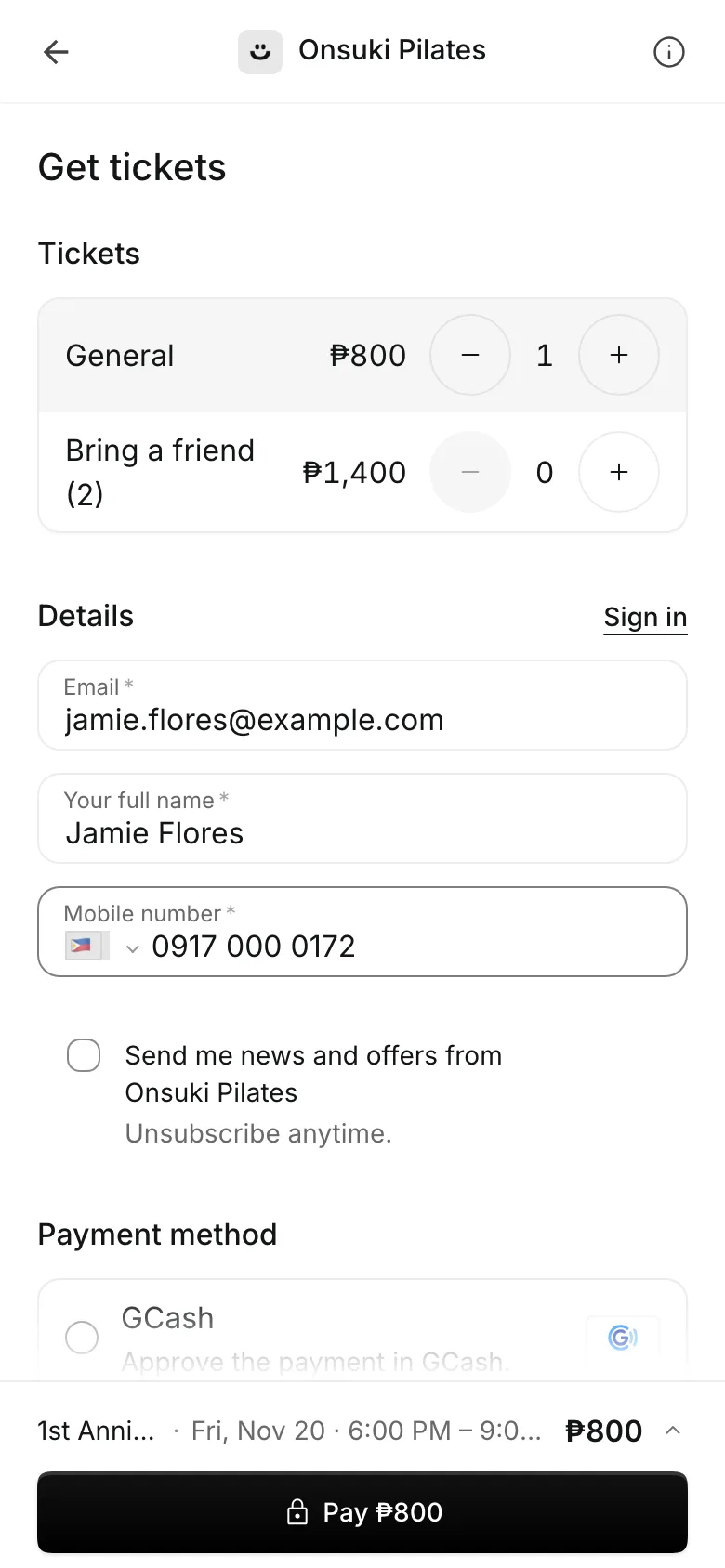
Let guests buy on their phone
Clients choose how many of each ticket, enter their details, and pay. A free ticket needs no payment at all.
- Pay in full, or a deposit with the rest at the door
- Approve each buyer yourself when you need to
- Nothing is charged until you approve a request
Their ticket
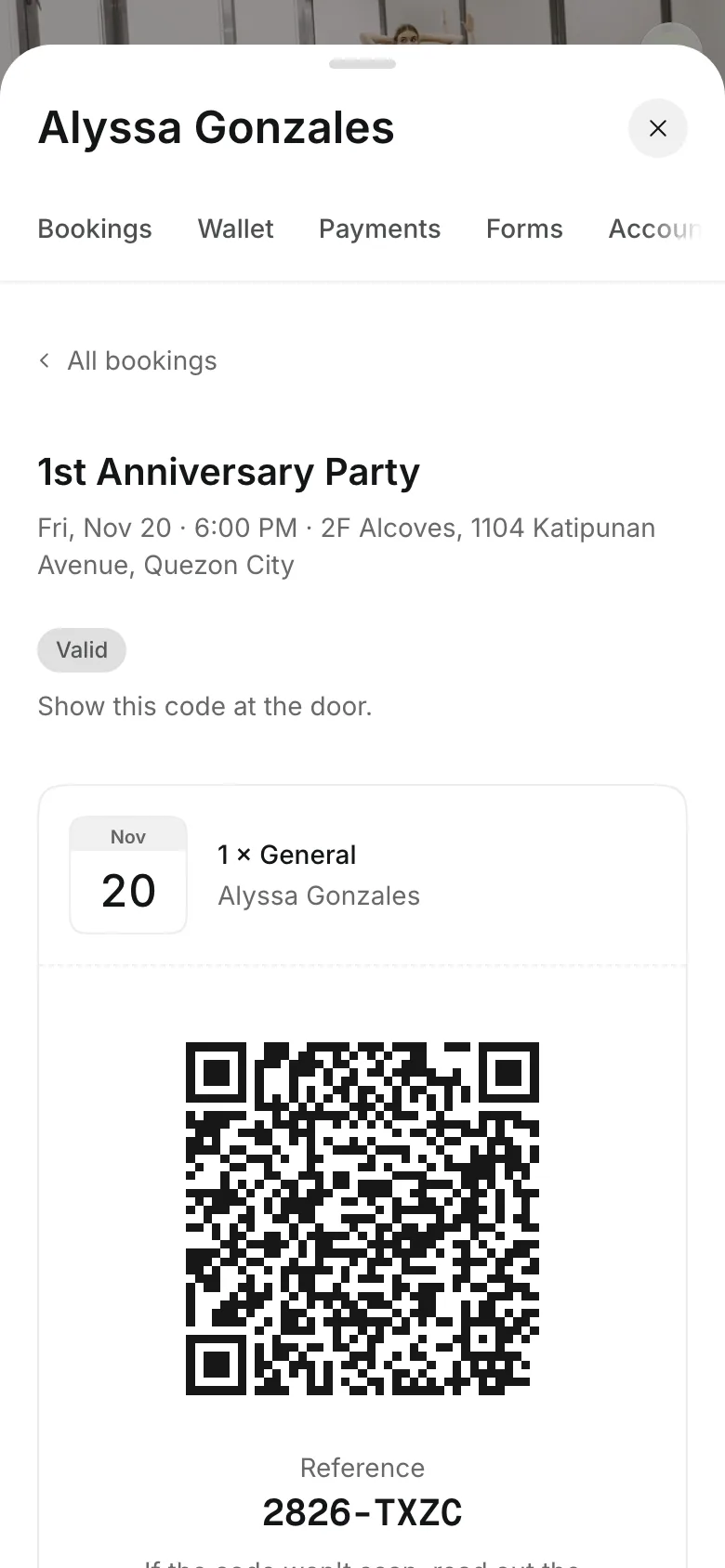
Send every guest a ticket
The ticket email carries a QR code, a reference, and a calendar entry.
Your tickets in the client's account shows the code for the door.
Unpaid tickets hold the seat and show the code once paid.
Canceled events email every ticket holder and set their payments to refund.
At the door
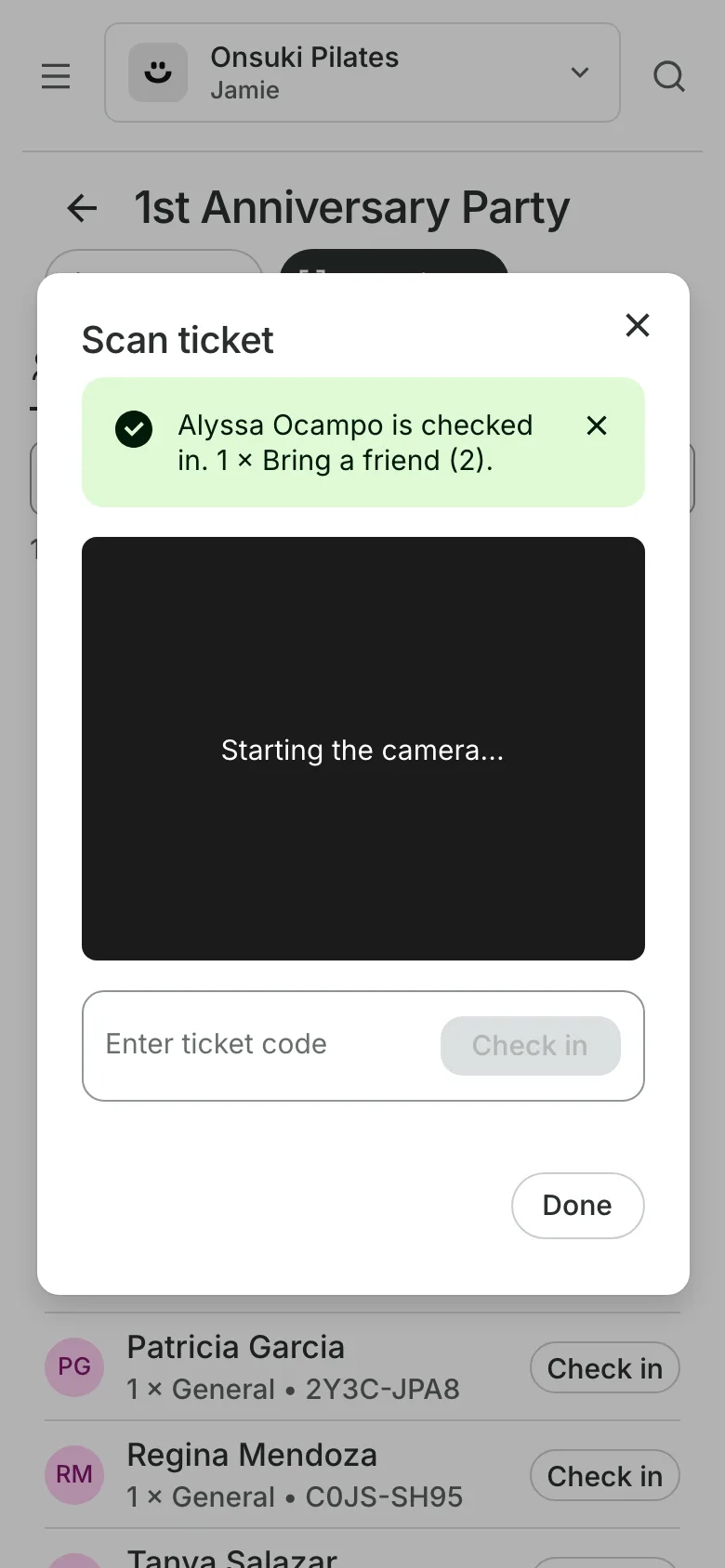
Scan guests in at the door
Open the event on a phone, tablet, or computer and select Scan ticket. The camera reads the QR code, or you type the reference.
- See how many people each ticket admits
- A refused ticket says why, such as already checked in
- Collect a balance at the door
Put your event on sale
Create the event, add its tickets, and turn on online booking.
1
Create the event
Its name, date, times, and where it is: one of your rooms or another address.
2
Add tickets
A name and a price for each, or a free ticket.
3
Put it online
Turn on Available to book online, and the event shows on your booking site's Events tab.
Booking for any business
Tell us what you run and Onsuki sets itself up for it: your words, your way of booking, the screens you need.
















Frequently asked questions
Yes. Turn on Free ticket, and guests get their ticket without paying.
Yes. Turn on Approve each one on a ticket. Nothing is charged until you approve, and the guest is emailed either way.
Type its reference under Enter ticket code, or find the guest by name on the guest list.
A ticket's price is fixed once it has sold. Stop selling it and add a new ticket at the new price.
7 days, with every feature of your plan. You choose a plan when the trial ends.
No. You sign up with your email or Google account, tell us what you run, and start setting up.
Each plan is one monthly price with unlimited bookings. See the pricing page for the plans and what each includes.
Take bookings and get paid, the simple way.
Free 7-day trial. No credit card required.