Answer customers while you work
A chat on your booking page answers prices, hours, and open times at any hour, and books a class or an appointment for a signed-in customer. You turn it on with one switch.
Free 7-day trial. No credit card required.
Clients pay online or in person













Fewer messages to answer by hand
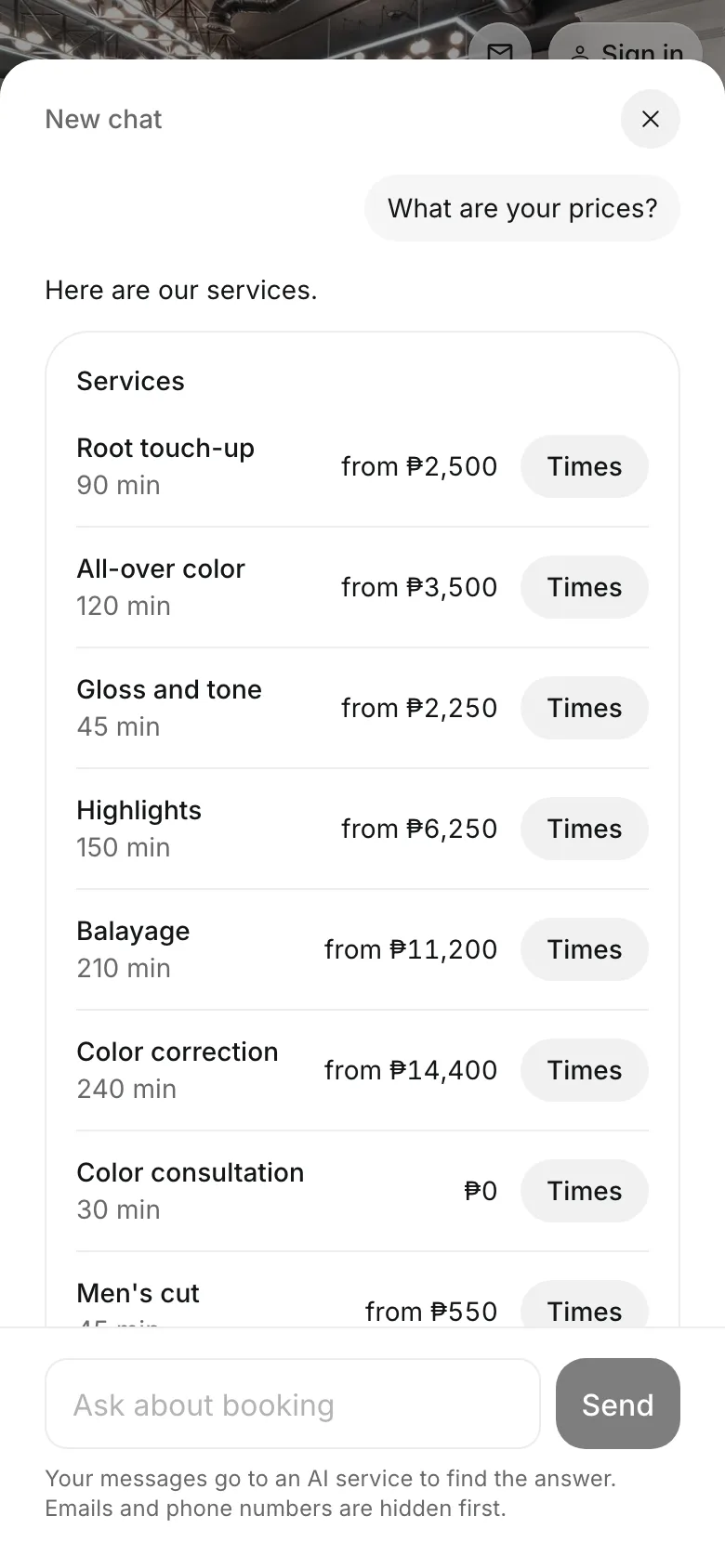
The same questions come in every day: how much, where, and when. The concierge answers them from your own services, prices, and hours.
Answers
Answers from your own page
Prices for each service, class, and package, as your page shows them.
Open times for a service or a class.
Your team and what each person does.
Your FAQ and your cancellation rule, in your words.
Where and when
Your hours and address, any time
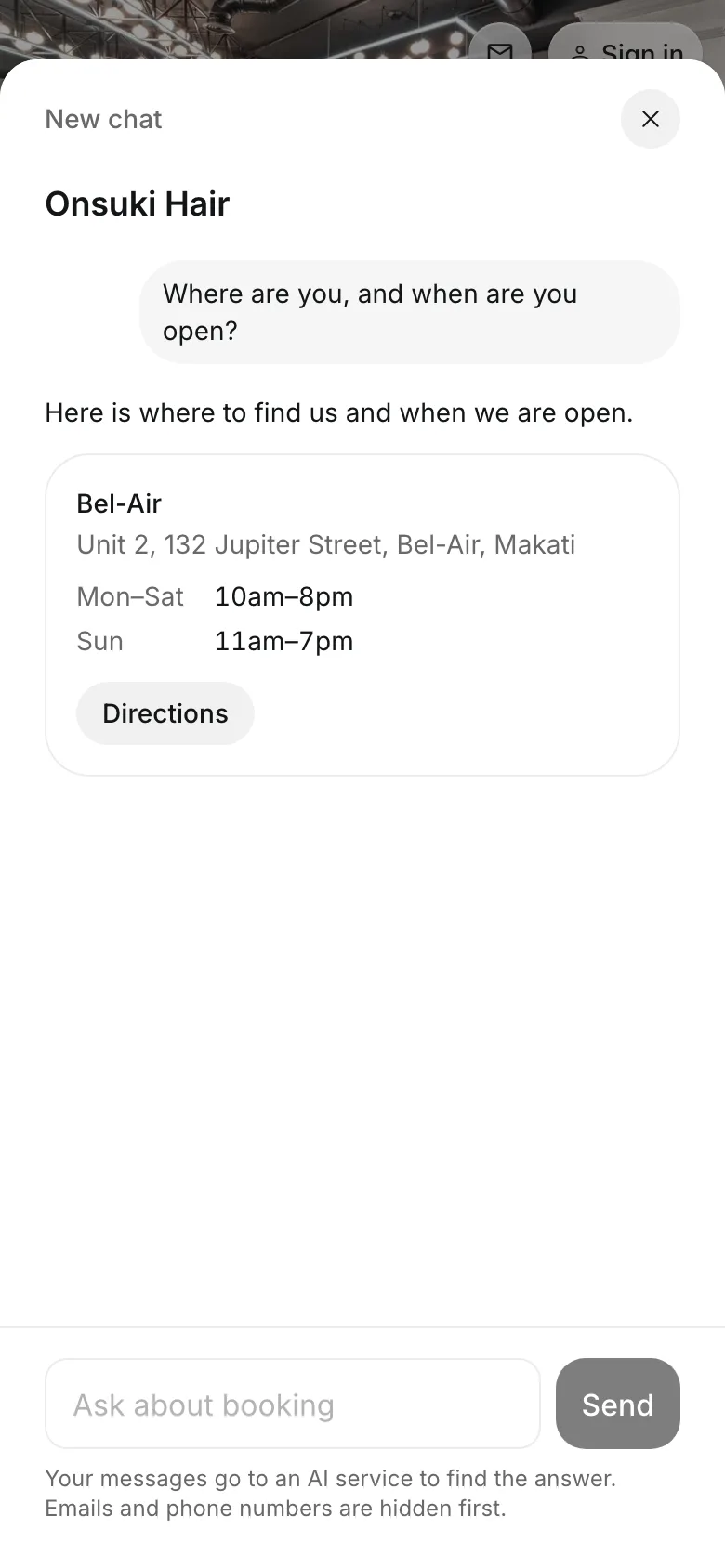
Customers ask where you are and when you are open, and get each location's address, its hours, and a Directions button.
- Every answer comes from your own details
- It shows only what your booking page already shows
- Customers can still reach you from your page
Turn it on today
One switch in Settings, and the chat appears on your booking page.
1
Open Features
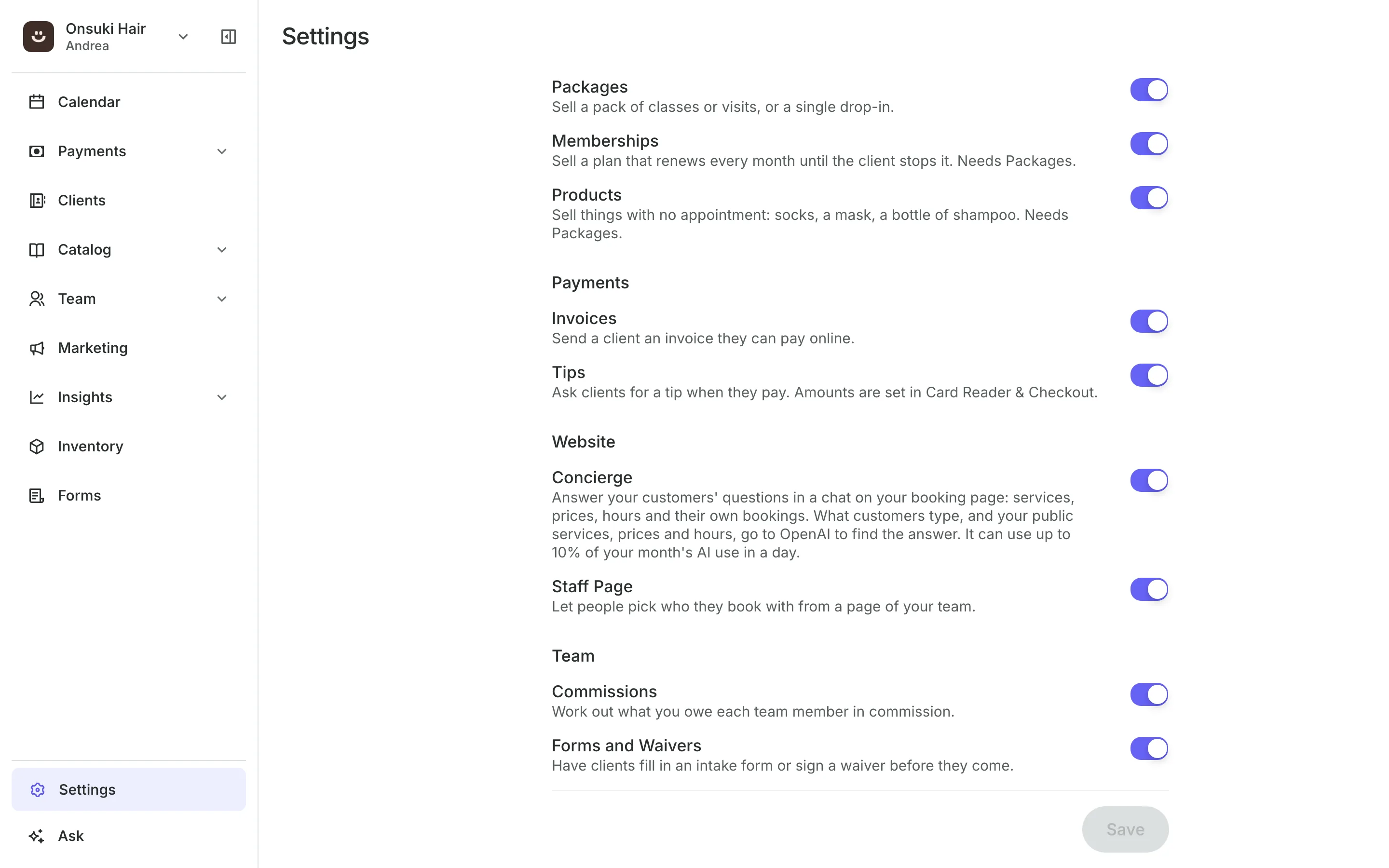
In Settings, Business, Features, under Website.
2
Turn on Concierge
Then select Save.
3
Check your page
The chat button sits at the bottom of your booking page.
Booking for any business
Tell us what you run and Onsuki sets itself up for it: your words, your way of booking, the screens you need.













Frequently asked questions
Yes. A signed-in customer can book a class or an appointment in the chat, at the price your booking page charges. For anything more, the chat opens your booking page with their choice filled in.
It uses your plan's AI allowance, the same one the assistant uses. It can use up to a tenth of your month's AI use in one day, and you can add AI Plus or AI Max for more.
It reads only what your booking page shows, plus a signed-in customer's own bookings, credits, and membership.
7 days, with every feature of your plan. You choose a plan when the trial ends.
No. You sign up with your email or Google account, tell us what you run, and start setting up.
Each plan is one monthly price with unlimited bookings. See the pricing page for the plans and what each includes.
Take bookings and get paid, the simple way.
Free 7-day trial. No credit card required.