Booking software for optical clinics:Book the eye exam, sell the frames
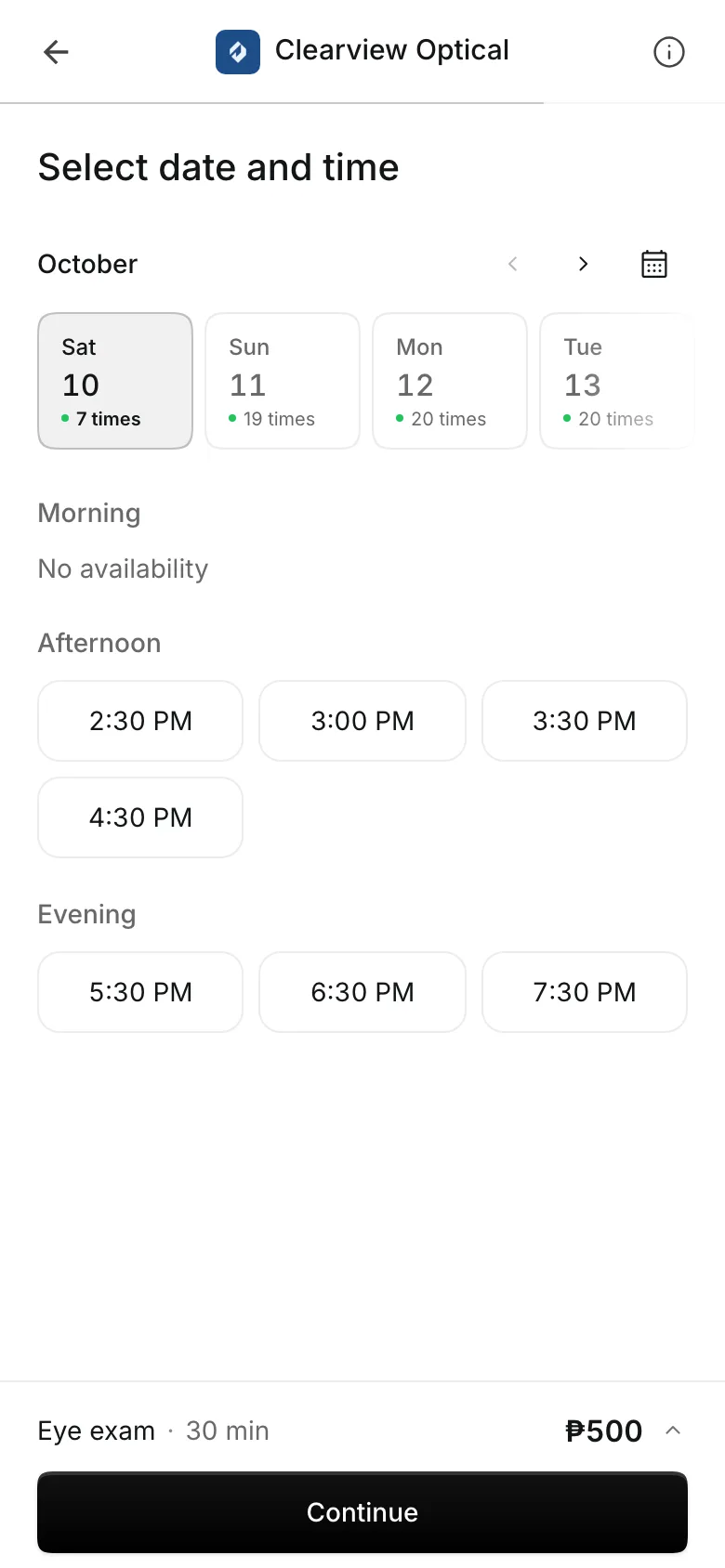
Patients pick an optometrist and a time online. After the exam, add the frames or contact lenses to the same sale, and Onsuki takes them off your stock.
Free 7-day trial. No credit card required.
Clients pay online or in person













Run the exam room and the counter
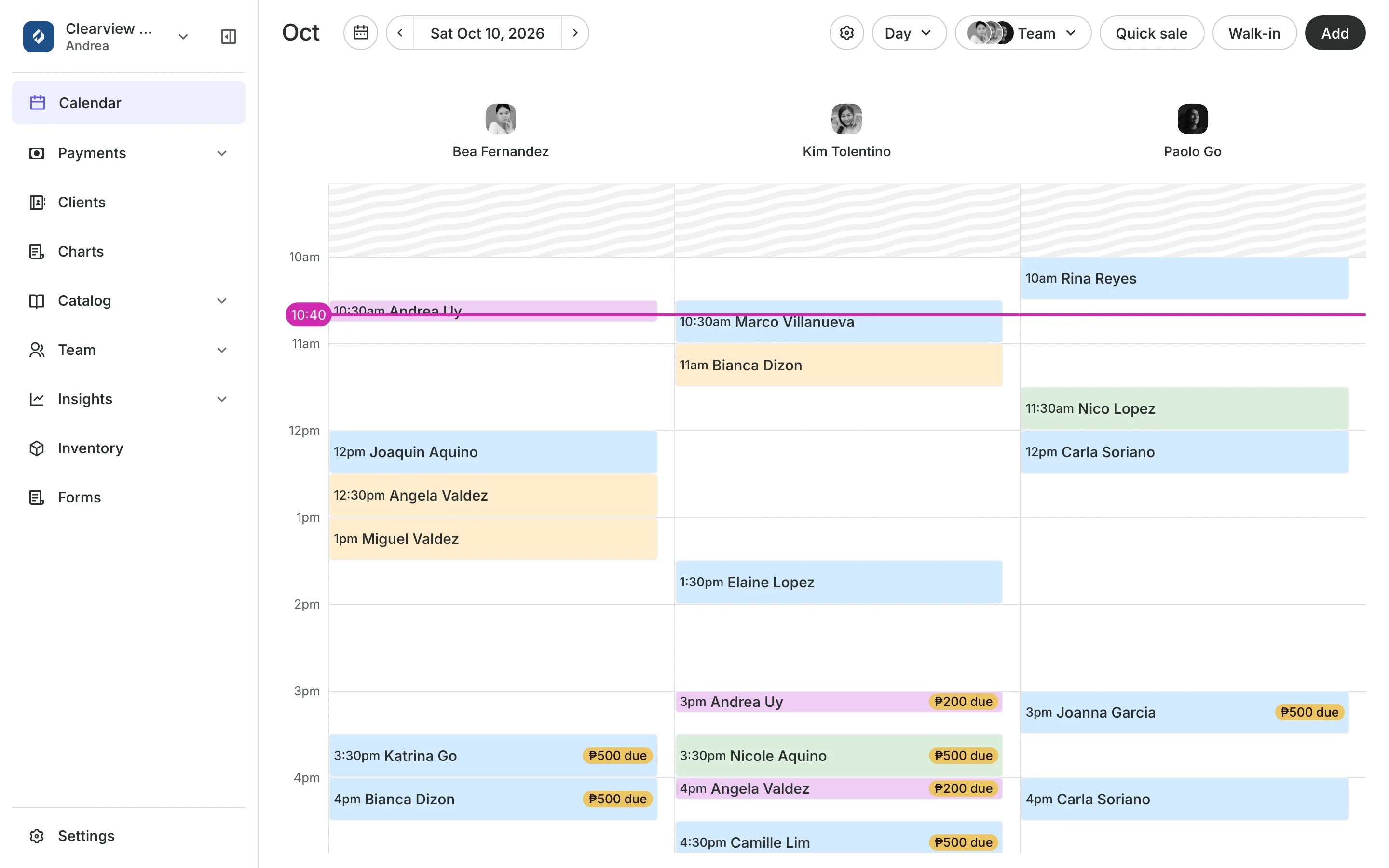
An optical clinic books time and sells stock. Onsuki keeps the optometrist's calendar and your frames and lenses in one place, so the visit and the sale never need two systems.
Charting
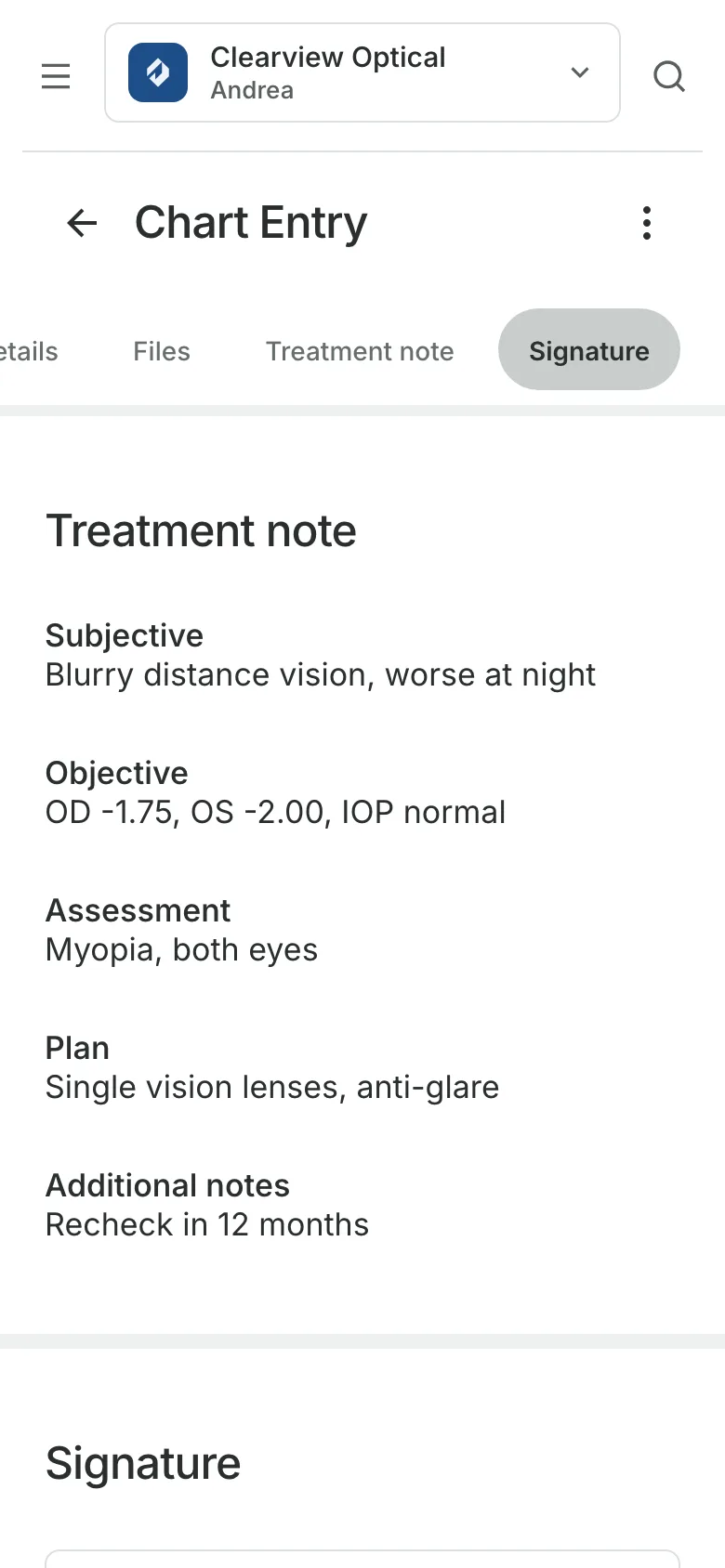
Keep each eye exam on file
Record each exam in a chart entry from your own template, sign it with a PIN or Face ID, and find it on the patient's record at the next visit. Charting is on the Clinic plan.
- Your own template for the exam
- Entries signed, then amended, never overwritten
- Every view of a chart logged
Eye exams
Patients pick their optometrist
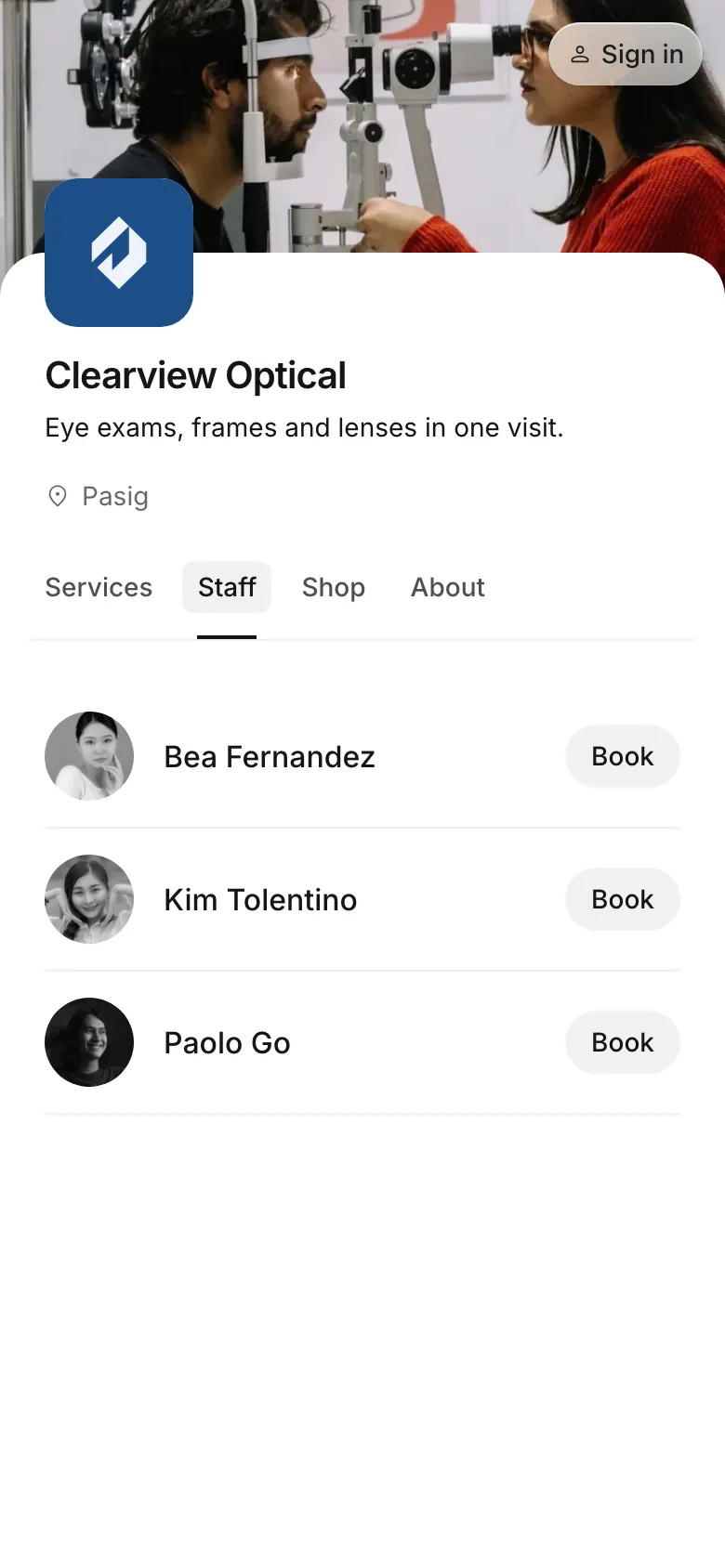
Your optometrists are listed on your booking page, each with their own free times.
Working hours are set for each optometrist at each branch.
Rooms and equipment like the exam room are never booked twice.
Booking links open your site with one optometrist already chosen.
Frames and lenses
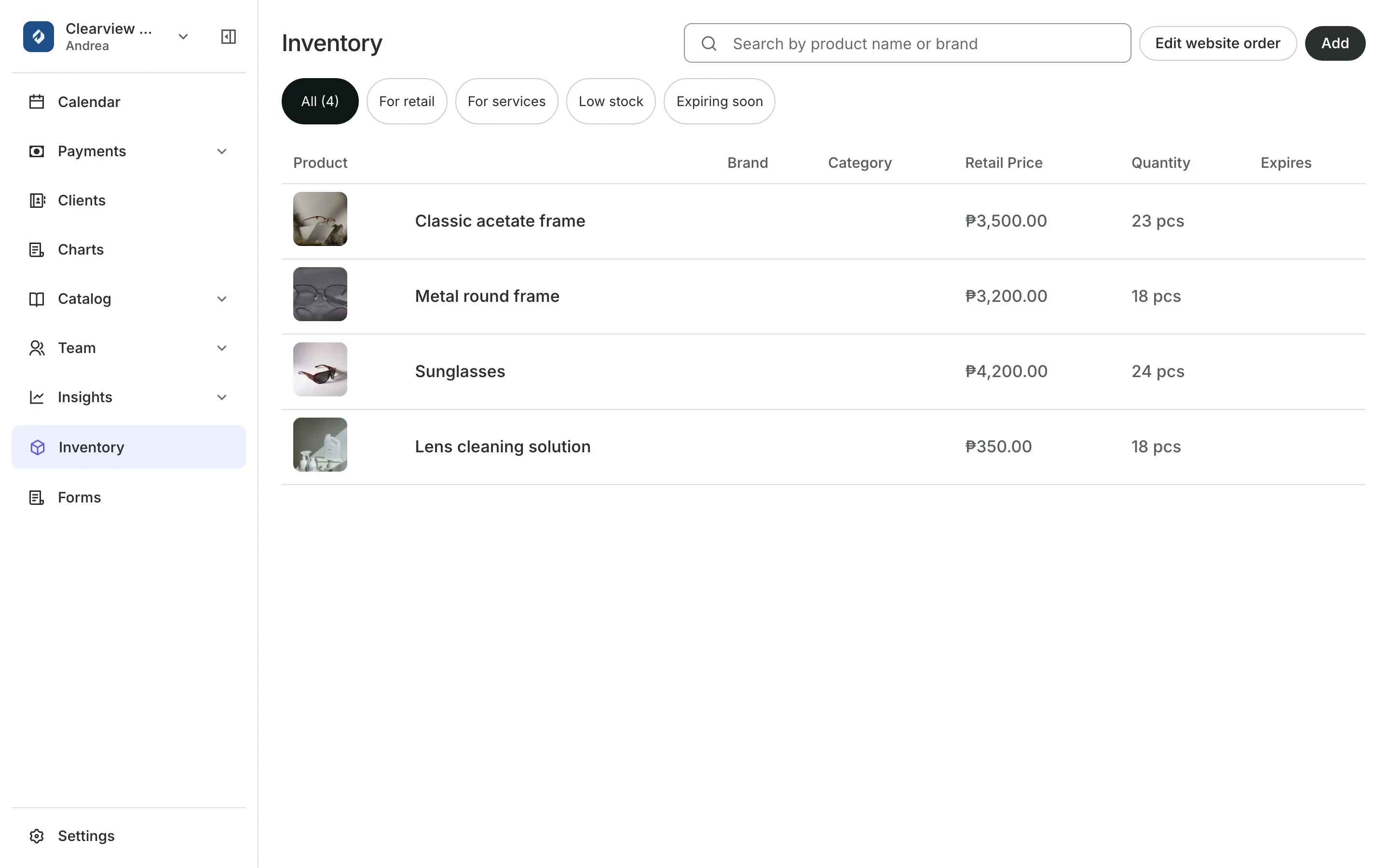
Count every frame you stock
Add each frame and contact lens to Inventory, with a variant for each color or size and its own price if it differs. A sale takes it off your stock by itself.
- Contact lenses tracked by lot and expiry date
- Stock counted at each branch on its own
- Low stock and Expiring soon lists before you reorder
Payments
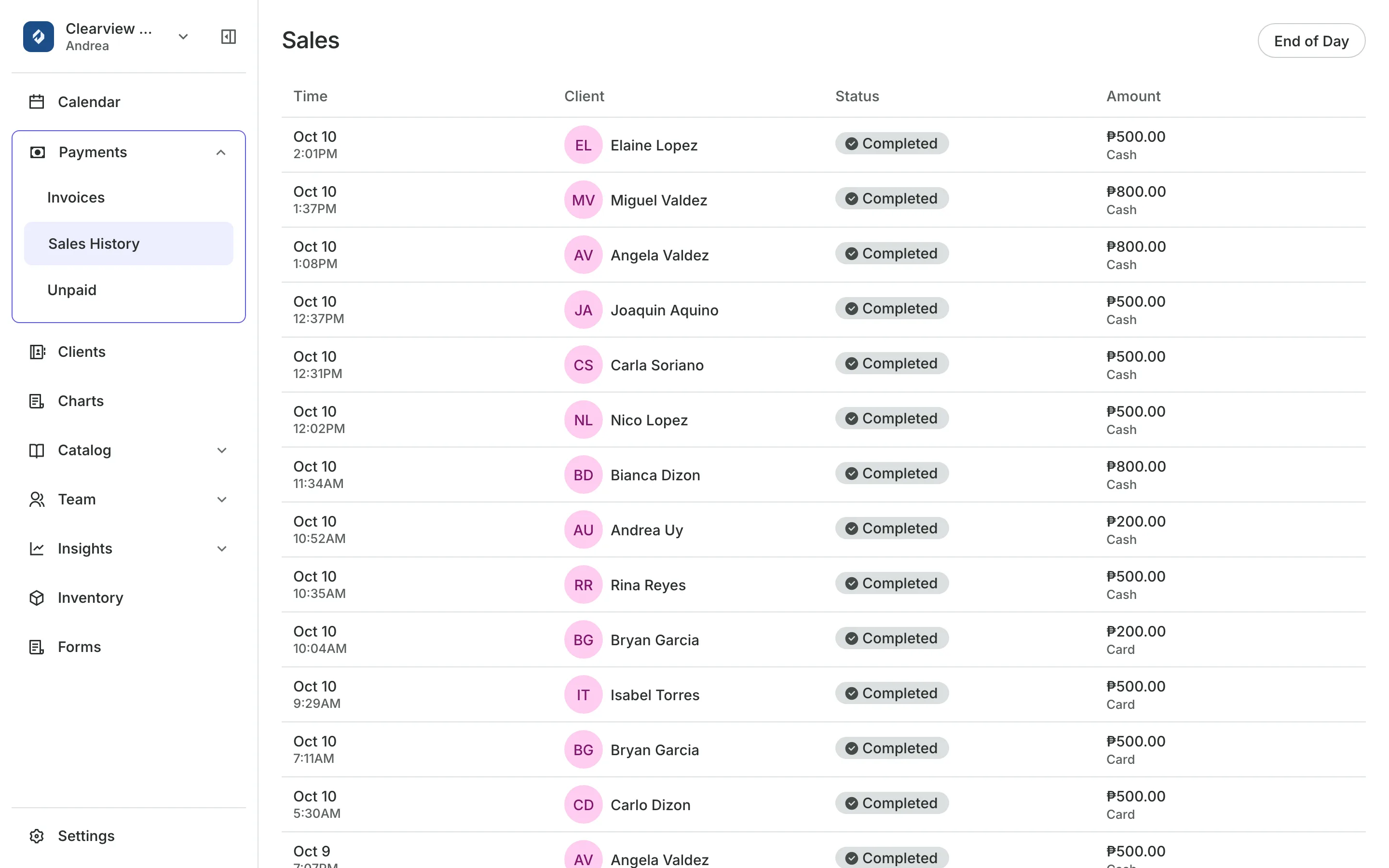
Take the exam and glasses together
Checkout adds frames or lenses to the exam's bill.
Every way to pay: card or e-wallet online, GCash, QR Ph, bank transfer, or in person.
Sales history shows every sale and how it was paid.
Invoices bill an order by email with a link to pay.
See what your clinic gets
- ChartingClinical charts with templates, photos, consents, and signed entries.
- AppointmentsServices, staff, rooms, and add-ons, booked online or from the calendar.
- Online BookingYour own booking site where clients book, pay, and manage their bookings.
- InventorySell products online and at checkout, with stock counted as you go.
- PaymentsOnline checkout, transfers to your own accounts, and Pay in person.
- InvoicesEmail a client an invoice they pay online from a link.
- FormsIntake forms and a waiver, filled in before the visit or at the front desk.
- ClientsClient profiles with bookings, balances, notes, feedback, and packages.
- LocationsEach branch with its own hours, team, rooms, and prices, in one account.
- AssistantType what you need done, in English or Taglish, and confirm each change.
Pricing
Charting is on the Clinic plan
The Clinic plan is ₱4,400 a month, billed annually, or ₱5,500 month to month. Your whole team is included.
Clinic has everything in Business, plus client charts. Booking, forms, packages, and reports are on every plan.
Frequently asked questions
In a note on the patient's profile, or in a chart entry on the Clinic plan.
Yes. Add the frame once, then add a variant for each color or size. A variant can have its own price, and its stock is counted on its own.
Yes. Products you sell show on your booking site's Shop page. Patients pay online and pick them up at your clinic.
Yes. Set their days and hours at each branch. Patients only see the times they are there.
7 days, with every feature of your plan. You choose a plan when the trial ends.
No. You sign up with your email or Google account, tell us what you run, and start setting up.
Each plan is one monthly price with unlimited bookings. See the pricing page for the plans and what each includes.
Take bookings and get paid, the simple way.
Free 7-day trial. No credit card required.