Booking software for diagnostic laboratories:Give every test its own time slot
Patients book a time for their tests online, read how to prepare before they come, and pay ahead or in person. Walk-ins fit in with whoever is free.
Free 7-day trial. No credit card required.
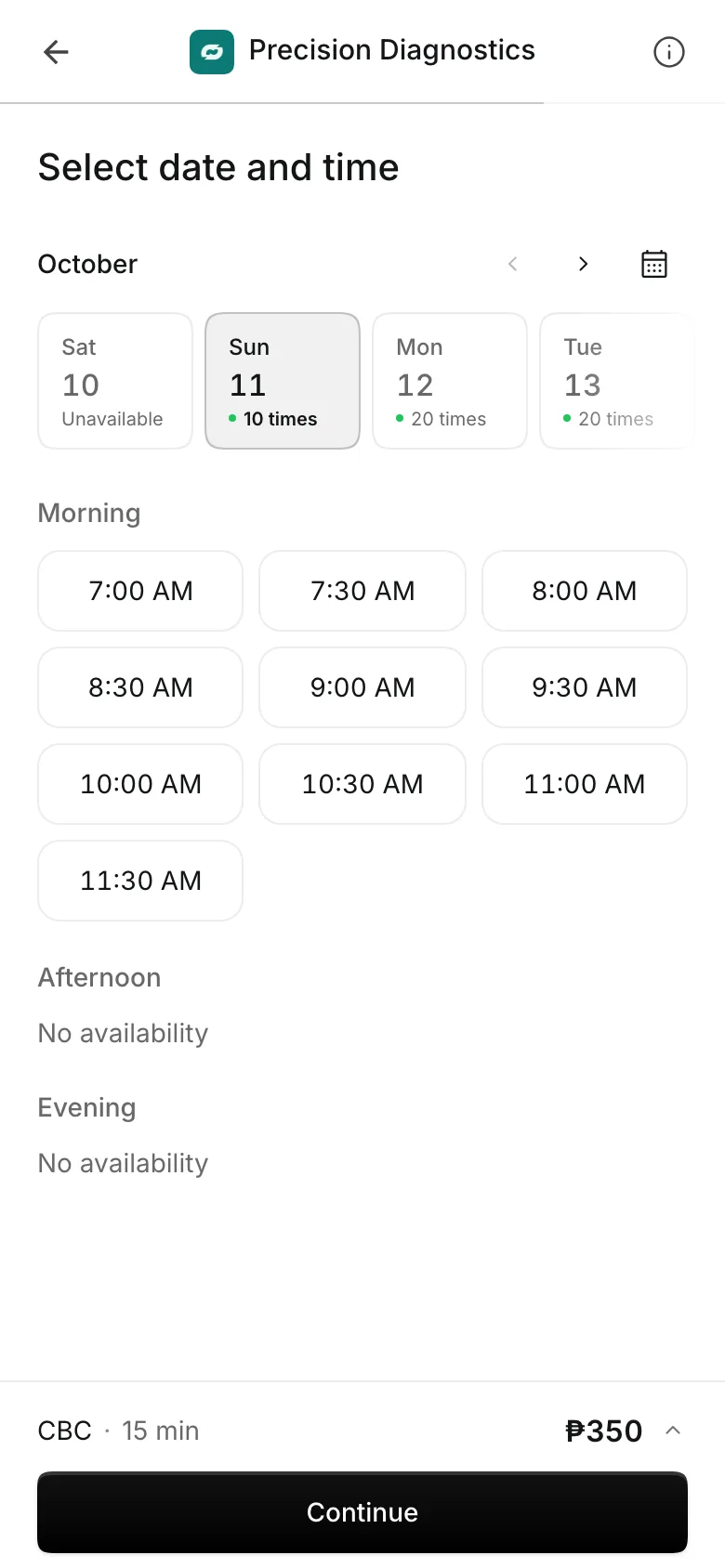
Clients pay online or in person













Spread patients across the morning
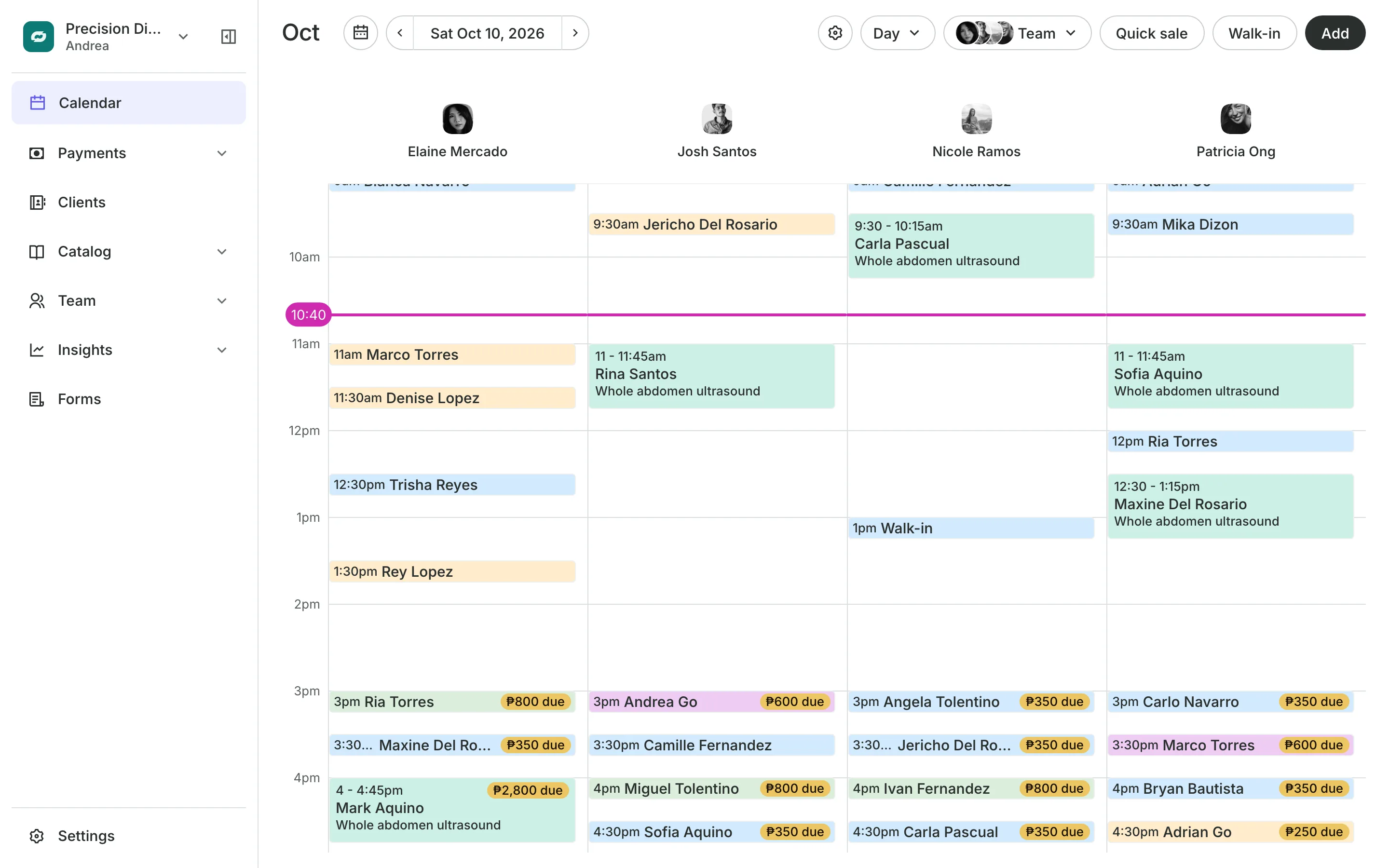
Fasting tests crowd the first hours. Offer start times every 15 minutes, and Onsuki gives out a slot only while a staff member and the room are free.
Time slots
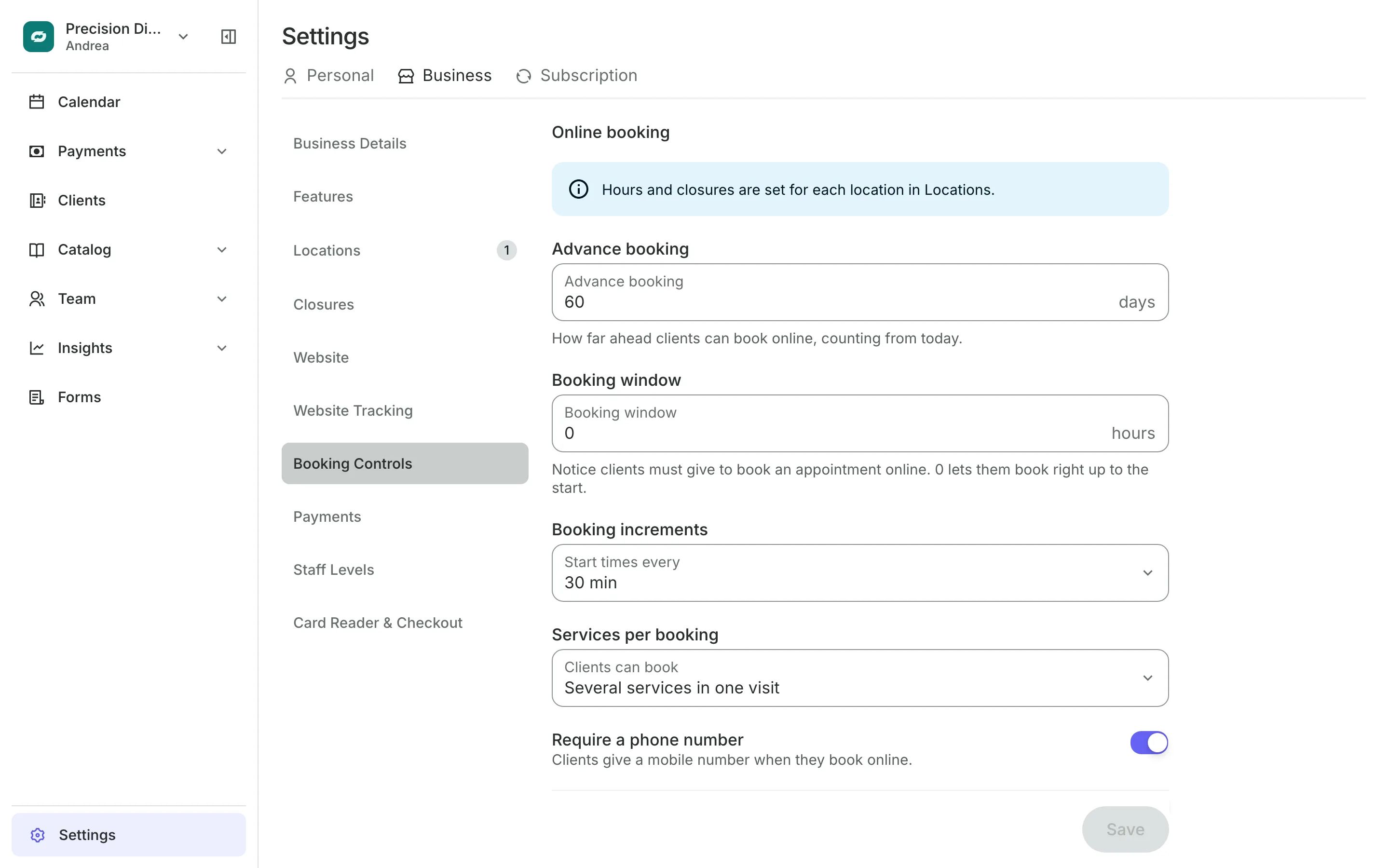
Set the slots patients can book
Start times every 15 or 30 minutes, or on the hour.
Several services in one visit, such as a CBC and a urinalysis.
Booking window sets how much notice patients must give online.
Advance booking sets how many days ahead patients can book.
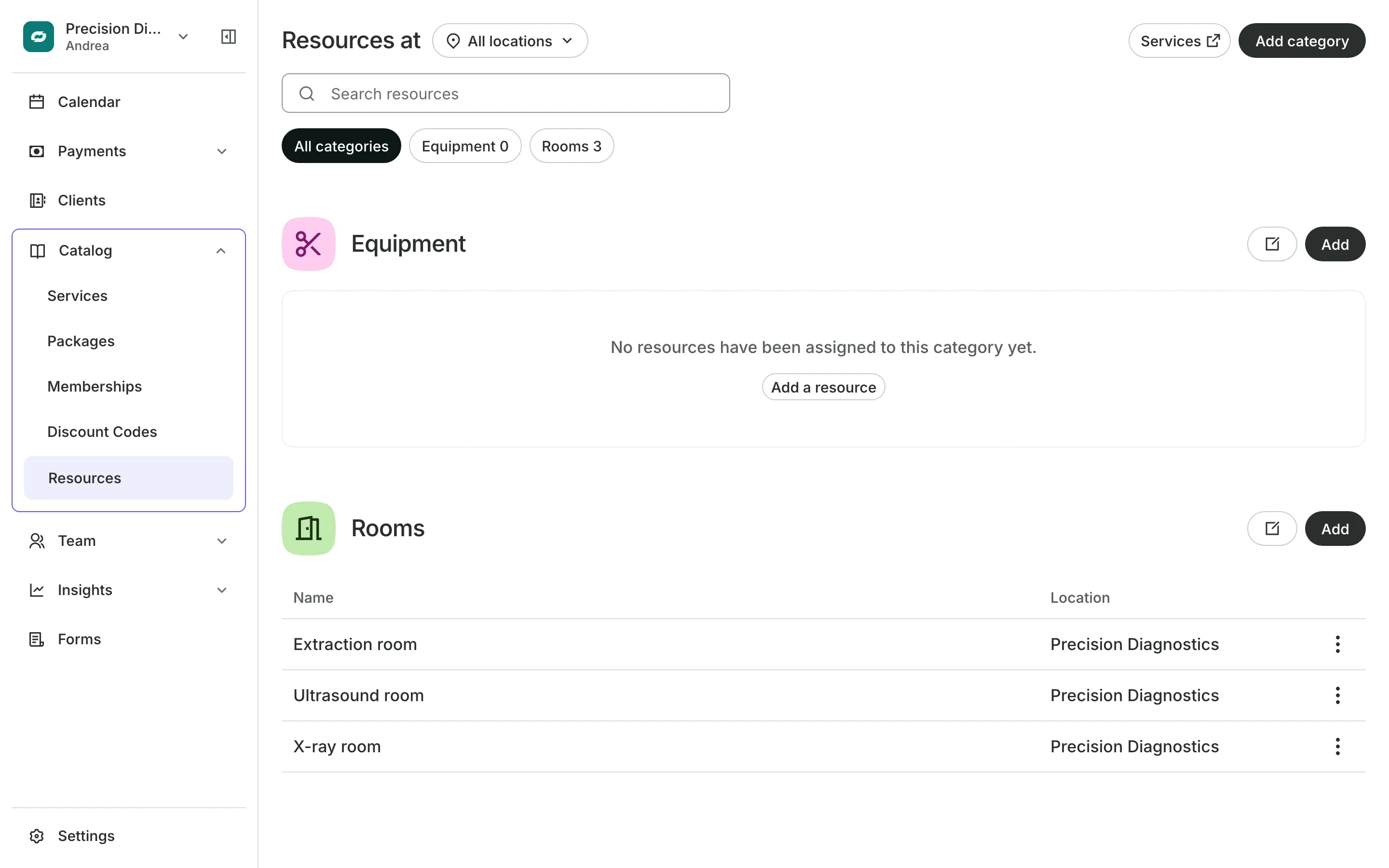
Rooms and equipment
Book the room with the test
An ultrasound or an X-ray needs its room as well as the person who runs it. Add each room and machine, and Onsuki offers a time only when both are free.
- Each room or machine booked once at a time
- Each branch with its own rooms
- A time offered again when a booking is canceled
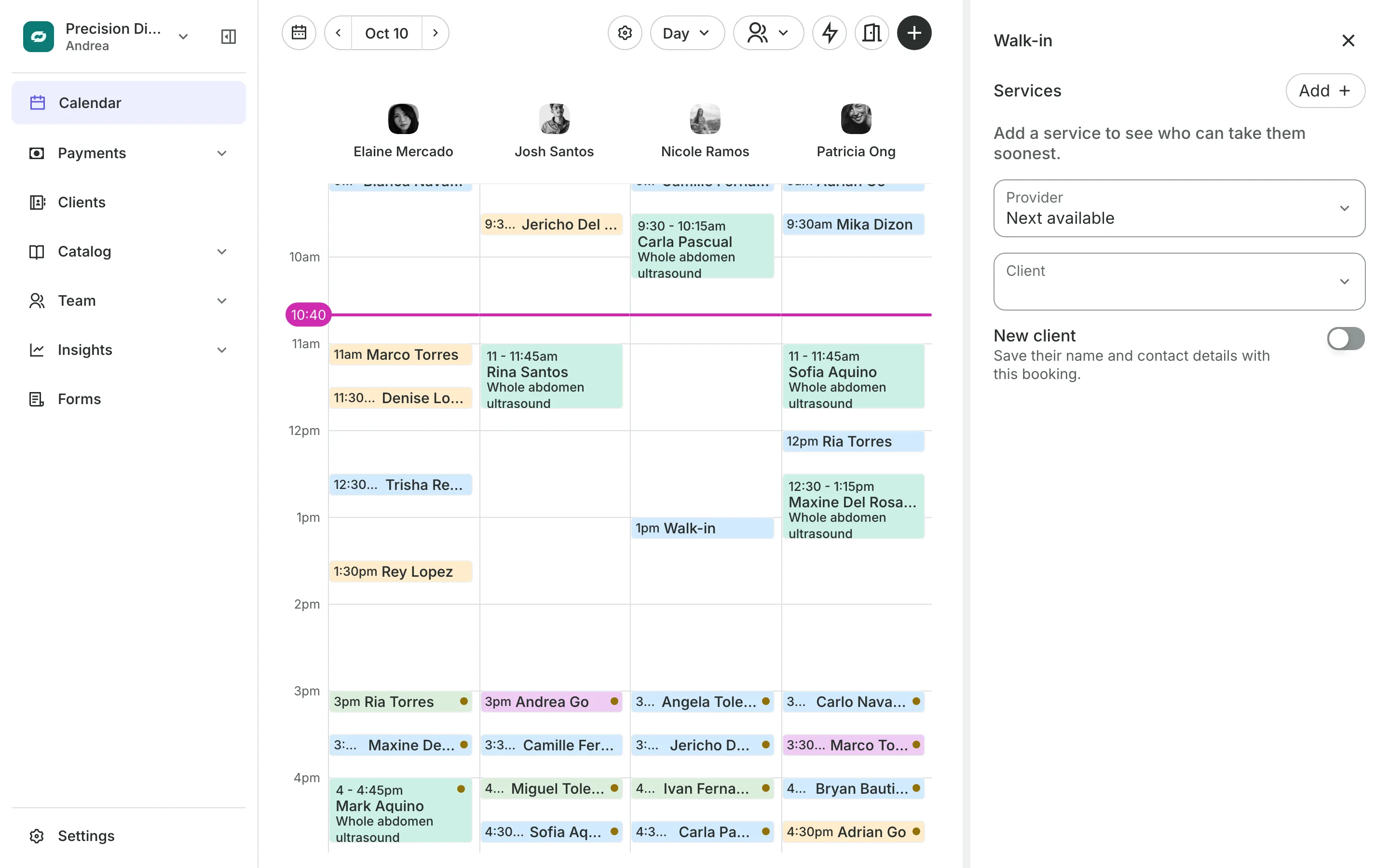
At the counter
Take walk-ins between bookings
Walk-ins are booked with whoever can take them soonest.
Descriptions on each test tell patients how to prepare.
Hidden services stay off your site for your team to book.
Forms collect what you need, asked only for chosen tests.
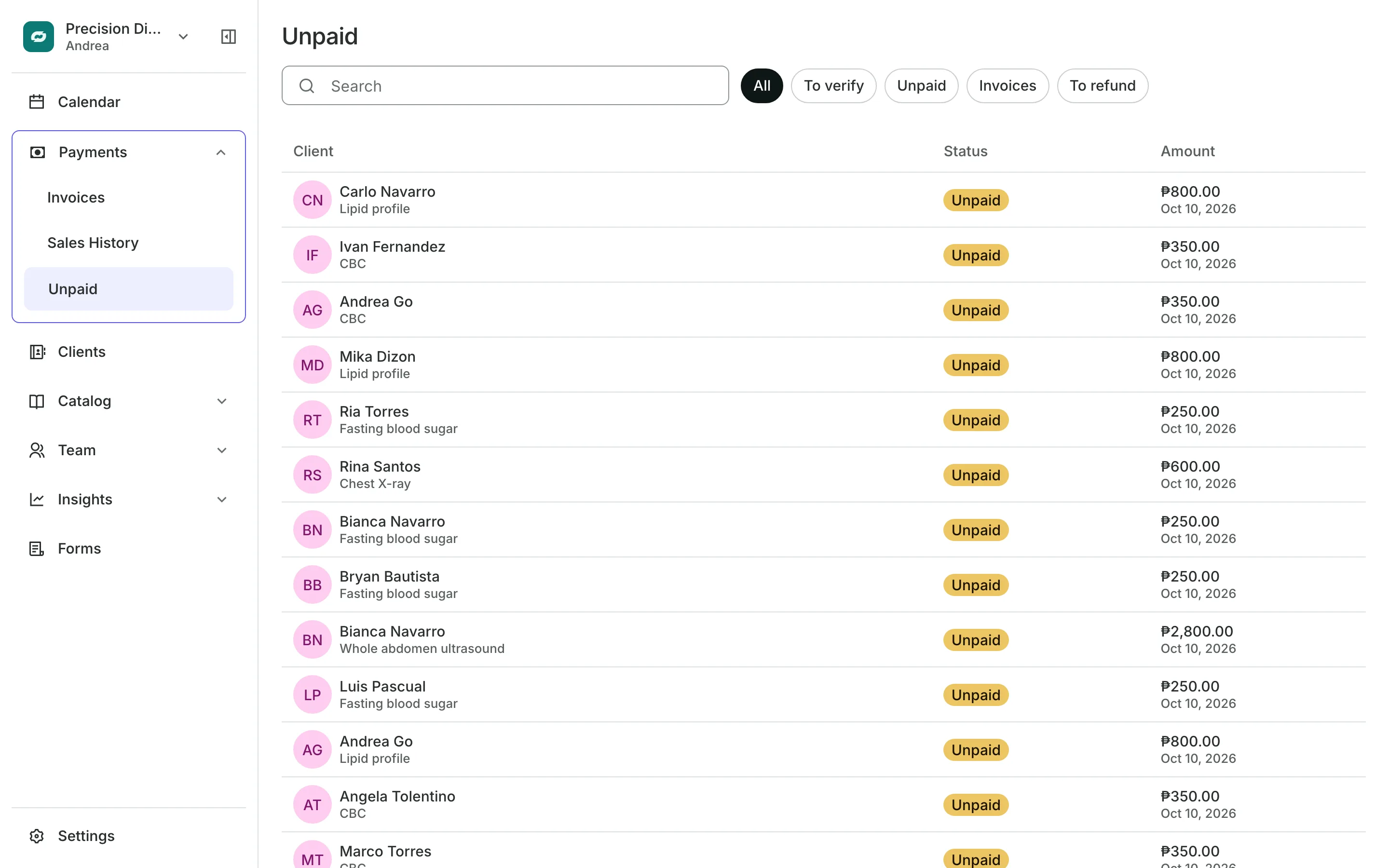
Payments
Get paid before the patient arrives
Patients pay online by card or e-wallet when they book, send a GCash, QR Ph, or bank transfer with a receipt, or pay in person. The Unpaid list shows who owes and which receipts to approve.
- Pay in person for walk-ins
- Receipts checked before you confirm
- End of Day totals by payment method
See what your lab gets
- Online BookingYour own booking site where clients book, pay, and manage their bookings.
- AppointmentsServices, staff, rooms, and add-ons, booked online or from the calendar.
- FormsIntake forms and a waiver, filled in before the visit or at the front desk.
- PaymentsOnline checkout, transfers to your own accounts, and Pay in person.
- ClientsClient profiles with bookings, balances, notes, feedback, and packages.
- LocationsEach branch with its own hours, team, rooms, and prices, in one account.
- TeamRoles, permissions, hours, and time off for everyone who works with you.
- ReportsAnalytics, reports, sales history, and a cash count at the end of the day.
- ConciergeA chat on your booking page that answers customers and books a class or an appointment.
- AssistantType what you need done, in English or Taglish, and confirm each change.
Frequently asked questions
Yes. Turn on Several services in one visit in Booking Controls, and patients add each test before they pick a time.
Yes. Turn on Walk-ins, add the test, and pick from the list of who can take the patient soonest.
Yes. Each room and machine belongs to one location, and patients are offered times by what is free at the branch they book.
7 days, with every feature of your plan. You choose a plan when the trial ends.
No. You sign up with your email or Google account, tell us what you run, and start setting up.
Each plan is one monthly price with unlimited bookings. See the pricing page for the plans and what each includes.
Take bookings and get paid, the simple way.
Free 7-day trial. No credit card required.