Booking software for veterinary clinics:Let pet owners book the vet online
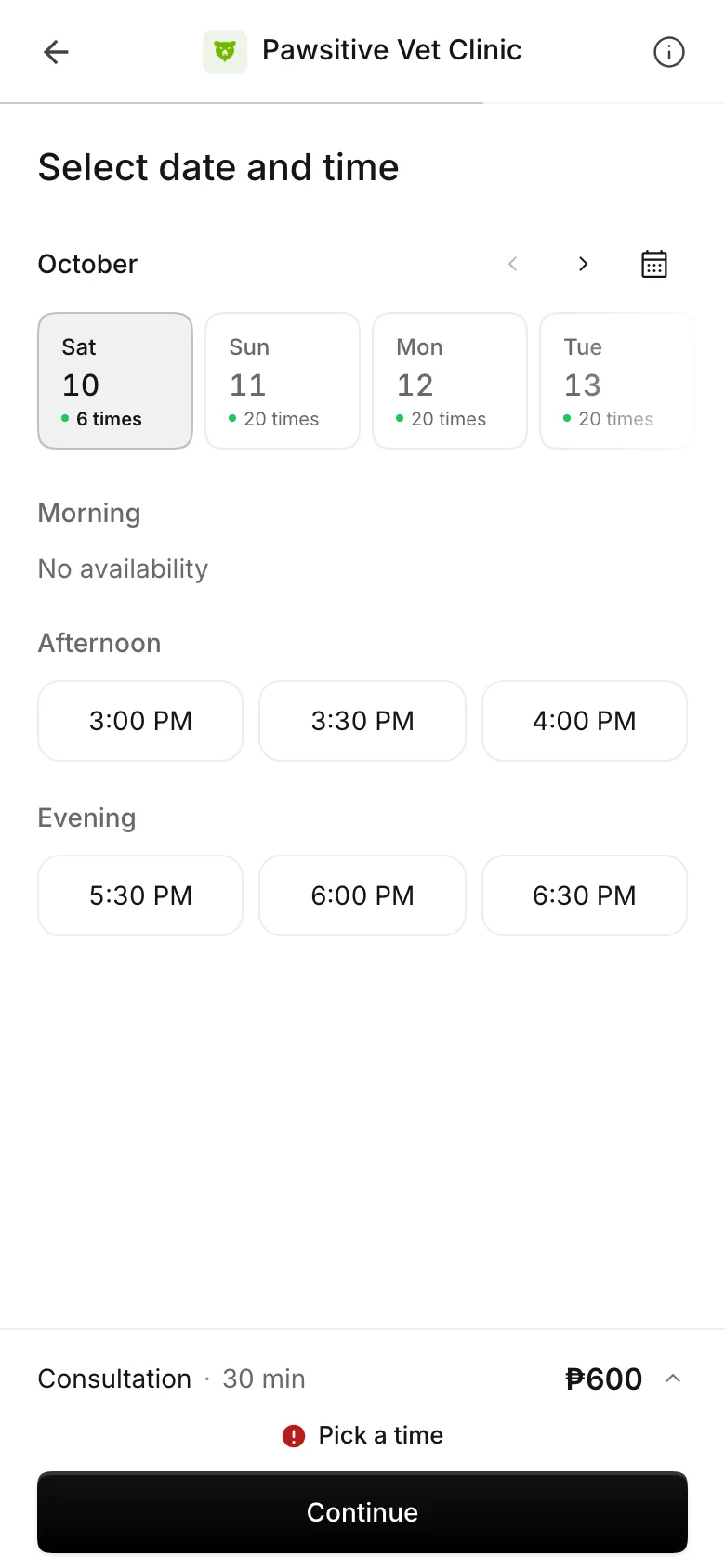
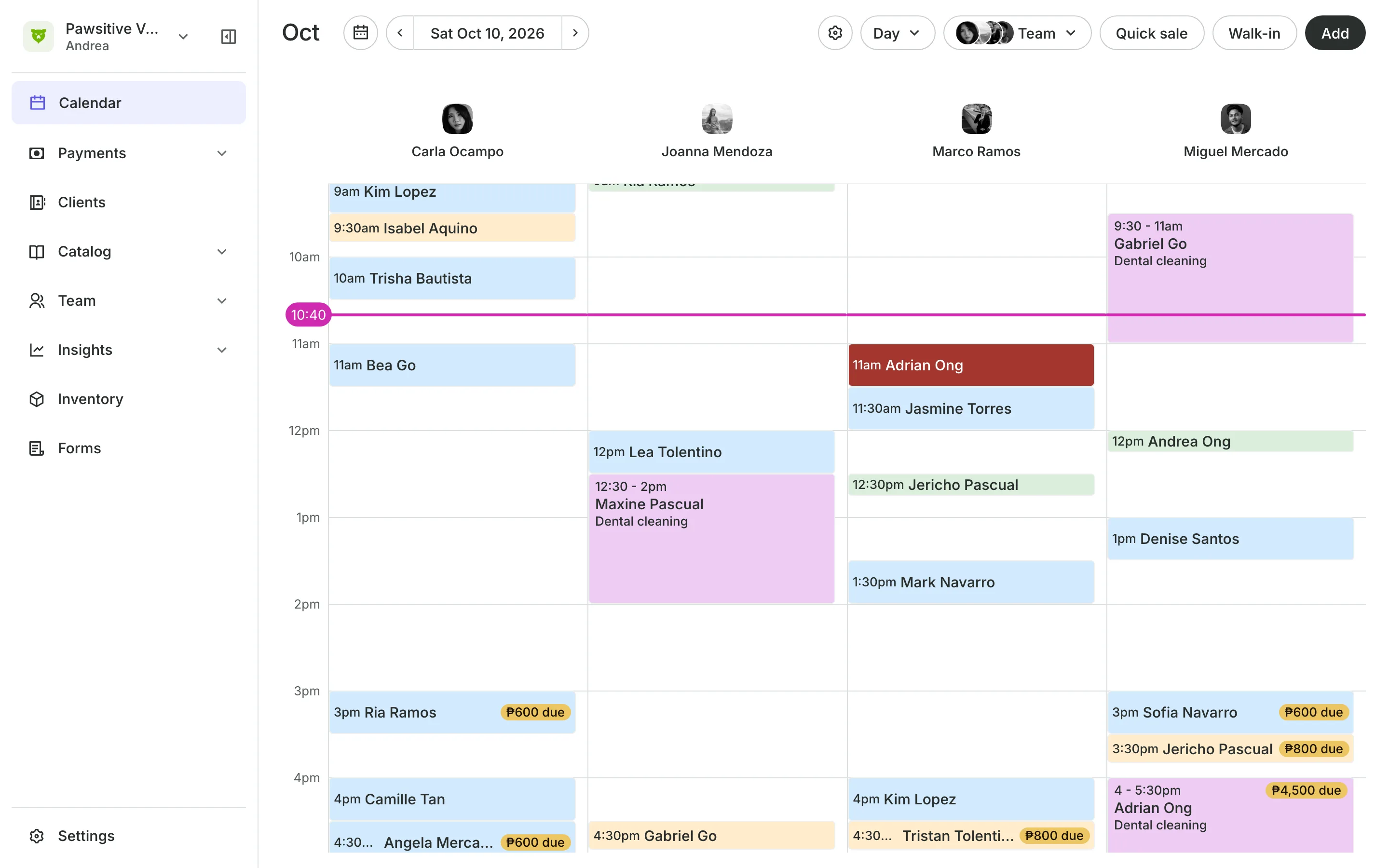
The owner picks a vet and a time, tells you about their pet on your intake form, and gets a reminder the day before. Your front desk sees every vet and room on one calendar.
Free 7-day trial. No credit card required.
Clients pay online or in person













Book the owner, note the pet
The owner books, pays, and gets the reminders. Their intake form and your notes hold each pet's name, breed, and history, and a Client Note on each booking says which pet is coming.
Forms and notes
Learn about the pet before it arrives
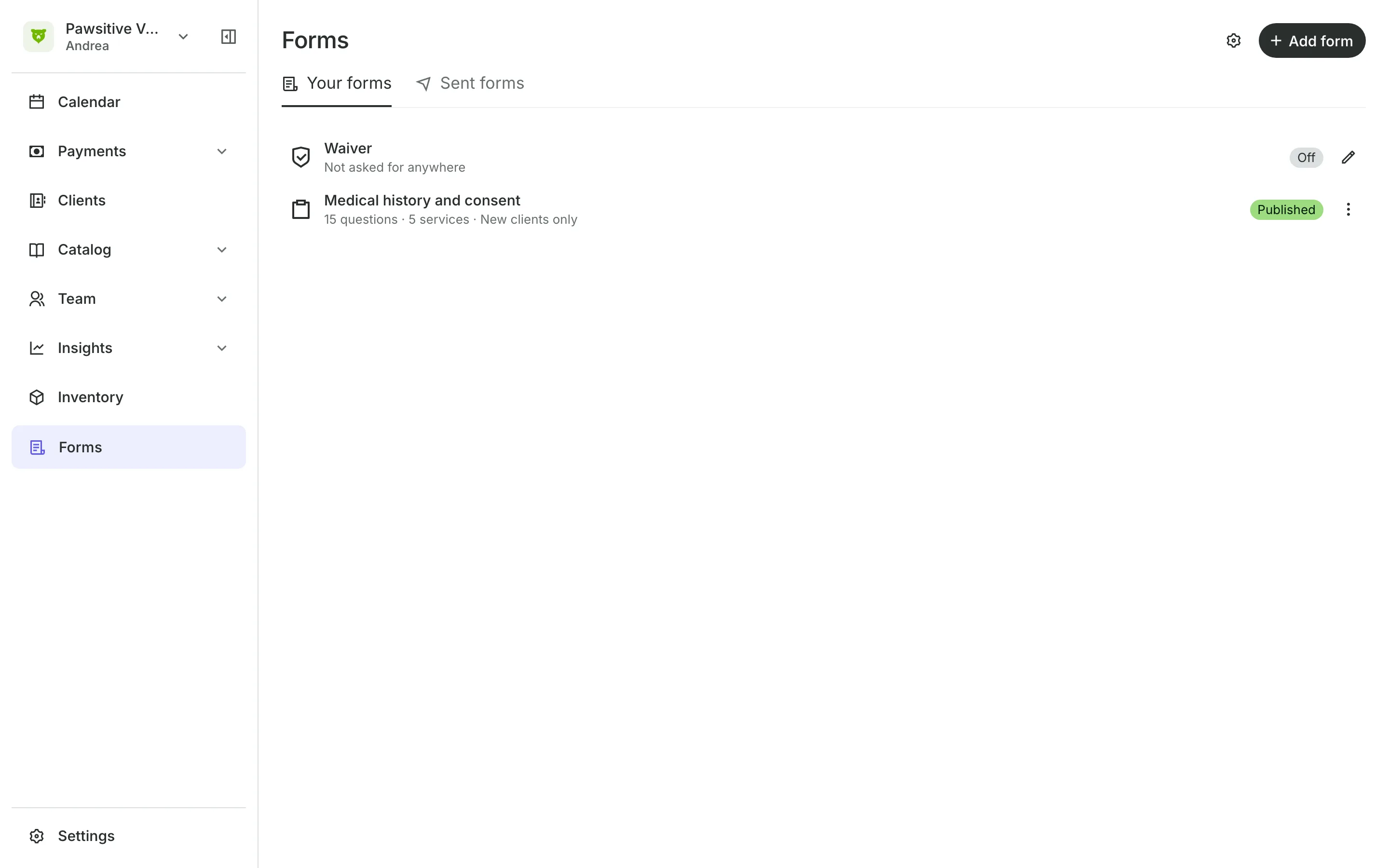
Intake forms ask the pet's name, breed, age, and vaccinations.
Asked again once a year or every visit, for the services you choose.
Staff note warns your team about a pet that bites or panics.
Feedback tells the owner what to do at home after the visit.
Appointments
Book the vet and the room
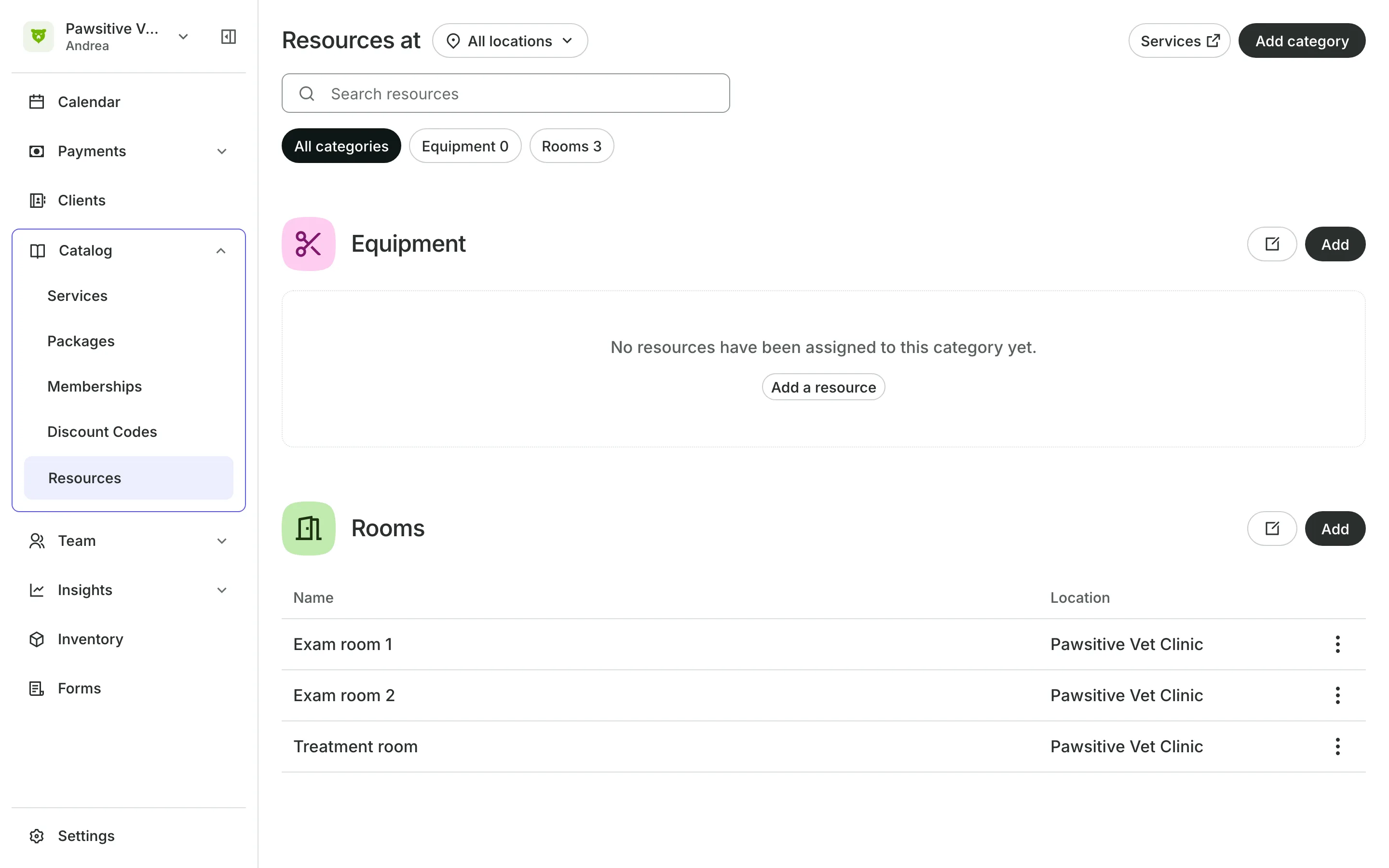
Give each consultation, vaccination, and procedure its length and the vets who do it. A surgery room or an X-ray machine is never booked twice, and procedures can stay off your booking site for your team to book.
- Each vet's own hours and breaks
- Client Notes for the pet's name on each booking
- An email reminder to the owner the day before
Shop
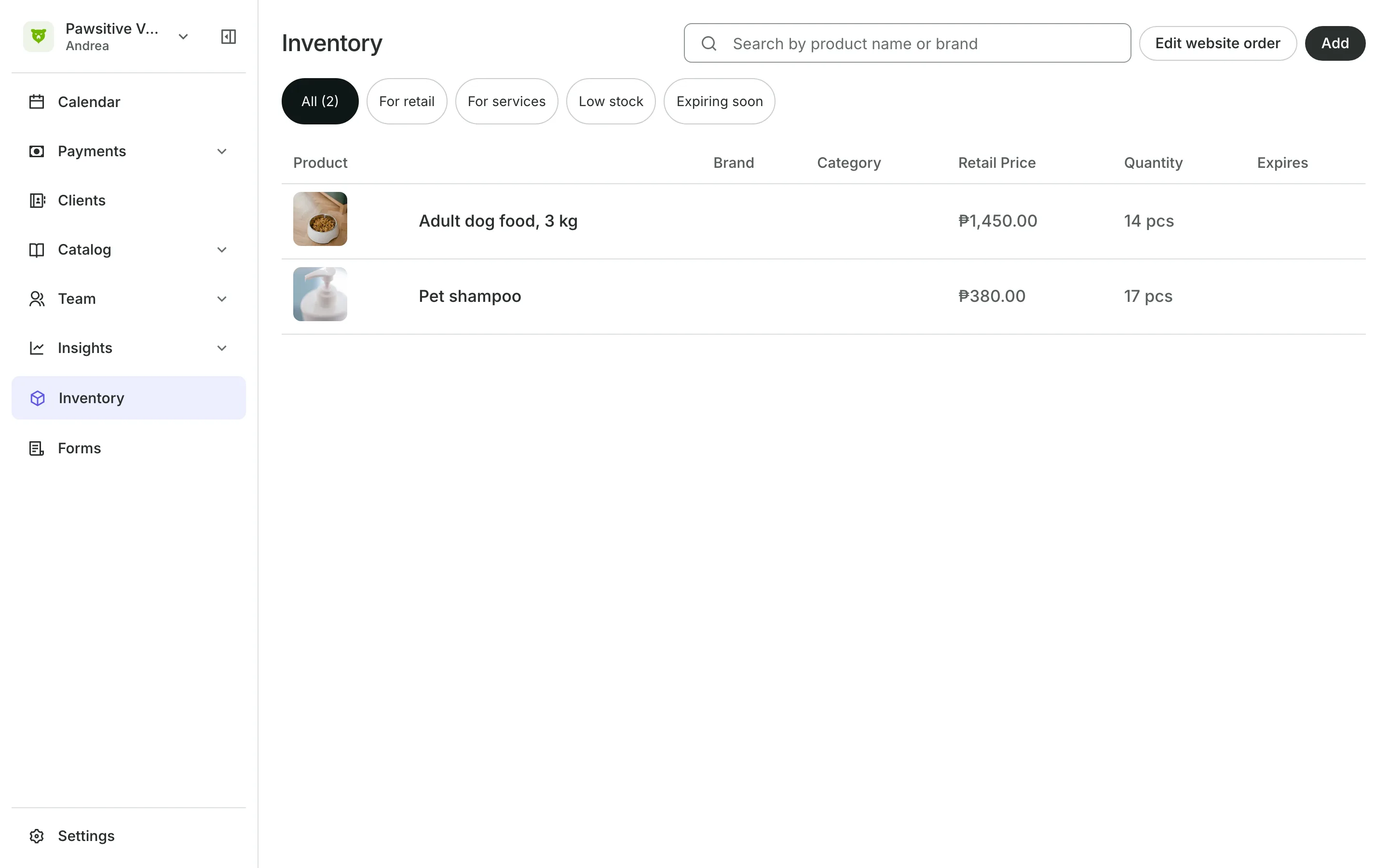
Sell food and medicine at checkout
Products like food and medicine are added to the owner's bill.
Track stock counts what is on hand and flags what runs low.
Supplies used in treatment stay off your shop and checkout.
Shop page lets owners buy online and pick up at the clinic.
Payments
Charge what the treatment cost
Treatment often turns out different from the first quote. Use a Starting At price, set the final amount at checkout. Owners pay by card or e-wallet online, by GCash, QR Ph, or bank transfer, or in person.
- From prices shown to owners online
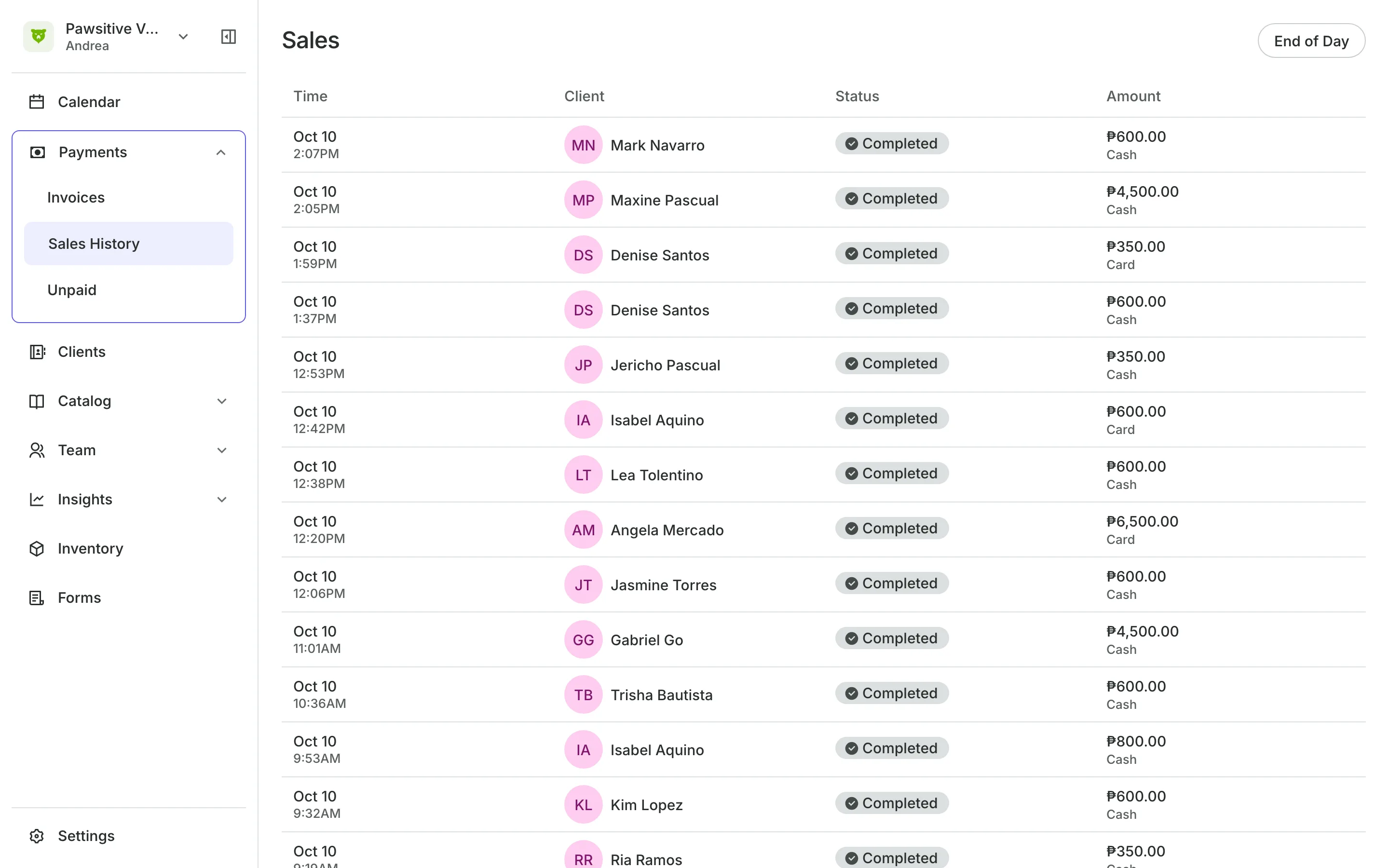
- Every sale and how it was paid, in Sales history
- Every unpaid balance in one list
See what your clinic gets
- AppointmentsServices, staff, rooms, and add-ons, booked online or from the calendar.
- Online BookingYour own booking site where clients book, pay, and manage their bookings.
- FormsIntake forms and a waiver, filled in before the visit or at the front desk.
- ClientsClient profiles with bookings, balances, notes, feedback, and packages.
- InventorySell products online and at checkout, with stock counted as you go.
- PaymentsOnline checkout, transfers to your own accounts, and Pay in person.
- TeamRoles, permissions, hours, and time off for everyone who works with you.
- ReportsAnalytics, reports, sales history, and a cash count at the end of the day.
- ConciergeA chat on your booking page that answers customers and books a class or an appointment.
- AssistantType what you need done, in English or Taglish, and confirm each change.
Frequently asked questions
Book each pet as its own appointment, and put the pet's name in Client Notes when your team books it.
Yes. Give them the Provider role, and they see only their own calendar and the owners who booked with them.
7 days, with every feature of your plan. You choose a plan when the trial ends.
No. You sign up with your email or Google account, tell us what you run, and start setting up.
Each plan is one monthly price with unlimited bookings. See the pricing page for the plans and what each includes.
Take bookings and get paid, the simple way.
Free 7-day trial. No credit card required.