Booking software for lash and brow studios:Protect every long appointment
Clients book online and pay a deposit. Your cancellation window decides what happens when they cancel, and their form is filled in and signed before they sit down.
Free 7-day trial. No credit card required.
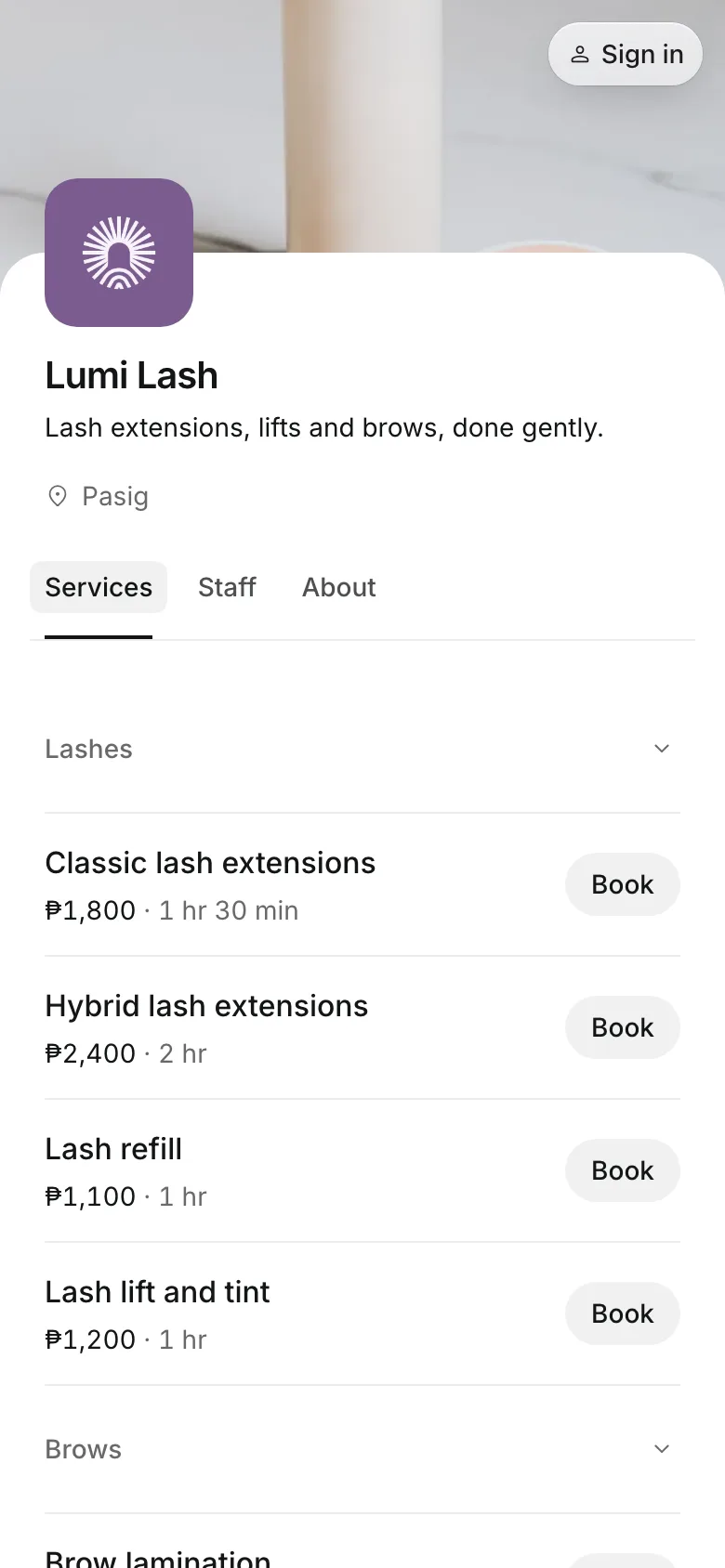
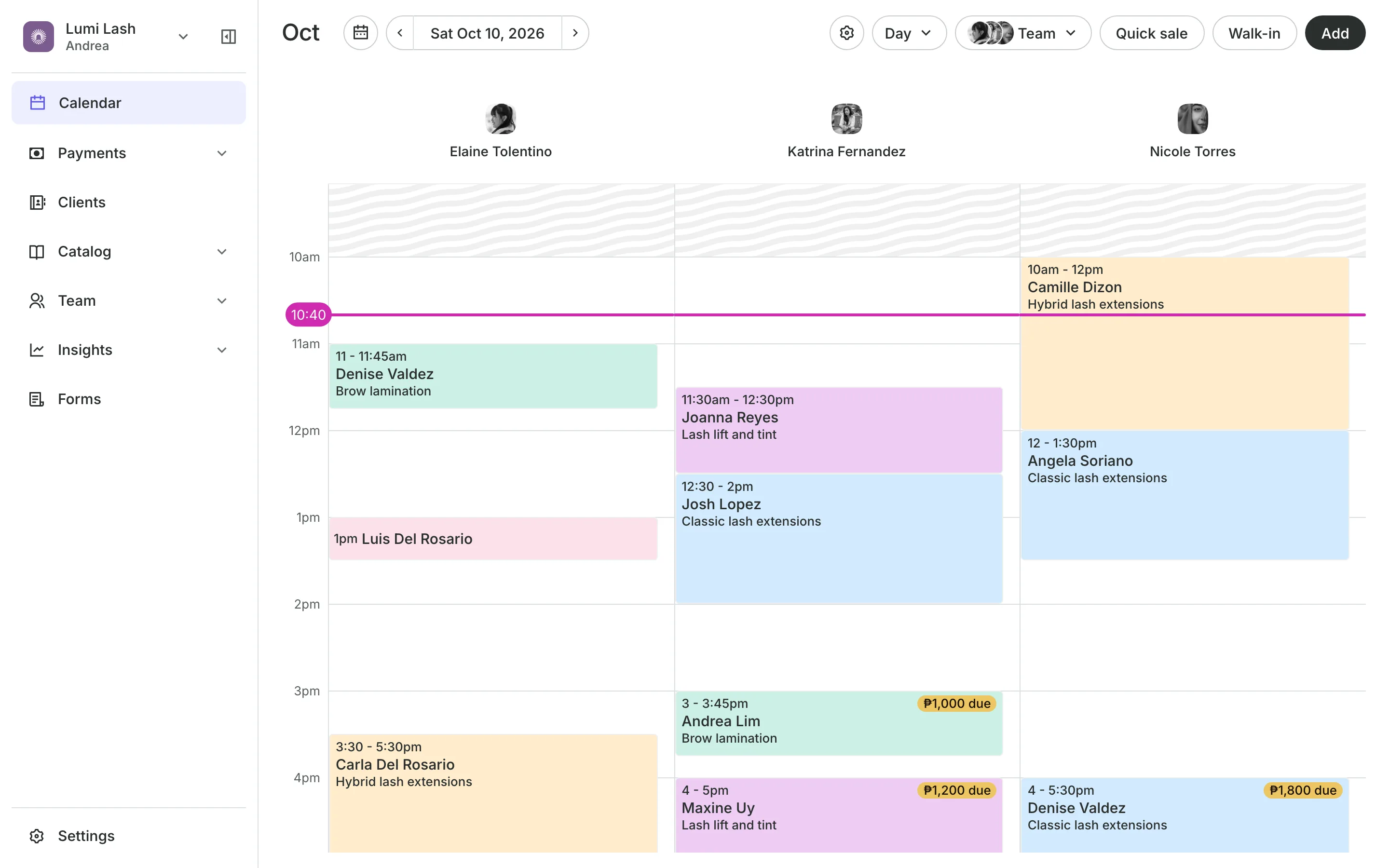
Clients pay online or in person













Keep your chair from sitting empty
A full set takes hours. Ask for a deposit, set when clients can still cancel for free, and send a reminder the day before.
Deposits
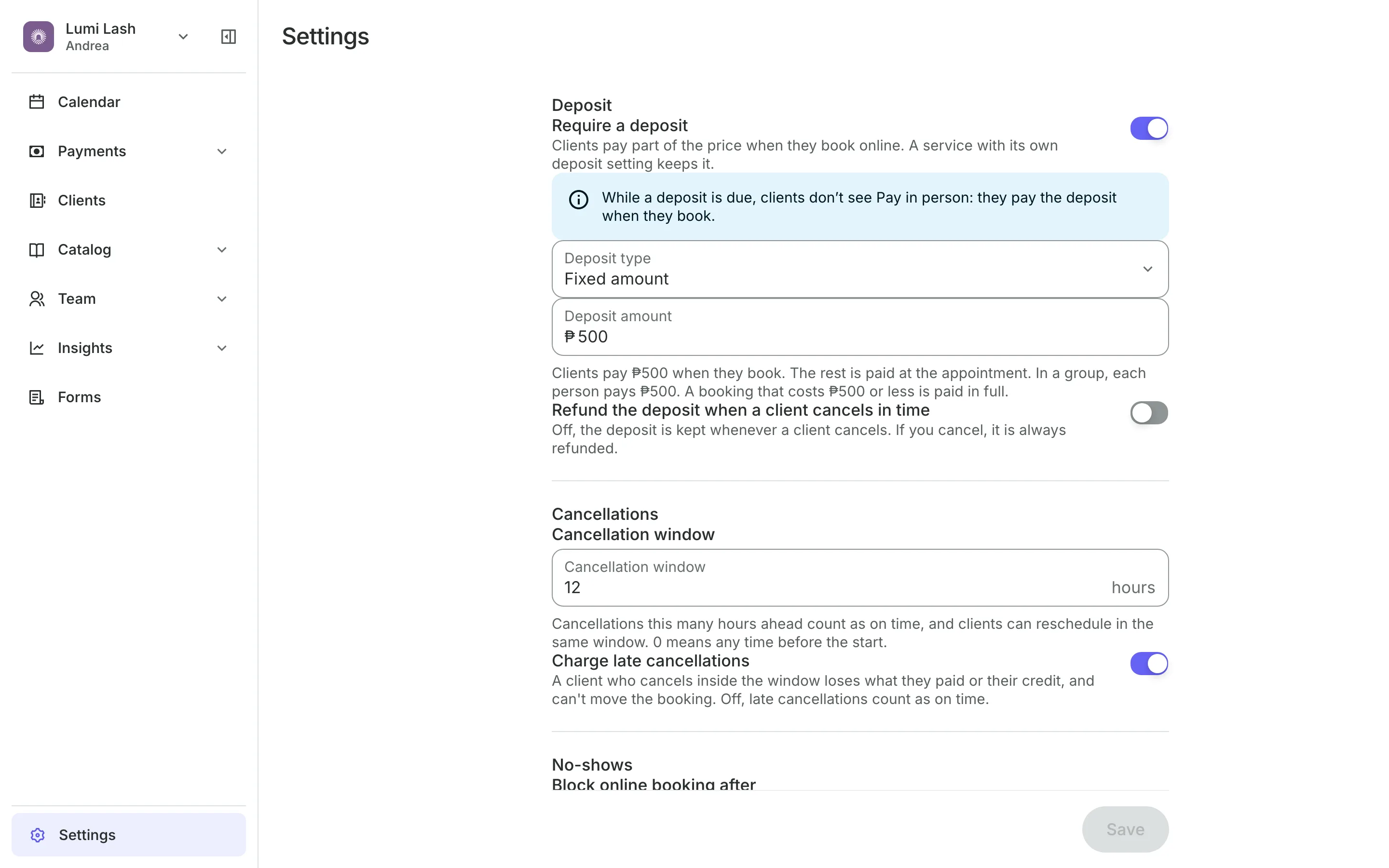
Take a deposit when they book
Deposits are a fixed amount or a percentage, the rest at the visit.
Cancellation window sets how late clients can cancel or move for free.
Late cancels can keep what the client paid, by your rule.
Repeat no-shows can be blocked from booking online.
Forms
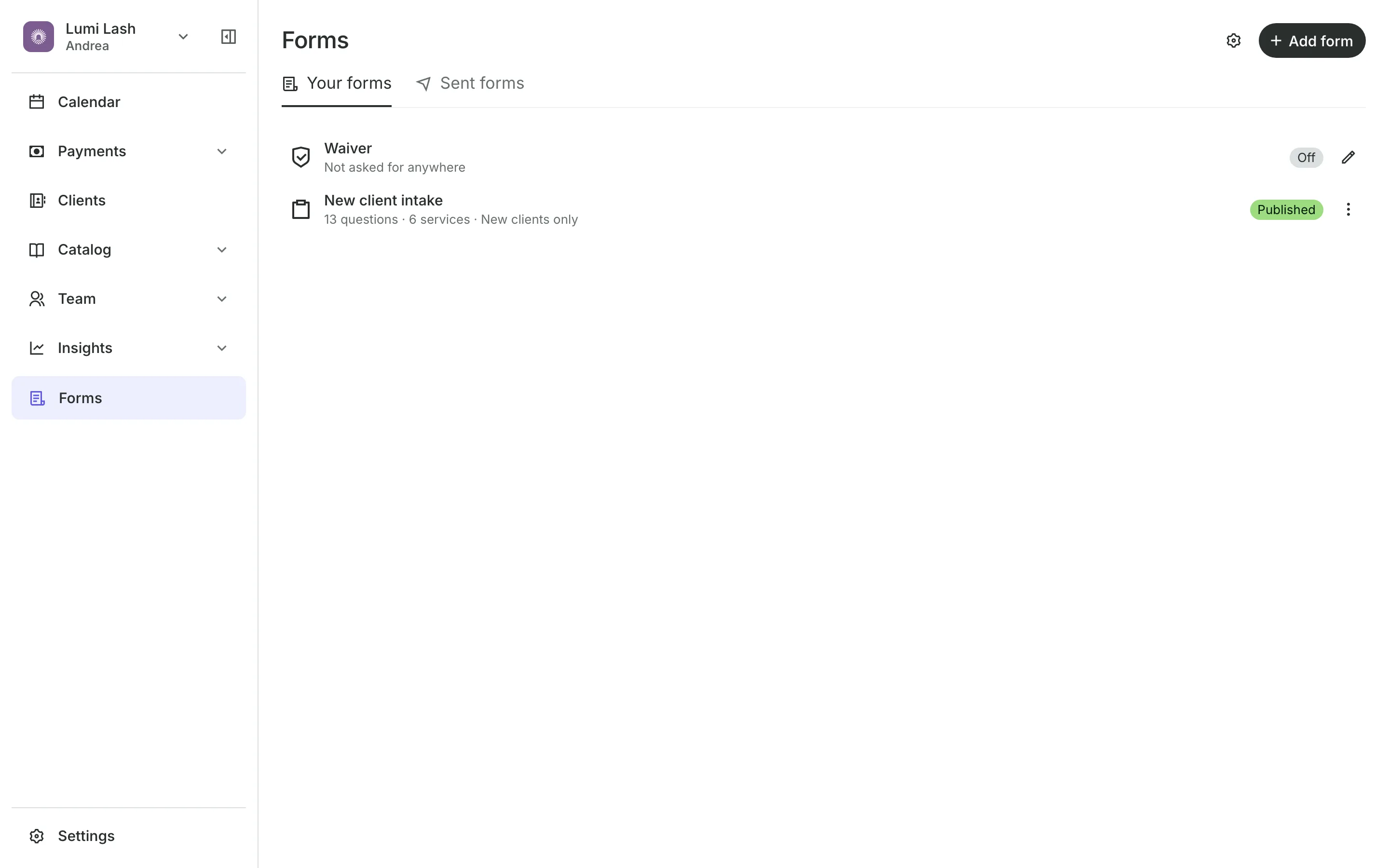
Get the form signed beforehand
Build an intake form with the questions you ask and a signature at the end. Ask for it on the services that need it, at every appointment. Clients get the link in their confirmation email.
- One reminder about a day before if it is not done
- Filled in on your tablet if they arrive without it
- Every answer saved on the client's profile
Clients
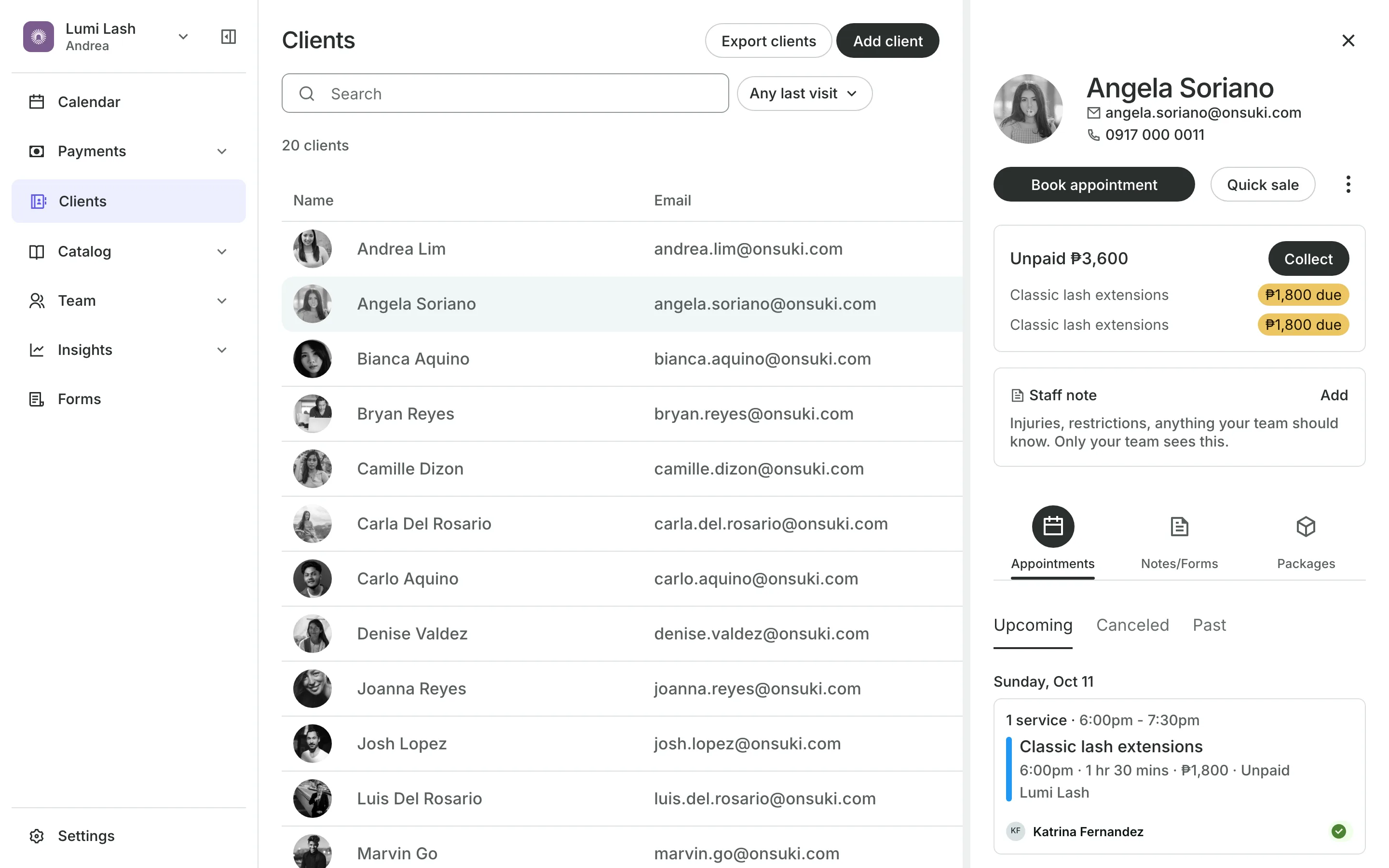
Keep notes on every set
Staff note sits on the profile for what your team must know.
Notes record each visit, dated, for your team only.
Feedback is shared with the client to read in their account.
Completed forms are on the profile before the service.
Refills
Book refills before they leave
Book a client's refills every two, three, or four weeks in one go, each paid at the visit. Or sell a set of refills up front as a package, with an expiry if you want one.
- Package credits used one booking at a time
- Credits left shown in the client's account
- A brow tint or lamination as an add-on
See what your lash and brow studio gets
- Online BookingYour own booking site where clients book, pay, and manage their bookings.
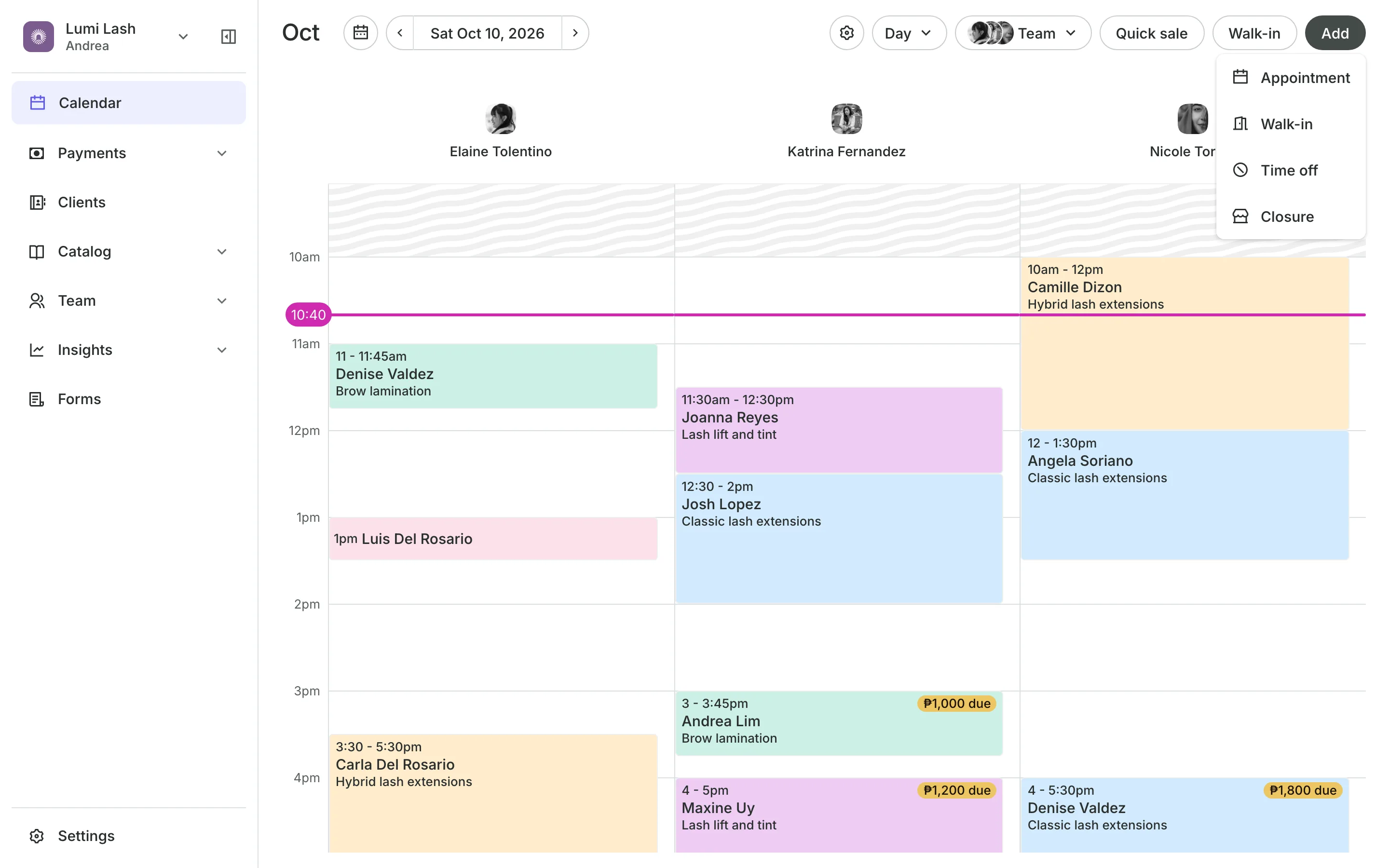
- AppointmentsServices, staff, rooms, and add-ons, booked online or from the calendar.
- PaymentsOnline checkout, transfers to your own accounts, and Pay in person.
- FormsIntake forms and a waiver, filled in before the visit or at the front desk.
- ClientsClient profiles with bookings, balances, notes, feedback, and packages.
- PackagesPacks of visits and memberships that renew, with credits clients see in their wallet.
- InventorySell products online and at checkout, with stock counted as you go.
- ConciergeA chat on your booking page that answers customers and books a class or an appointment.
- AssistantType what you need done, in English or Taglish, and confirm each change.

Frequently asked questions
Yes. Each service can have its own deposit, or none. A service's own setting wins over your business's.
Yes. Add a signature to an intake form and ask for it on the services that need it. Clients fill it in from the link in their confirmation email, or on your tablet when they arrive.
You choose. With Charge late cancellations on, a cancel inside your window keeps what the client paid. Clients see the exact policy at checkout.
Yes. Make the appointment repeat every two, three, or four weeks, for a set number of times or up to a date. Each refill is paid when the client comes in.
7 days, with every feature of your plan. You choose a plan when the trial ends.
No. You sign up with your email or Google account, tell us what you run, and start setting up.
Each plan is one monthly price with unlimited bookings. See the pricing page for the plans and what each includes.
Take bookings and get paid, the simple way.
Free 7-day trial. No credit card required.