Booking software for physical therapy clinics:Book the whole program, not one session
Sell a course of sessions up front, book every visit with the same therapist in one go, and send the home exercises after each session to the patient's phone.
Free 7-day trial. No credit card required.
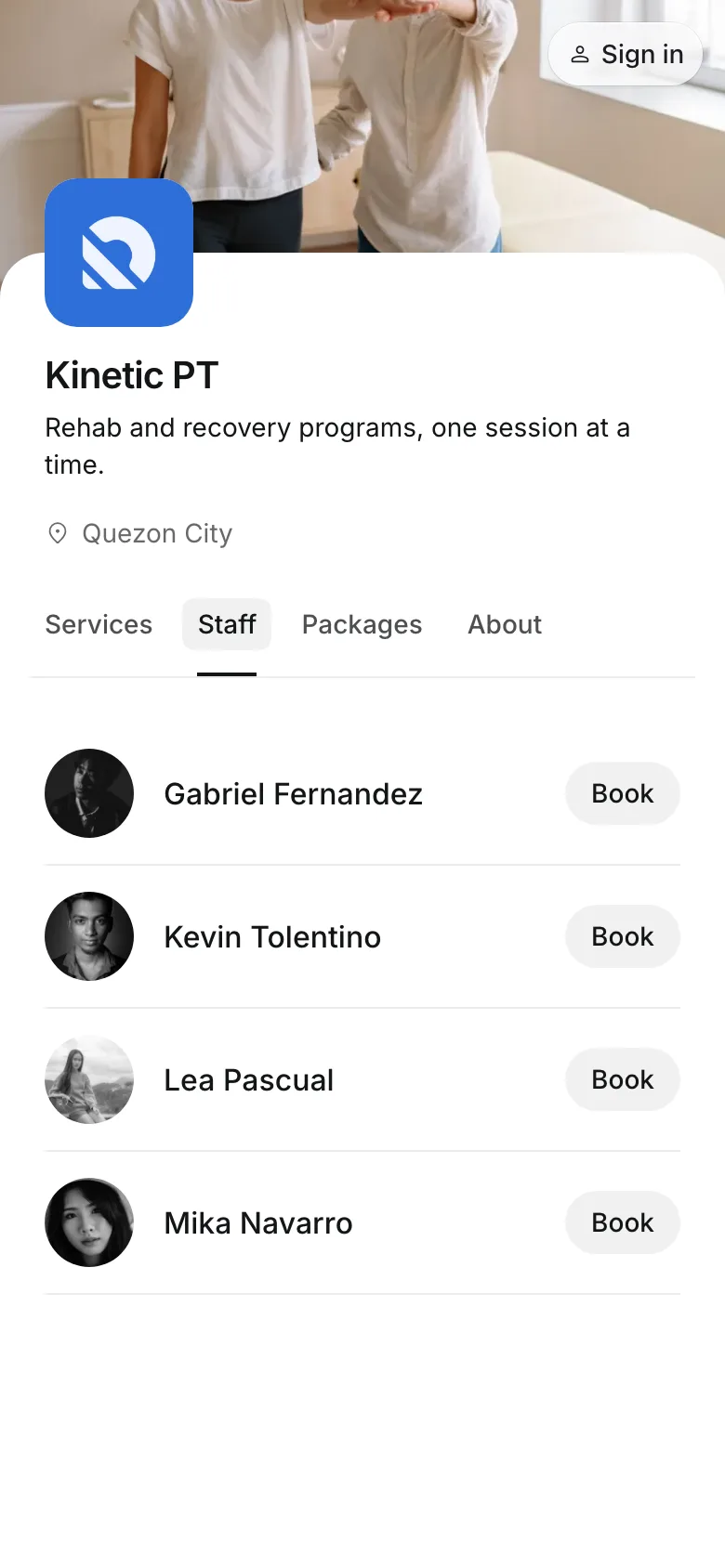
Clients pay online or in person













Keep patients coming to every session
Recovery takes a program, not a visit. Onsuki holds the patient's next sessions, their package, and what they should practice at home in one place.
Charting
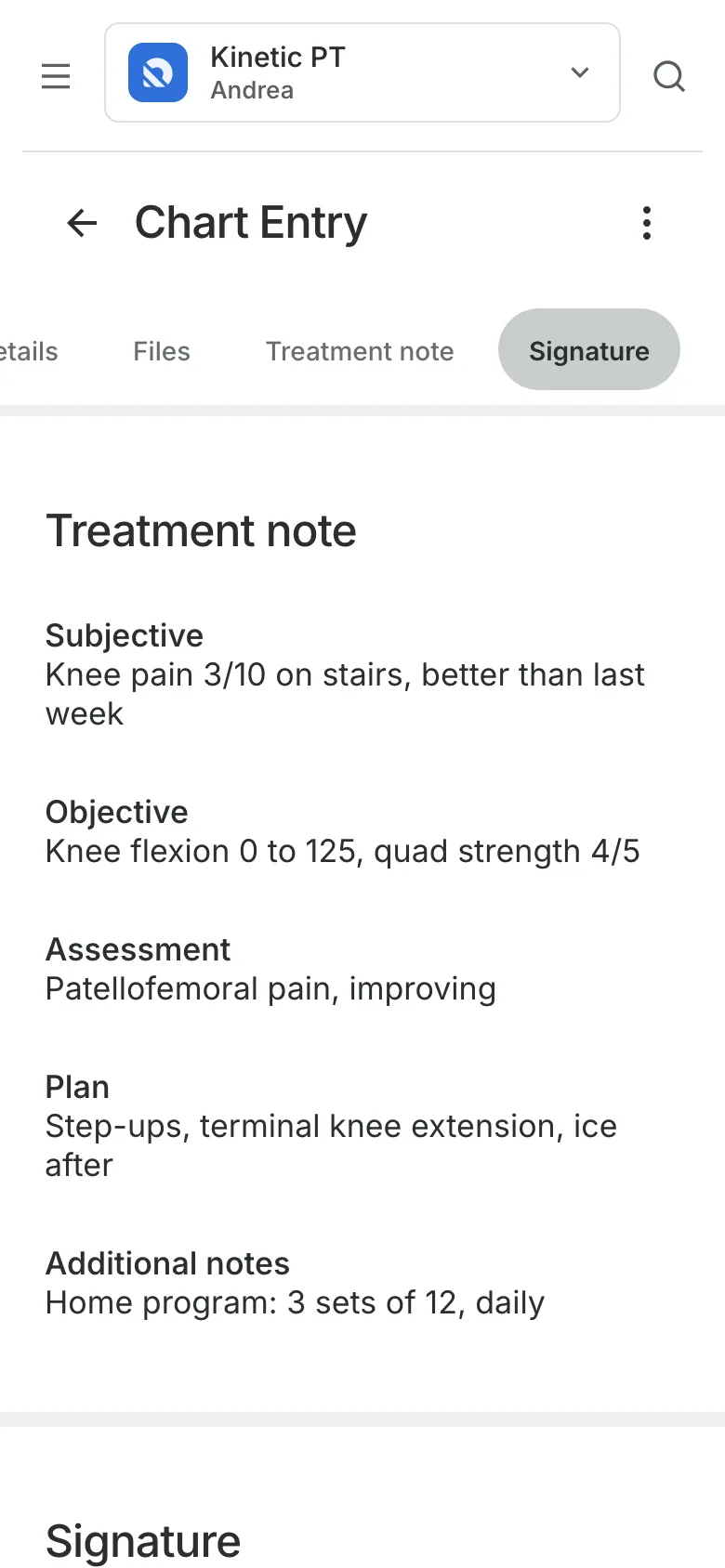
Chart each session from a template
The physical therapy follow-up template has Subjective, Objective, Assessment, Plan, and Home program. A treatment plan counts the sessions given against the patient's package. Charting is on the Clinic plan.
- Entries signed with the therapist's PIN and PRC number
- Session 4 of 10 shown on the entry
- A PDF of the record when it's asked for
Packages
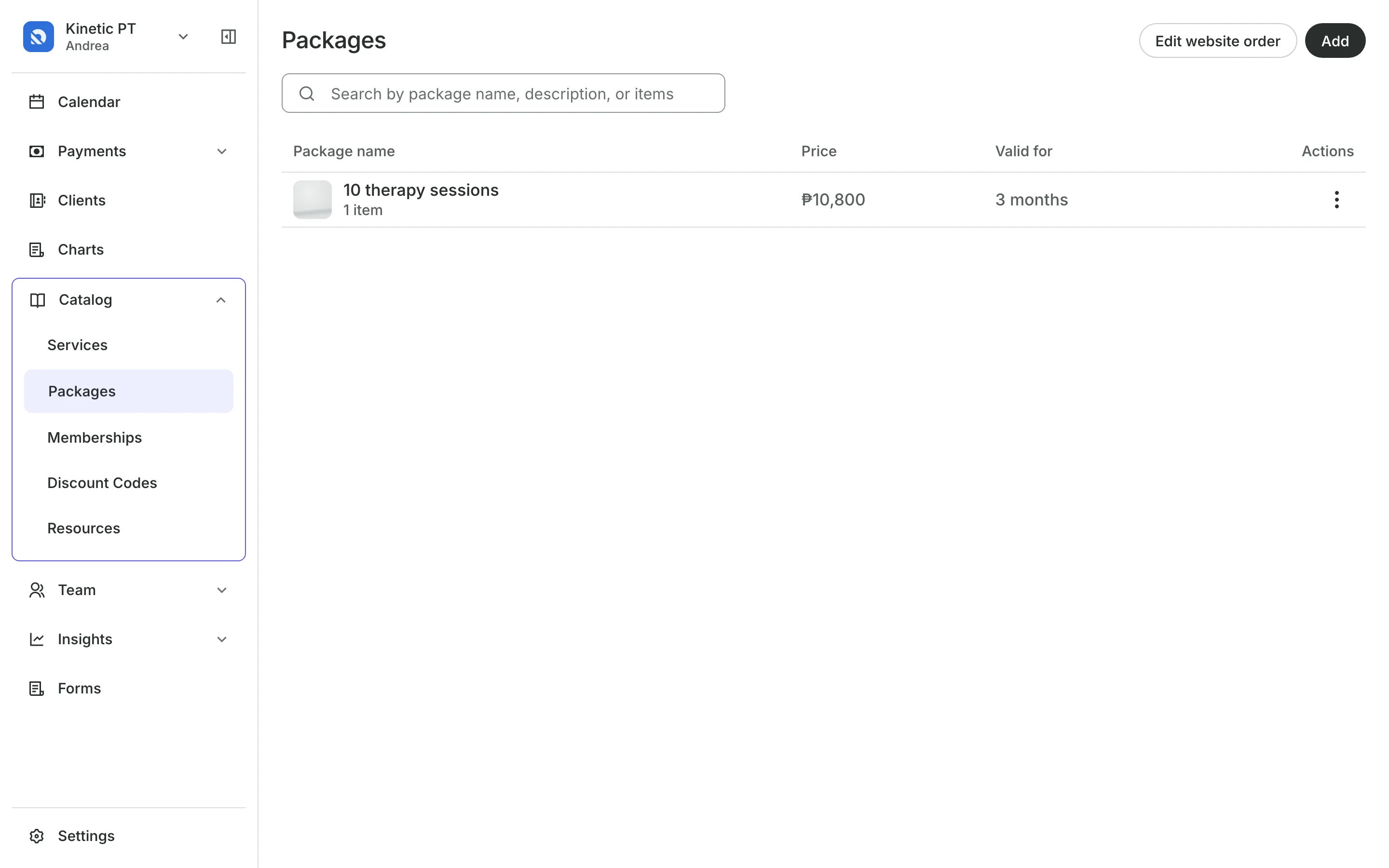
Sell a course of sessions
Packages of 6 or 10 sessions are paid once and used per visit.
Use their package at checkout takes one credit for the session.
Expiry can start at the first session instead of the day they buy.
More time can be given to one patient after an illness or a setback.
Repeating appointments
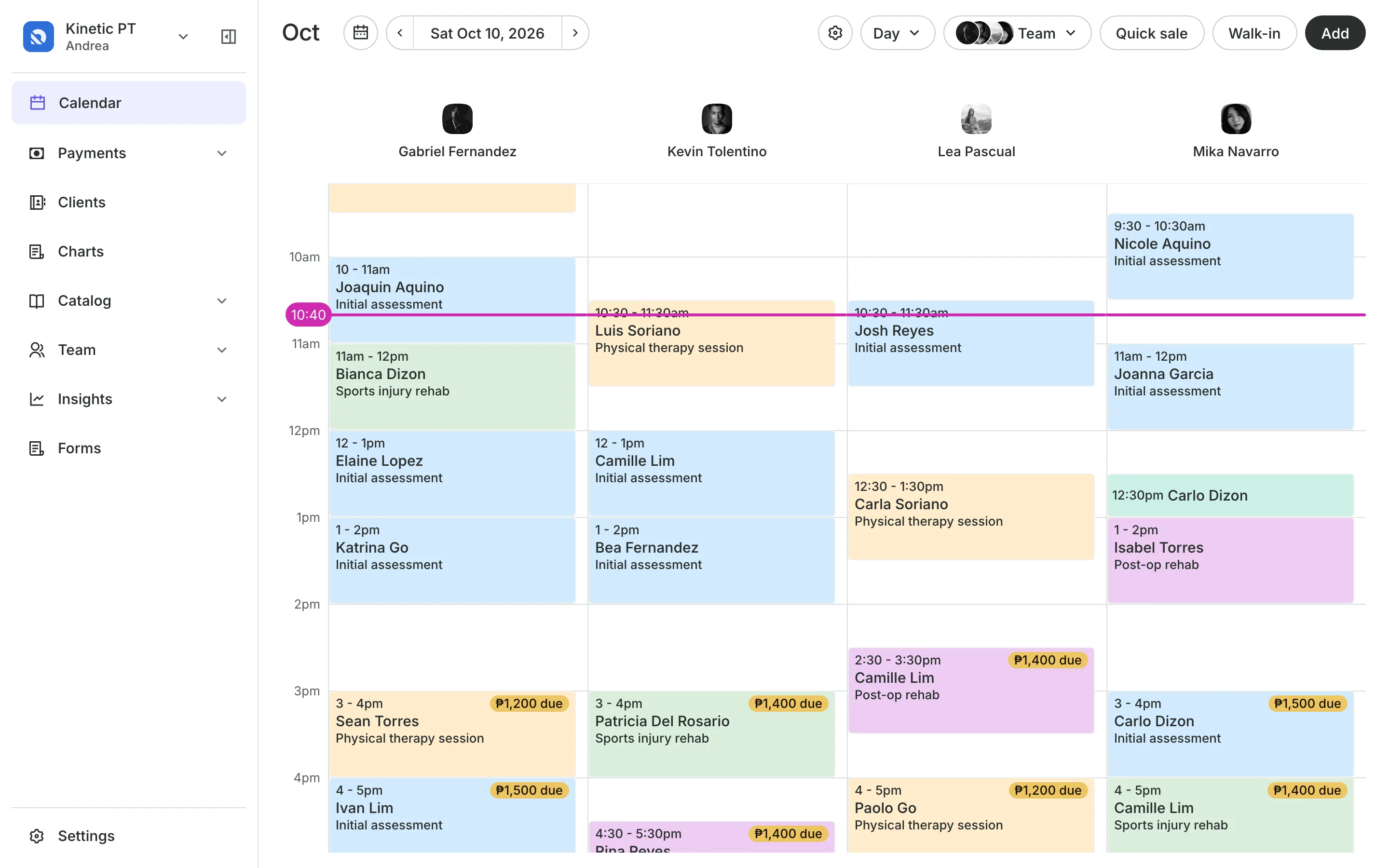
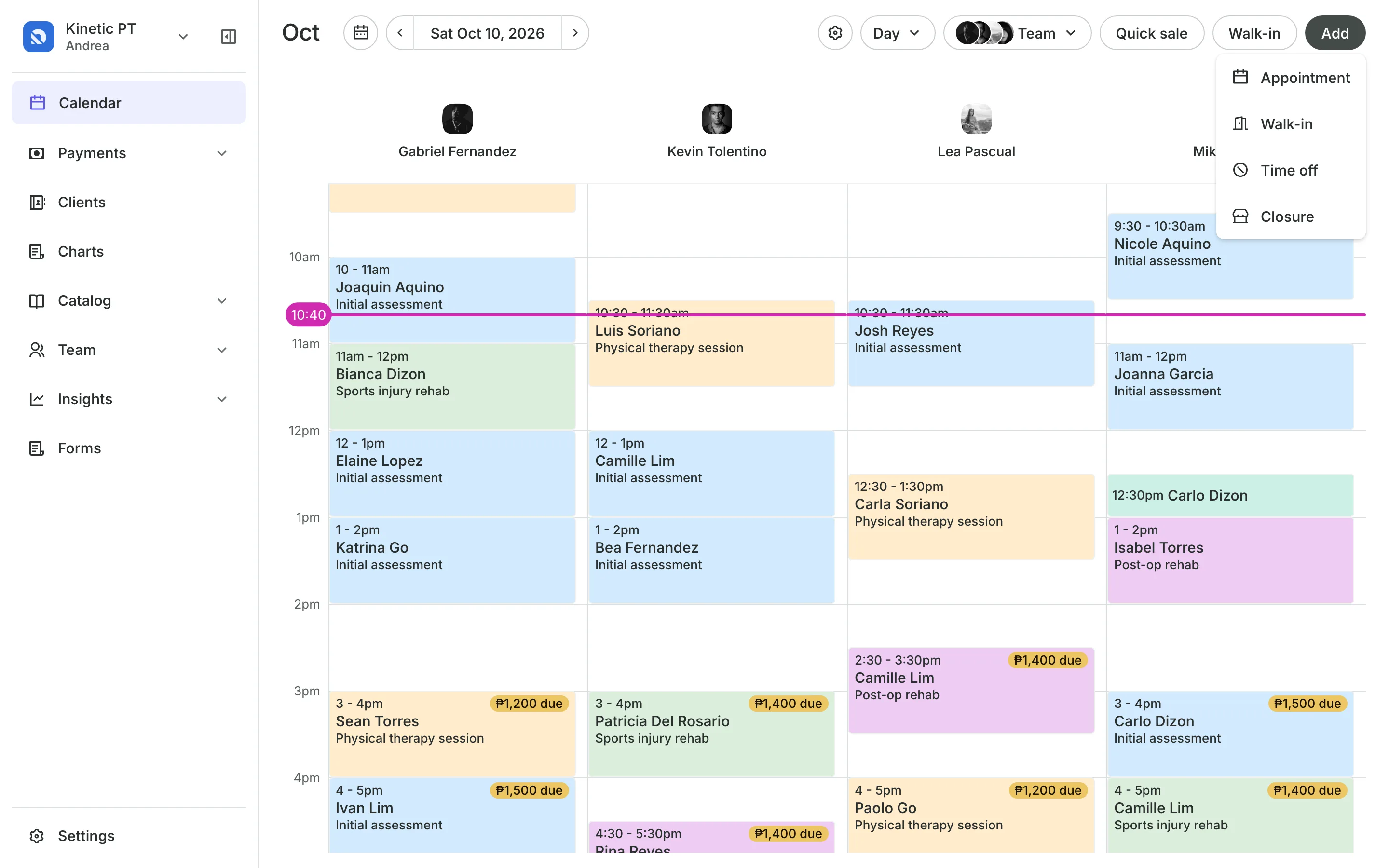
Book every session in one go
Book the patient every week or every 2, 3, or 4 weeks, for 4 to 52 sessions or until a date. Dates that are taken or closed are skipped and named, so you can rebook them.
- The same therapist for the whole series
- Move or cancel this and following sessions
- No credit used until each session is checked out
Notes and feedback
Send home exercises after each session
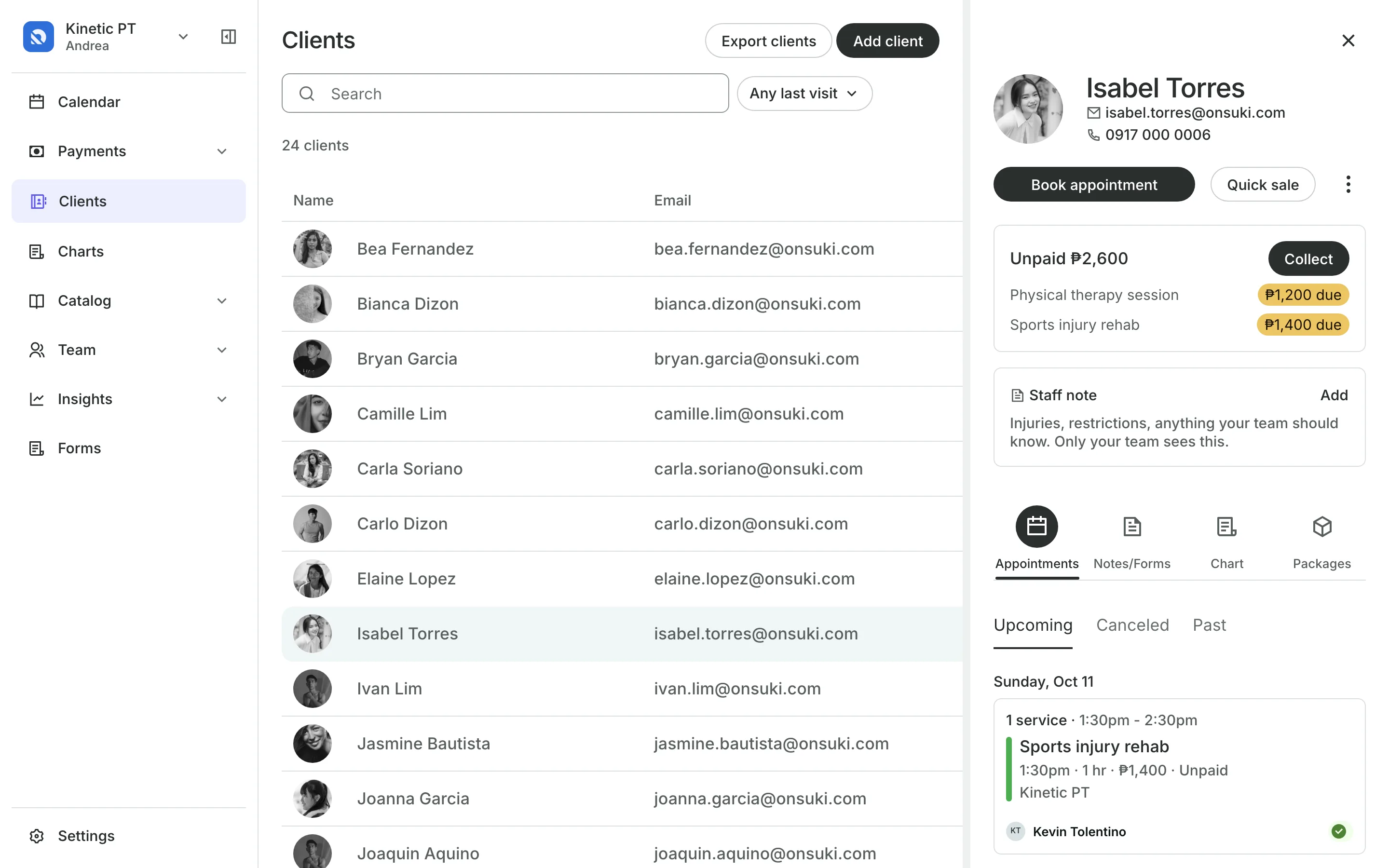
Staff note keeps injuries and restrictions at the top of the profile.
Feedback tells the patient what to practice at home.
Their account lists every piece of feedback by visit.
Intake forms collect the injury and history before the first visit.
Deposits and payments
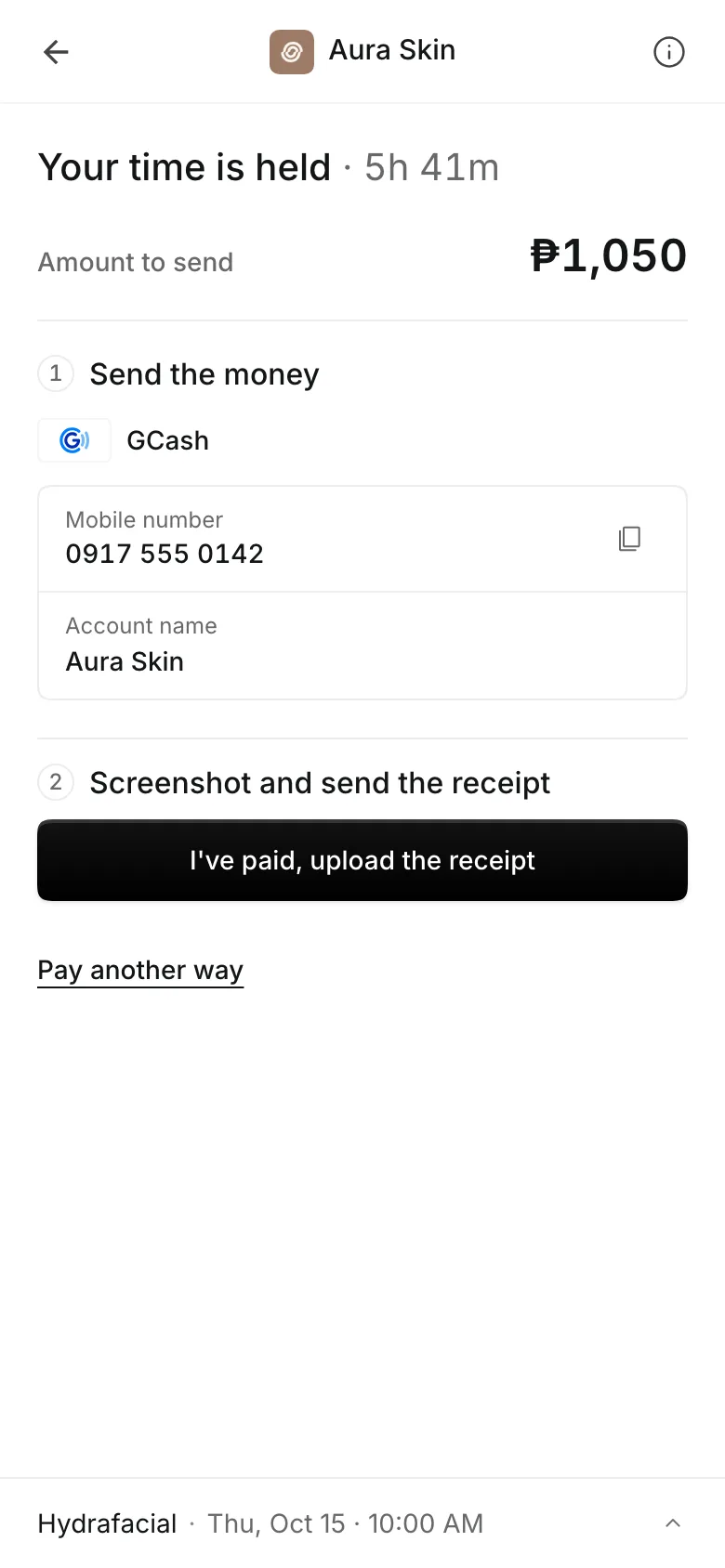
Take a deposit when they book
Ask for a percent or a fixed amount when patients book online, and show your cancellation policy before they pay. They pay online through PayMongo, by transfer to your own GCash, QR Ph, or bank account, or in person.
- A receipt with each transfer, approved by you
- A reminder email the day before
- A no-show keeps the deposit
See what your clinic gets
- AppointmentsServices, staff, rooms, and add-ons, booked online or from the calendar.
- PackagesPacks of visits and memberships that renew, with credits clients see in their wallet.
- Online BookingYour own booking site where clients book, pay, and manage their bookings.
- ClientsClient profiles with bookings, balances, notes, feedback, and packages.
- FormsIntake forms and a waiver, filled in before the visit or at the front desk.
- ChartingClinical charts with templates, photos, consents, and signed entries.
- PaymentsOnline checkout, transfers to your own accounts, and Pay in person.
- TeamRoles, permissions, hours, and time off for everyone who works with you.
- AssistantType what you need done, in English or Taglish, and confirm each change.
Pricing
Charting is on the Clinic plan
The Clinic plan is ₱4,400 a month, billed annually, or ₱5,500 month to month. Your whole team is included.
Clinic has everything in Business, plus client charts. Booking, forms, packages, and reports are on every plan.
Guides for your physical therapy clinic



Frequently asked questions
Yes. Booking the series uses no credit. Each session takes one credit from the package when you check out.
Yes. Give them the Provider role, and they see only their own calendar and the patients who booked with them.
Charting is part of the Clinic plan. Packages, repeating appointments, and feedback are on every plan. See pricing.
7 days, with every feature of your plan. You choose a plan when the trial ends.
No. You sign up with your email or Google account, tell us what you run, and start setting up.
Each plan is one monthly price with unlimited bookings. See the pricing page for the plans and what each includes.
Take bookings and get paid, the simple way.
Free 7-day trial. No credit card required.