Stop no-shows before they happen
A booking with nothing paid is easy to skip. Ask for a deposit when clients book, and they show up or tell you in time.
Free 7-day trial. No credit card required.
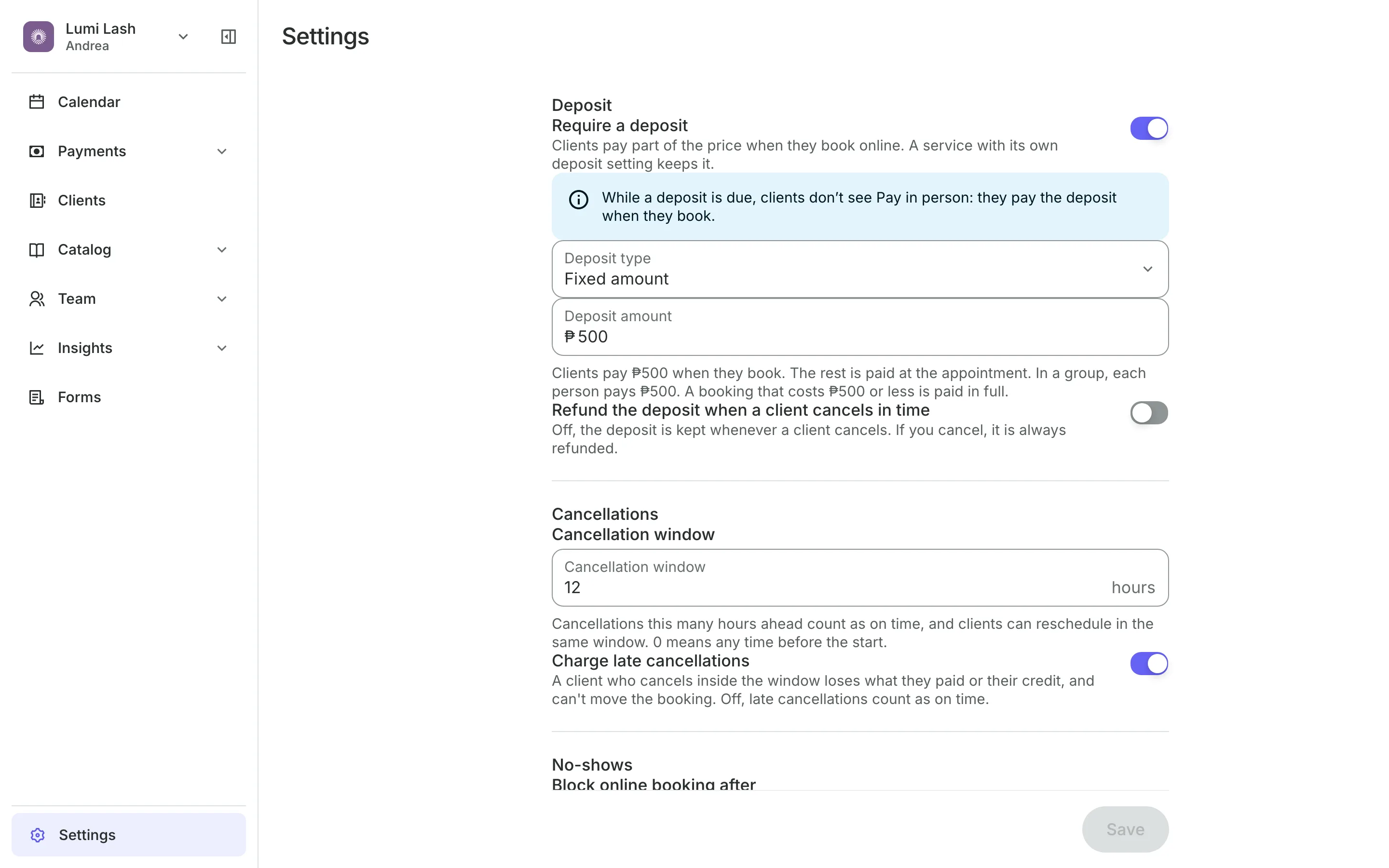
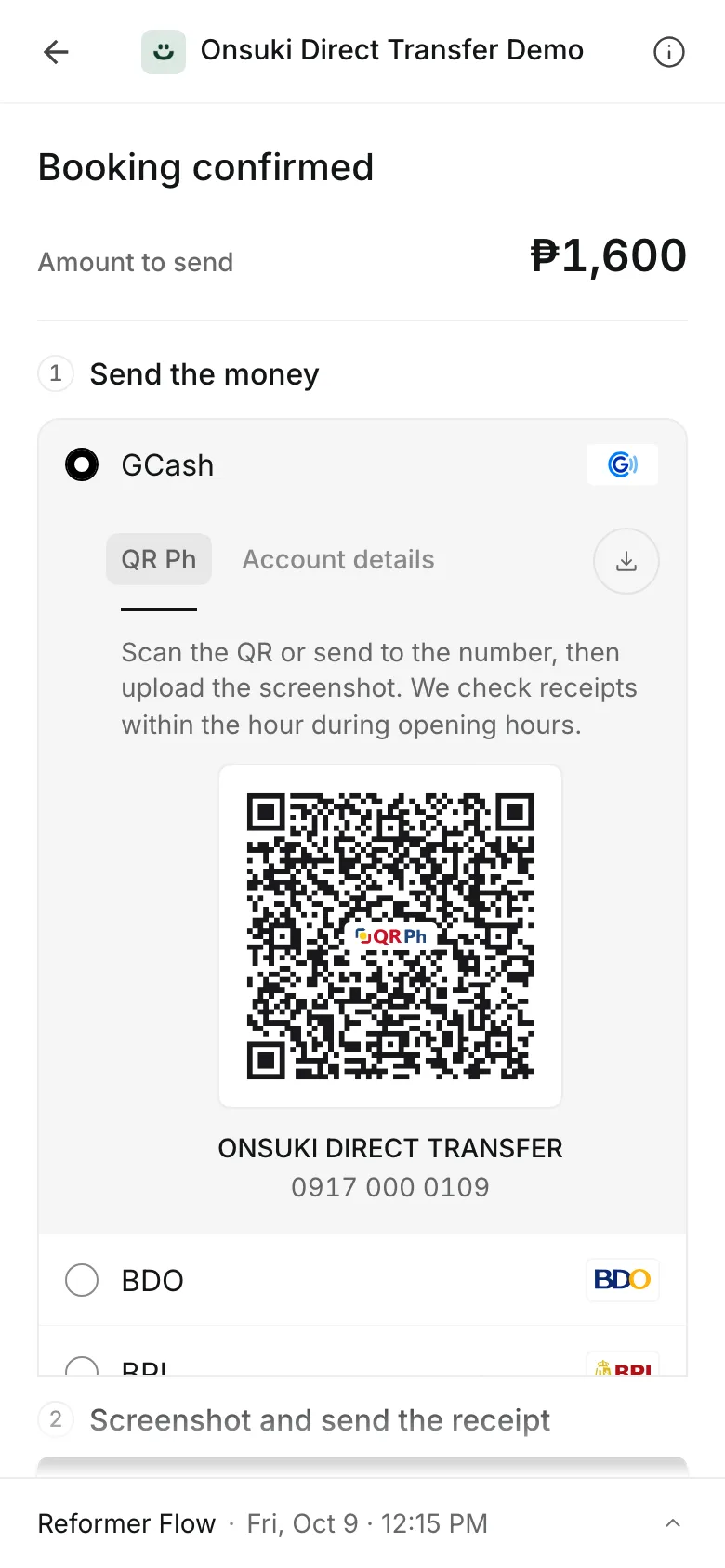
Clients pay online or in person













A deposit, a fair policy, and no repeat no-shows
Clients put money down when they book, the rest is paid at the visit, and your cancellation policy decides what happens if plans change.
Deposits
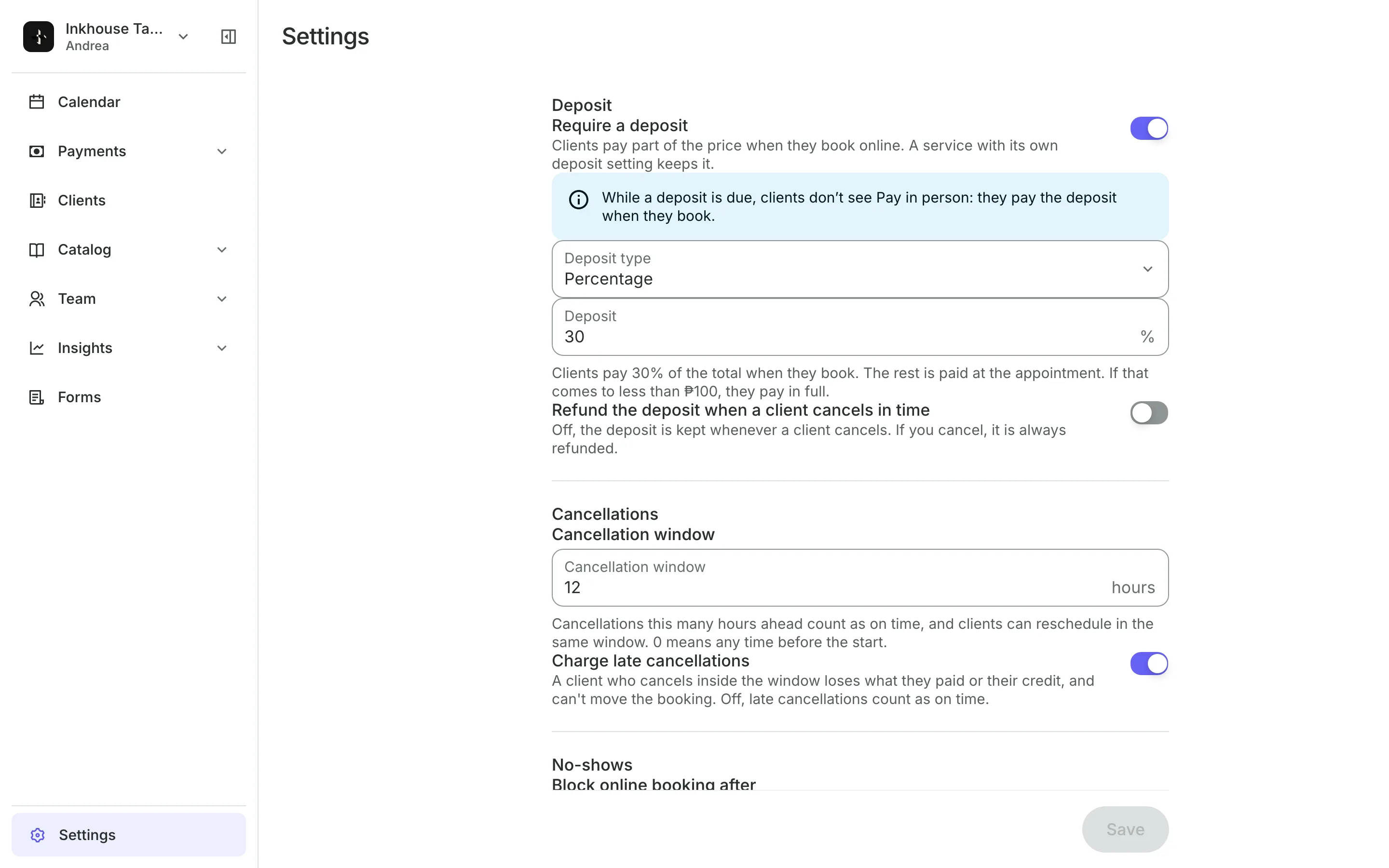
Ask for a deposit when they book
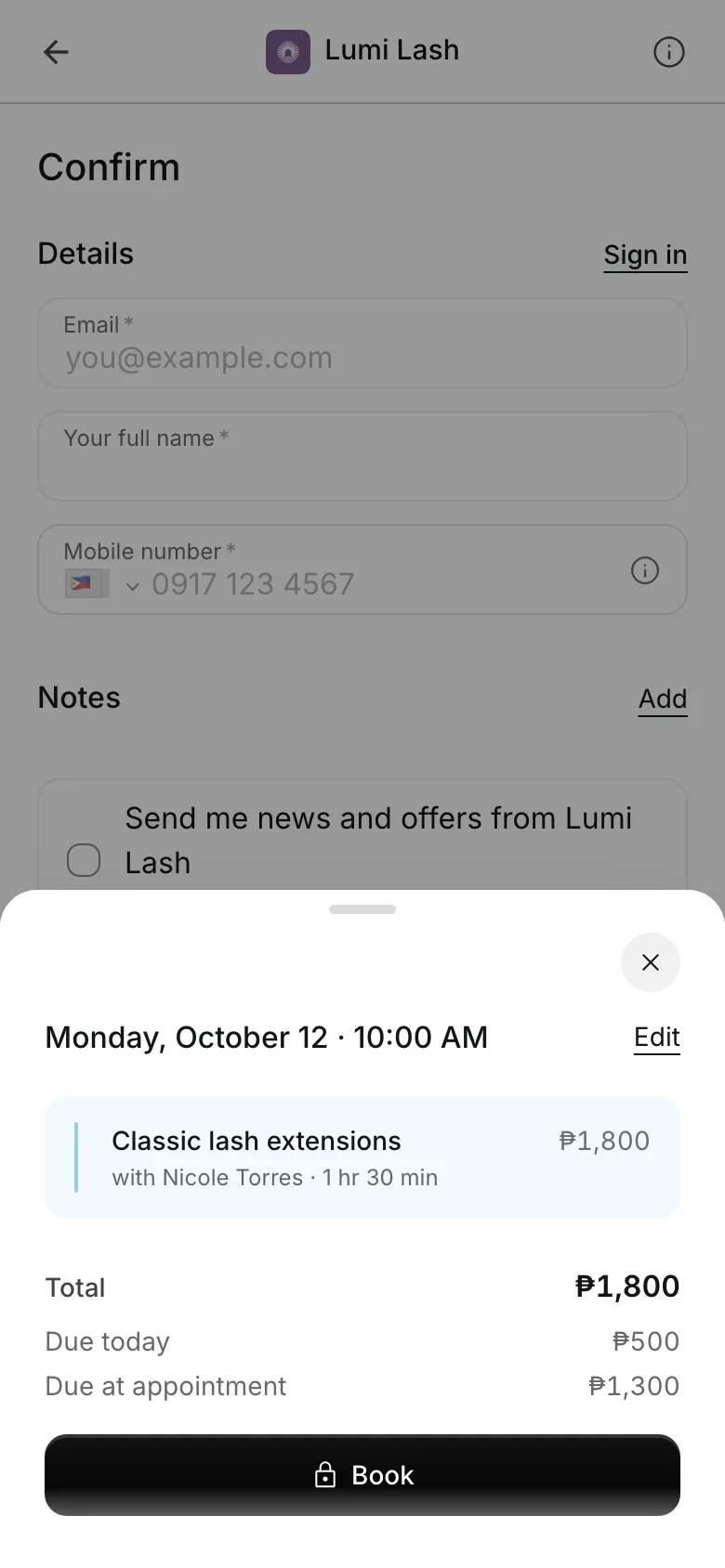
Clients pay part of the price when they book online, and the rest at the visit.
A fixed amount paid once per booking, and by each person in a group.
A percent of the price, so a bigger service carries a bigger deposit.
Per service deposits let one service ask for more, or nothing at all.
Paid up front by card, e-wallet, or a transfer to your own account.
Checkout
Clients pay the deposit the way they like
Clients pick how to pay at checkout. A transfer to your own GCash, QR Ph, or bank account holds the booking until you approve the receipt.
- Paid online by card or e-wallet, the booking is confirmed when checkout ends
- Your cancellation policy in plain sentences before they pay
- A reminder email the day before the visit
Cancellations
Set a policy that protects your time
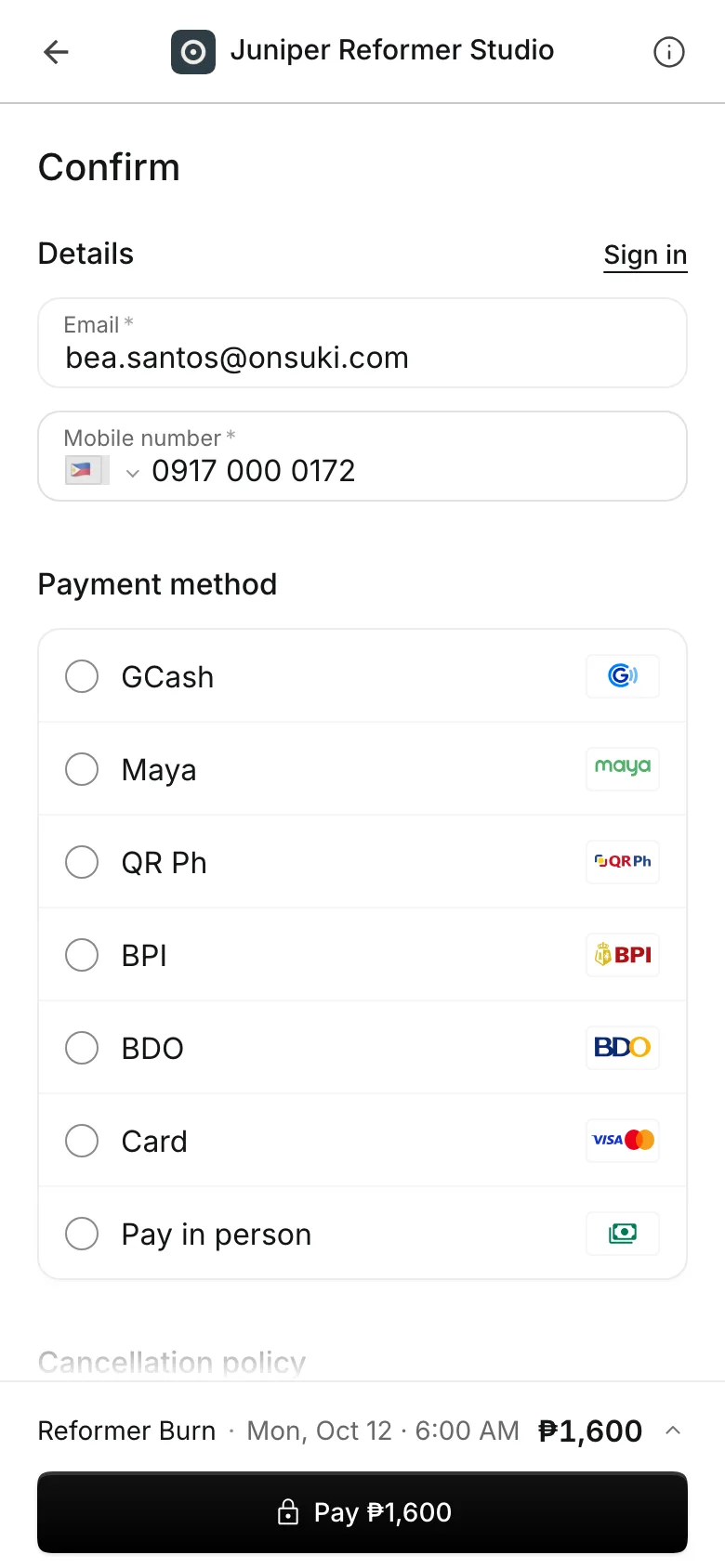
A cancellation window lets clients cancel or reschedule for free up to the hours you set.
Late cancels can keep what the client paid, or the credit they used.
On-time cancels can refund the deposit, or you can keep it every time.
What clients see previews the exact sentences clients read at checkout and when they cancel.
No-shows
Keep the deposit when they don't come
Mark a no-show from the calendar and the deposit stays with you. The dialog shows exactly what happens to the money before you confirm.
- The deposit and any package credit used are kept
- Block online booking after a number of no-shows in the days you choose
- Undo a no-show if the client came after all
Turn on deposits in minutes
Add a way to pay online, set the deposit and the policy, and check what clients will read.
1
Add a way to pay
Add your GCash, QR Ph, or bank account, or request PayMongo for cards and e-wallets.
2
Set the deposit and policy
Choose a fixed amount or a percent, the cancellation window, and what a late cancel costs.
3
Check what clients see
Read the sentences clients get at checkout, then save. New bookings ask for the deposit.
Booking for any business
Tell us what you run and Onsuki sets itself up for it: your words, your way of booking, the screens you need.
















Frequently asked questions
Enough that skipping costs the client something, without making booking feel like a purchase. Choose a fixed amount, or a percent between 1 and 99 so it grows with the price. A service can have its own deposit, or none.
At the visit. The balance waits on Unpaid, and checkout shows the deposit as paid so only the rest is due. You can also copy a pay link from Unpaid and send it to the client.
Before your cancellation window, you choose: refund the deposit the way they paid, or keep it. Inside the window, with Charge late cancellations on, you keep what they paid.
Card and e-wallet payments through PayMongo are refunded automatically. A transfer to your own account is listed under To refund for you to send back.
Yes. Set Block online booking after to a number of no-shows, counted over the days you choose. You can also ban a client from their profile.
While a deposit is due, clients pay it when they book, so Pay in person is hidden for that booking. When no deposit is due, Pay in person shows as usual if you offer it.
7 days, with every feature of your plan. You choose a plan when the trial ends.
No. You sign up with your email or Google account, tell us what you run, and start setting up.
Each plan is one monthly price with unlimited bookings. See the pricing page for the plans and what each includes.
Take bookings and get paid, the simple way.
Free 7-day trial. No credit card required.