Know what came in today
Analytics shows your revenue, bookings, and retention at a glance. Reports give the detail, End of Day counts the cash drawer, and Sales History lists every sale.
Free 7-day trial. No credit card required.
Clients pay online or in person













Read the numbers you act on
Analytics for the trend, Reports for the detail, End of Day for the drawer, and Sales History for any single sale.
Analytics
See how the business is doing
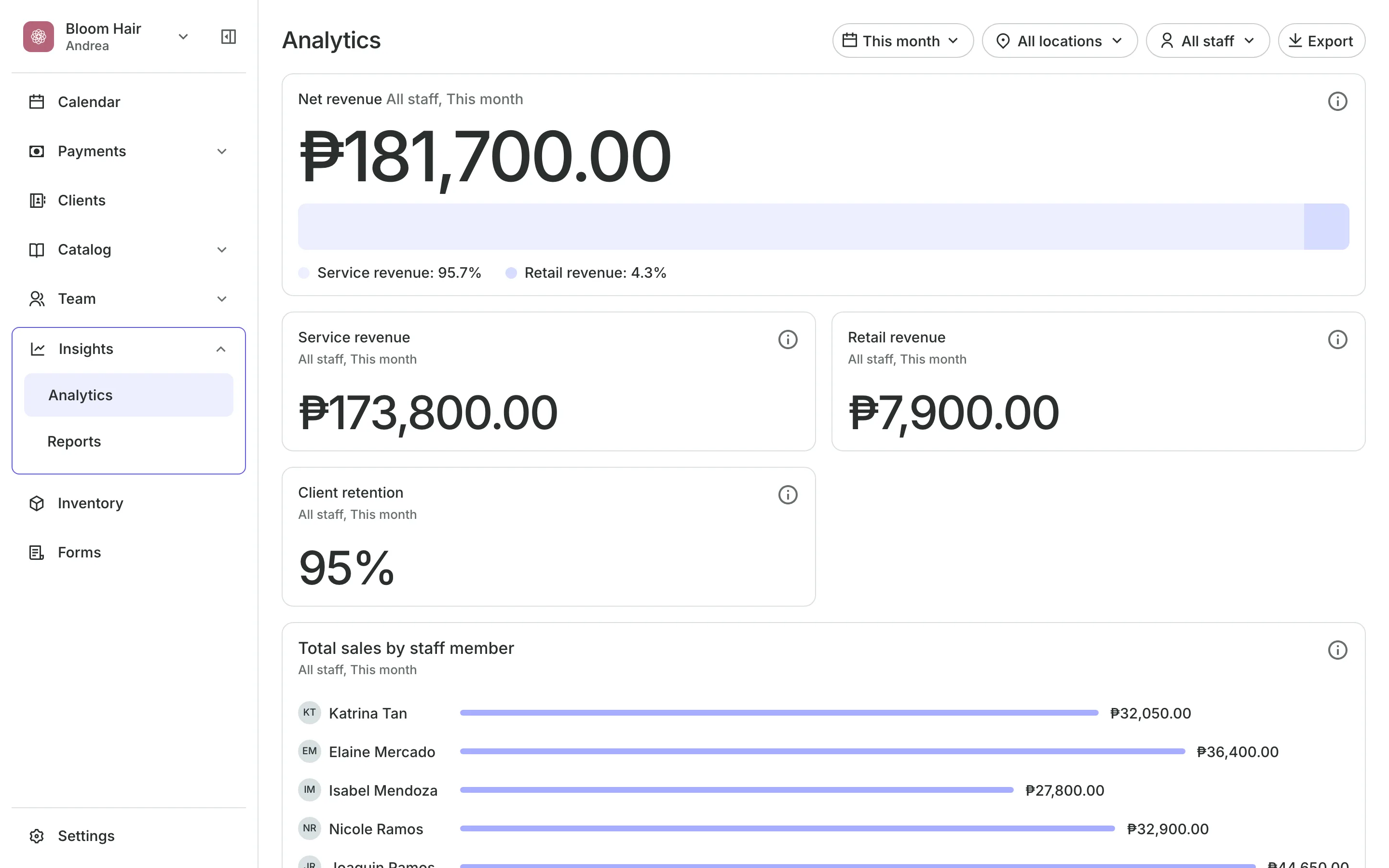
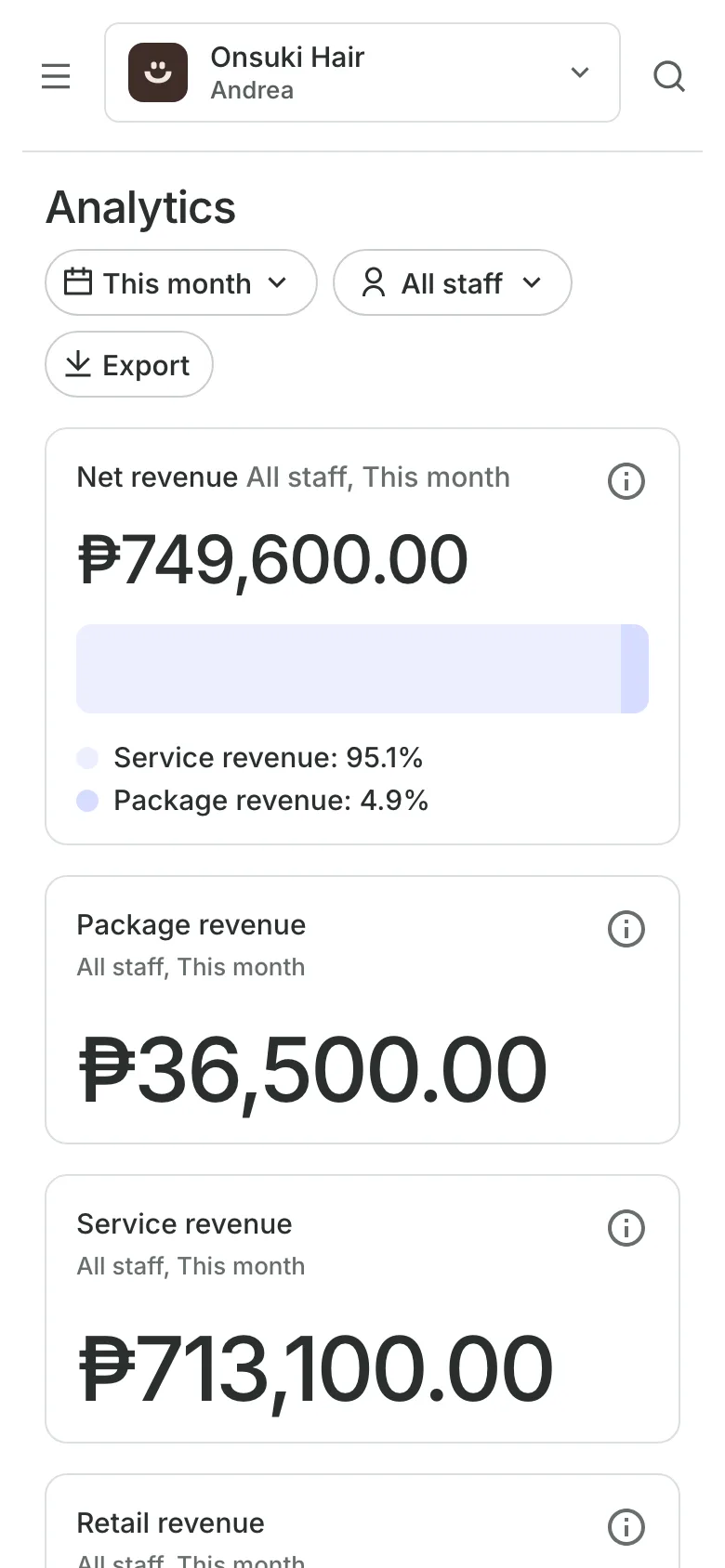
Net revenue shows what you earned after discounts and refunds.
Client retention shows the share of clients who came back.
Sales by staff shows each person's sales against the team average.
Booking utilization shows how much of the working hours were booked.
Reports
Get the detail behind the numbers
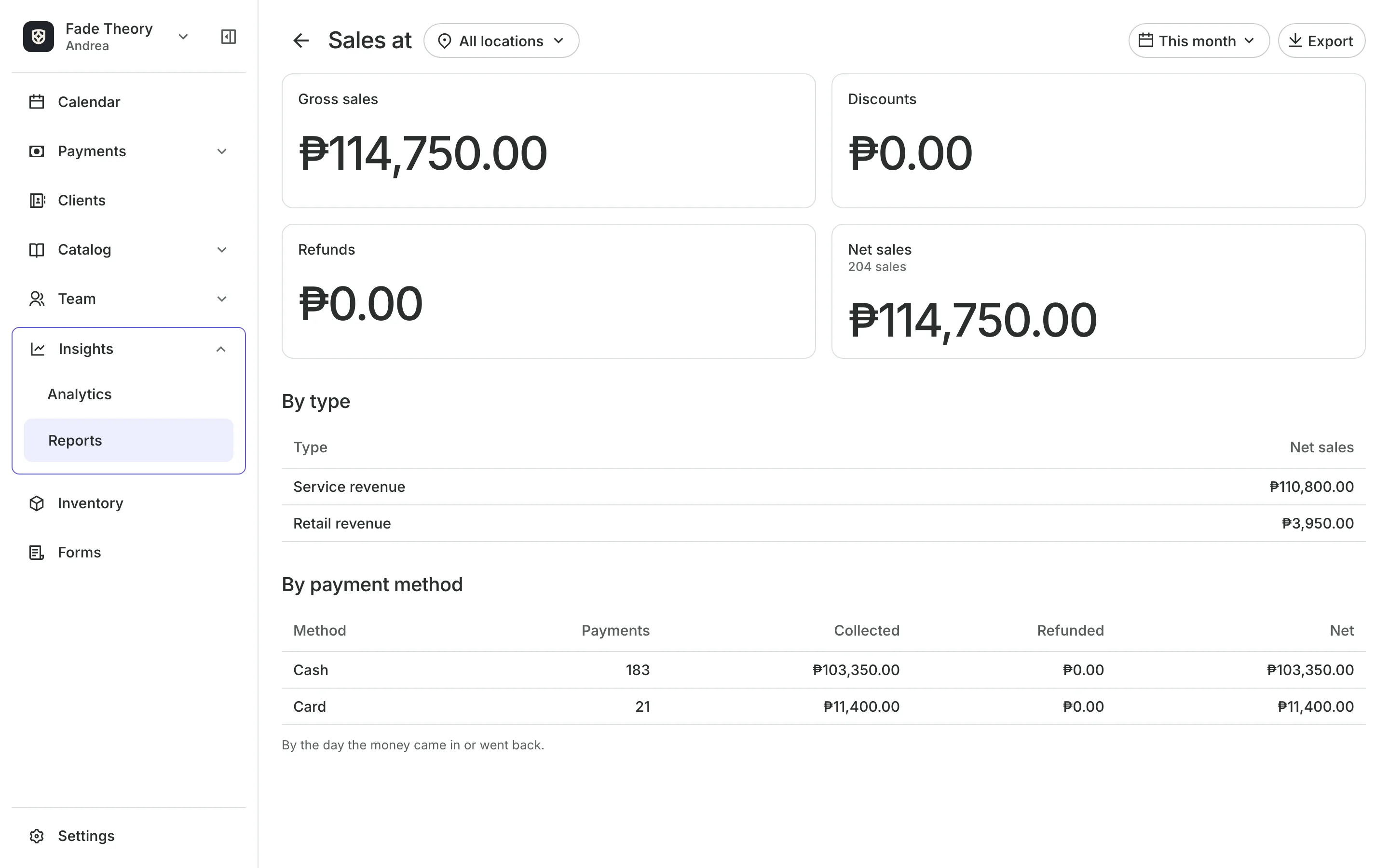
Reports cover sales, appointments, classes, services, packages, retail, and clients. Each one picks a date range and a location, and downloads as a CSV file.
- Sales by type and by payment method
- Clients to Win Back and Busiest Times
- A CSV file for your accountant
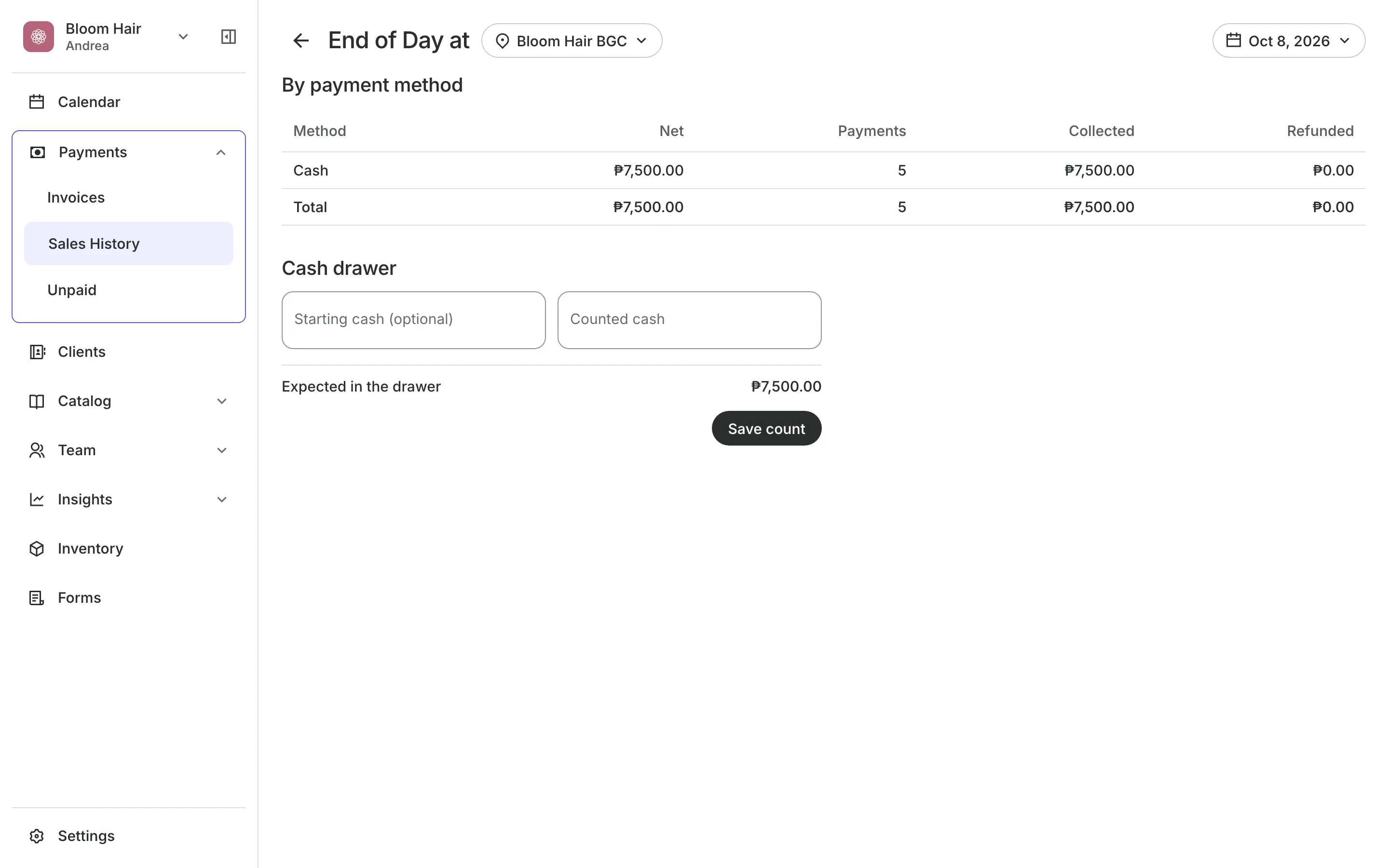
End of Day
Count the drawer every night
By payment method shows collected, refunded, and net for cash, card, GCash, bank, and more.
Cash drawer compares your count with what Onsuki expects.
Difference reads Matches, Over, or Short.
Saved counts show who counted the drawer and when.
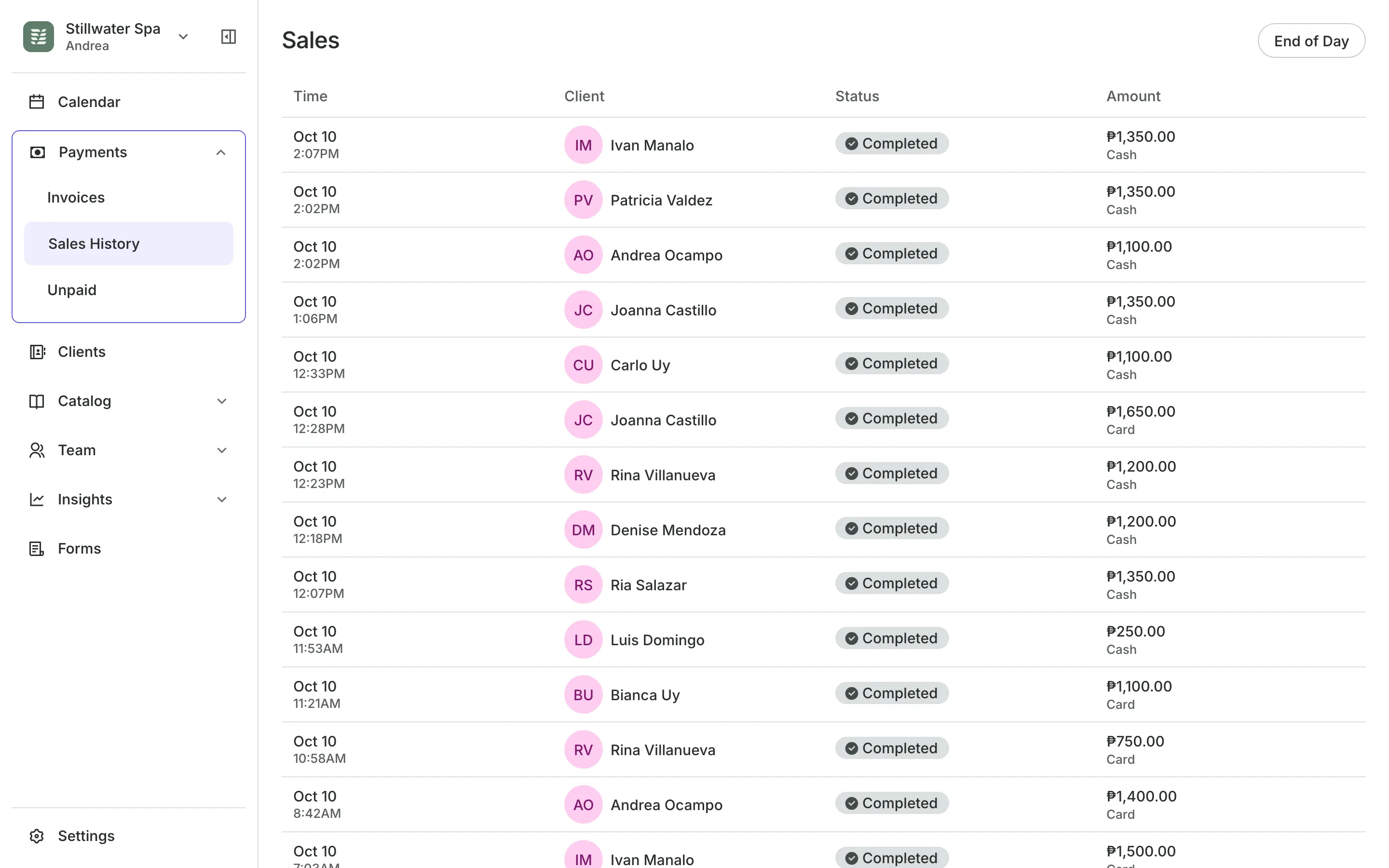
Sales History
Look up any past sale
Sales History lists every finished sale, newest first: checkouts, quick sales, paid invoices, and what clients paid online.
- Every item, discount, and payment on a sale
- Send the receipt by text or email, or print it
- Refunded and partly refunded sales marked
Read your numbers today
Your sales fill these screens as you take them. There is nothing to set up.
1
Open Analytics
Pick a date range, and narrow it to one team member or one location.
2
Run a report
Choose a report, pick the dates, and export it as a CSV file.
3
Close out the day
Check each payment method on End of Day, count the cash, and save the count.
Booking for any business
Tell us what you run and Onsuki sets itself up for it: your words, your way of booking, the screens you need.
















Guides on Reports

Frequently asked questions
Yes. Each report downloads as a CSV file, and Analytics exports every card as one file.
Yes. Analytics filters by team member and location, and each report by location. With more than one location, each cash drawer is counted on its own.
Yes. Analytics and Reports each need their own permission. Managers have them to start, and Front desk does not.
No. A count is a record of the drawer. You can count again later, and the newest count is the one shown.
7 days, with every feature of your plan. You choose a plan when the trial ends.
No. You sign up with your email or Google account, tell us what you run, and start setting up.
Each plan is one monthly price with unlimited bookings. See the pricing page for the plans and what each includes.
Take bookings and get paid, the simple way.
Free 7-day trial. No credit card required.