Work out each person's commission
Set a rate by team member, service, or tier, and see what each person earned every pay period, with a statement you can print. Onsuki does the math, and you pay your team.
Free 7-day trial. No credit card required.
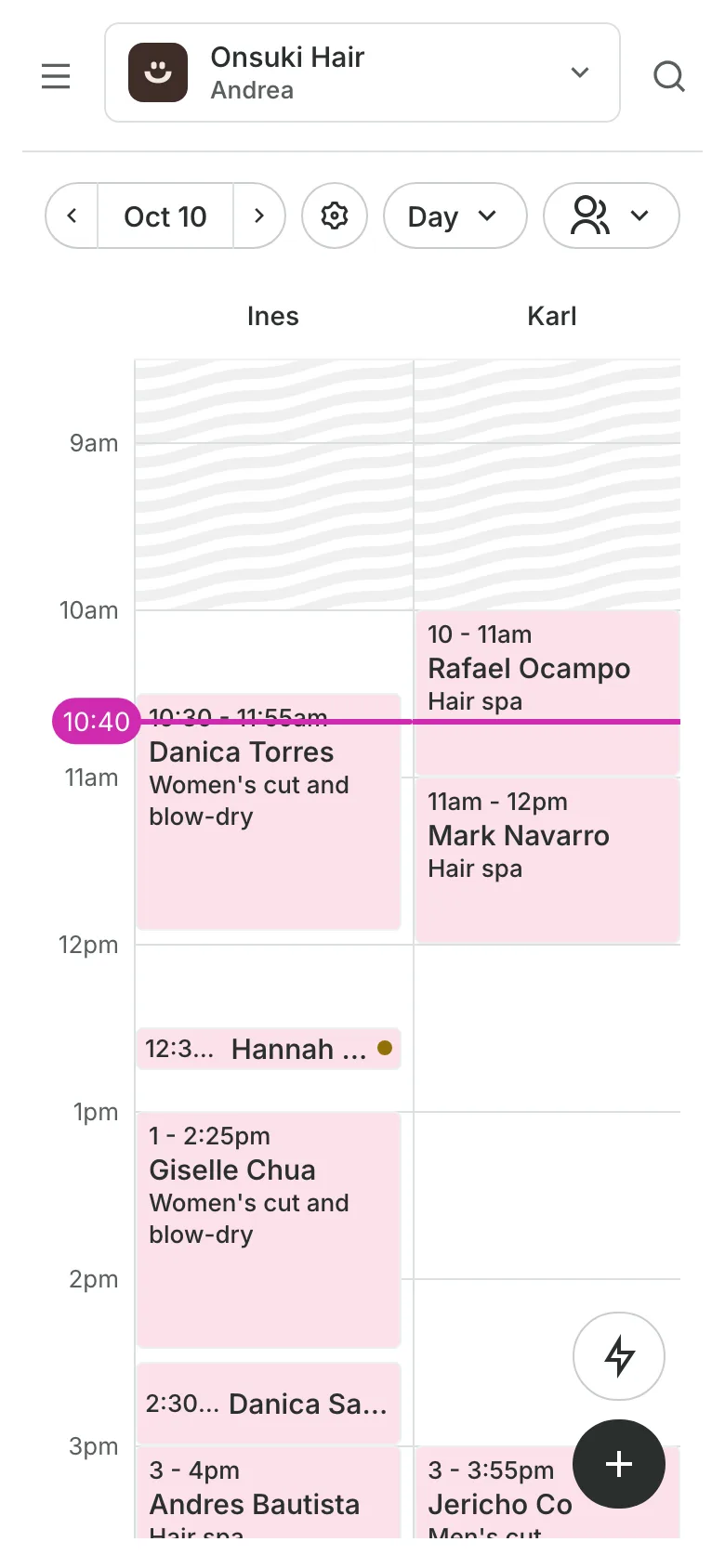
Clients pay online or in person













Know what you owe each person
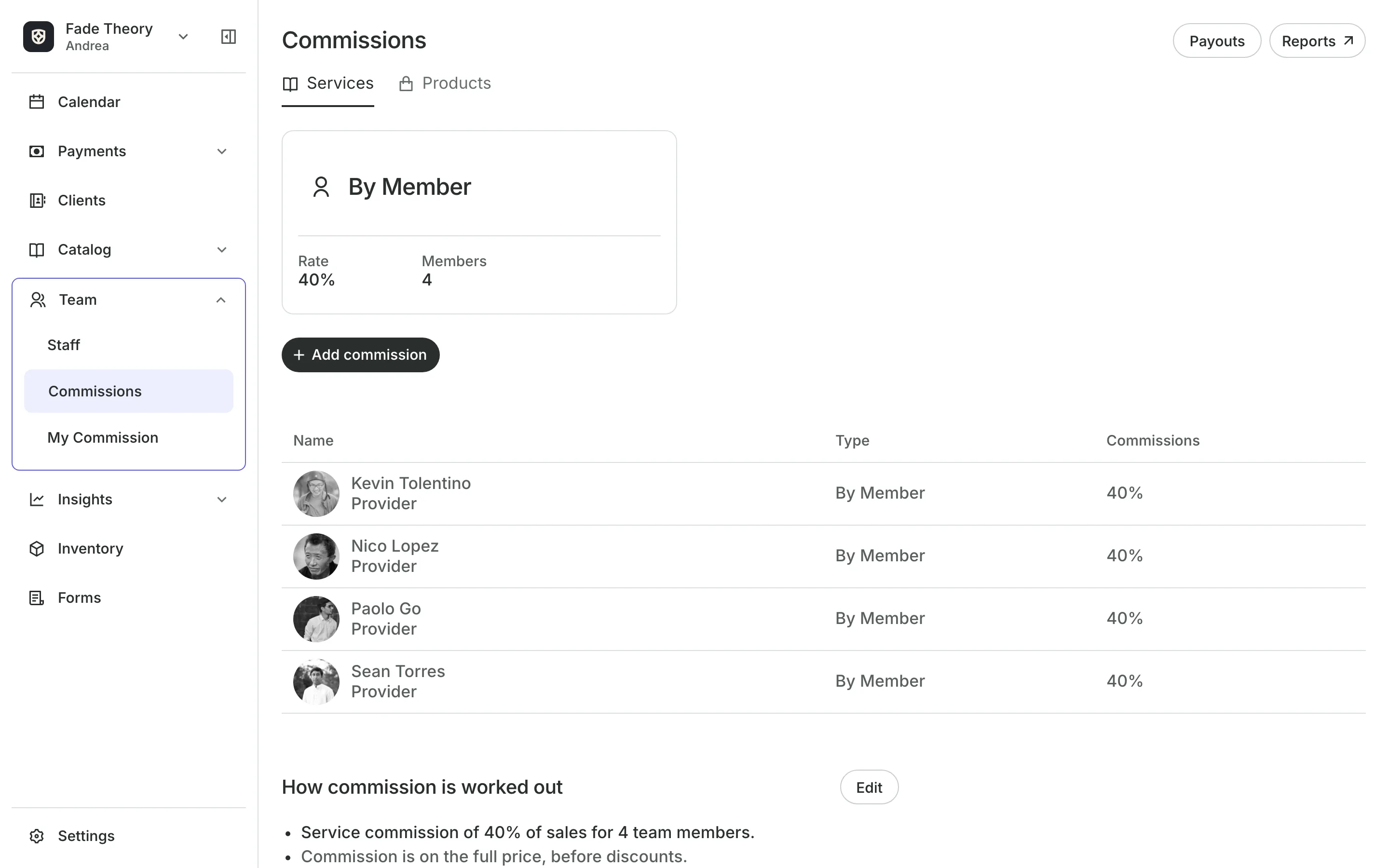
Commissions turns each team member's sales into a payout for the pay period, with a statement you can print.
Rates
Set rates the way you pay
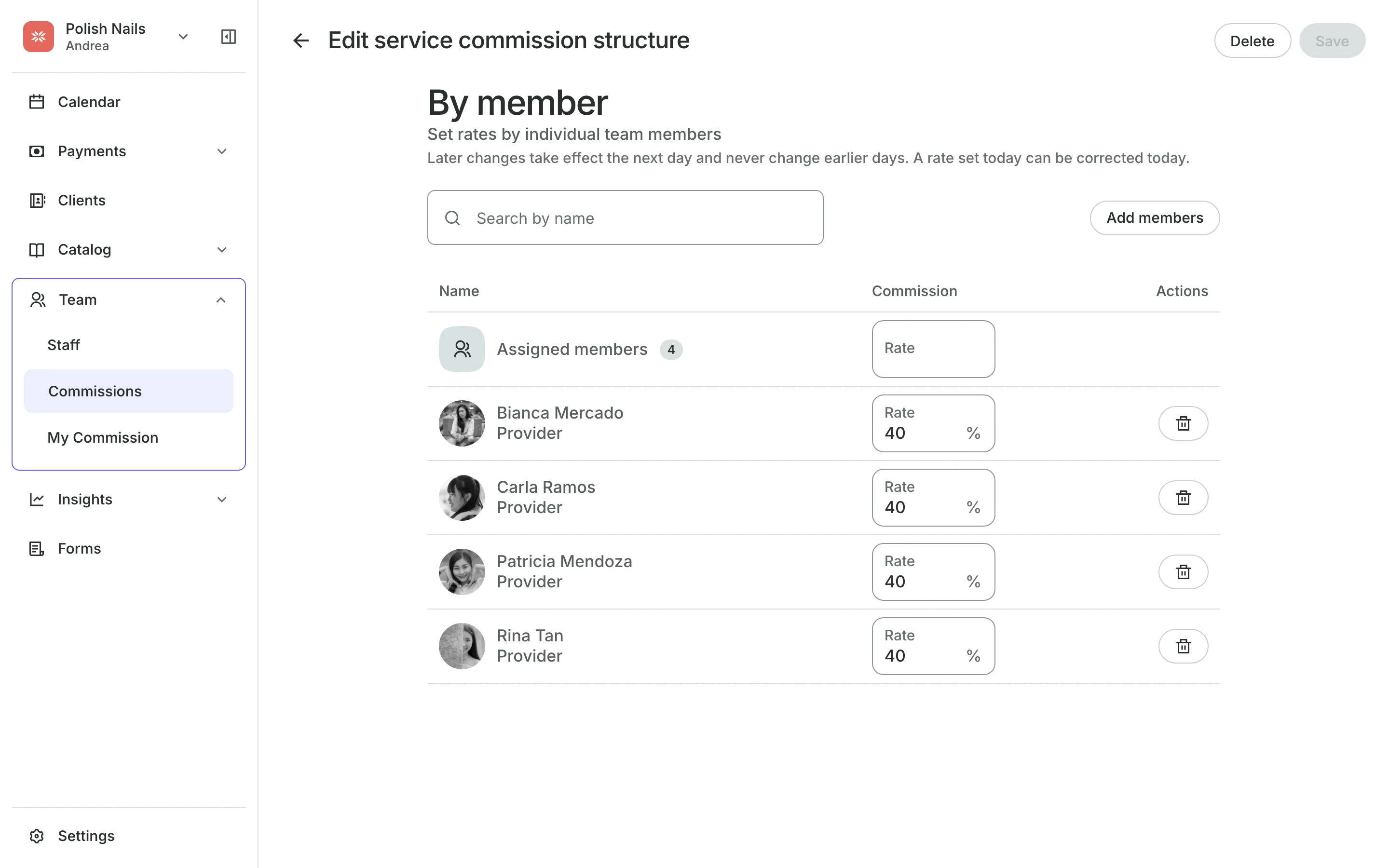
By member gives each team member their own rate.
By service or product gives each item its own rate.
By tiers raises the rate as a person's monthly sales grow.
Staff levels set a rate per level that a person's own rate can override.
Templates
Start from a template you edit
Pick Weekly barbershop, Salon by staff level, or Simple percentage to fill in the settings, or start from scratch. Nothing is saved until you check it and select Save.
- Commission on the full price or on what the client paid
- Tax taken out first when your prices include it
- Paid weekly, twice a month, or monthly
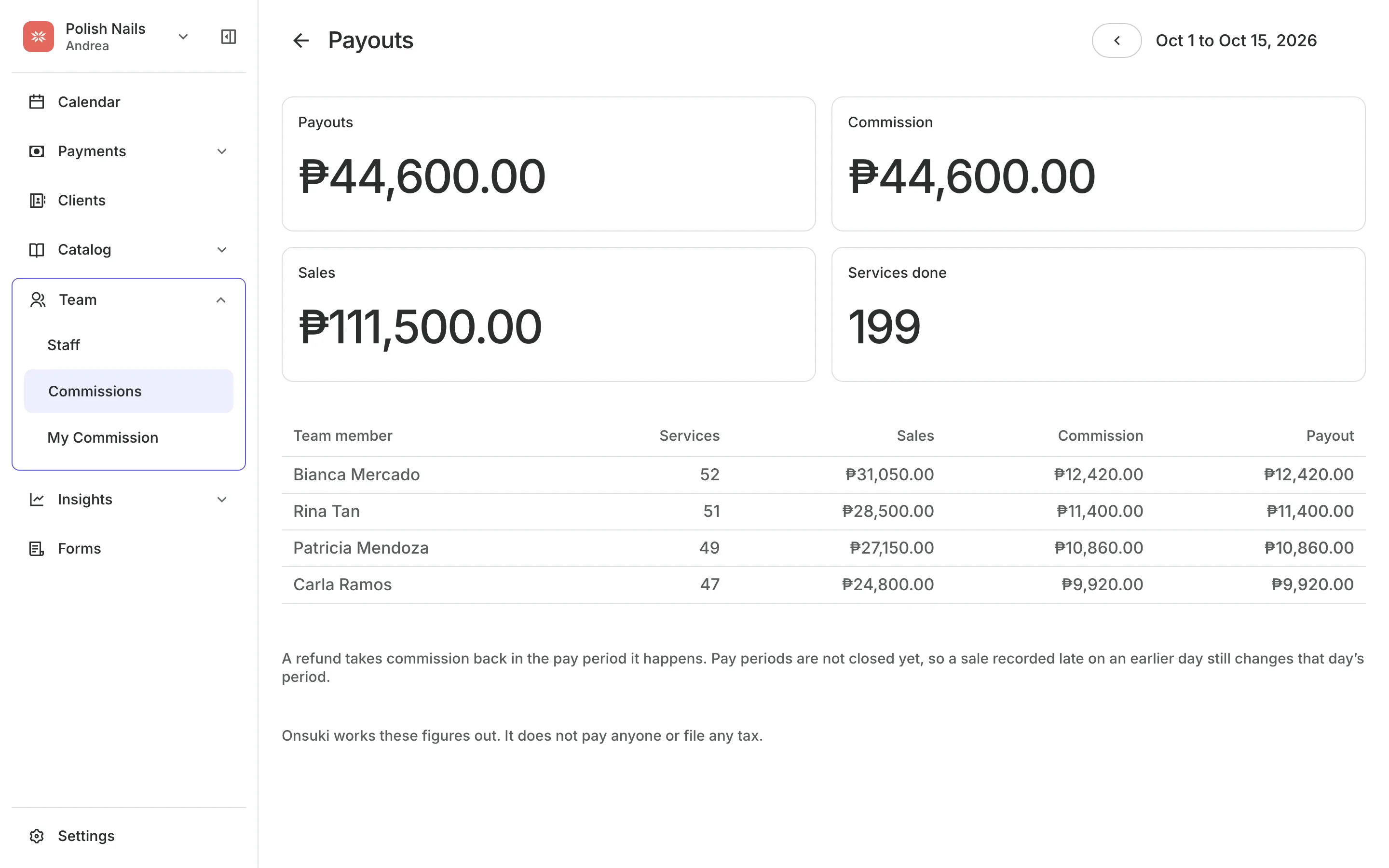
Payouts
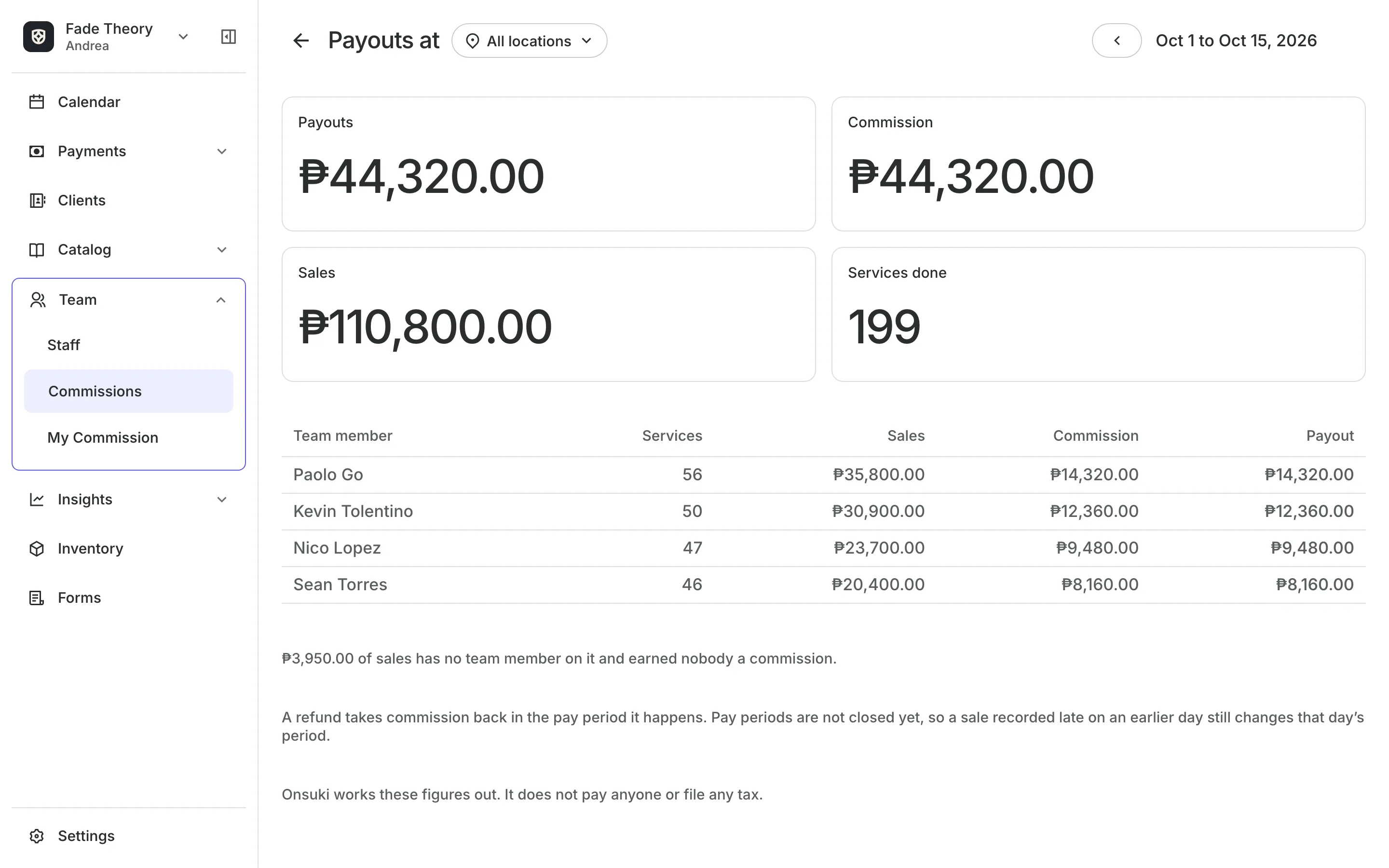
See each person's payout
Statements show sales by day, tax taken out, the commission, and the payout.
Allowances add a set amount every pay period, or just once.
Adjustments add or take off an amount, with a note.
Pay periods run weekly, twice a month, or monthly.
Records
Keep commission matched to the money
A refund takes back exactly the commission its sale earned, in the pay period the money went back. A rate change applies from the next day and never changes earlier days.
- Withholding shown as an estimate for your records
- A statement for each person, ready to print
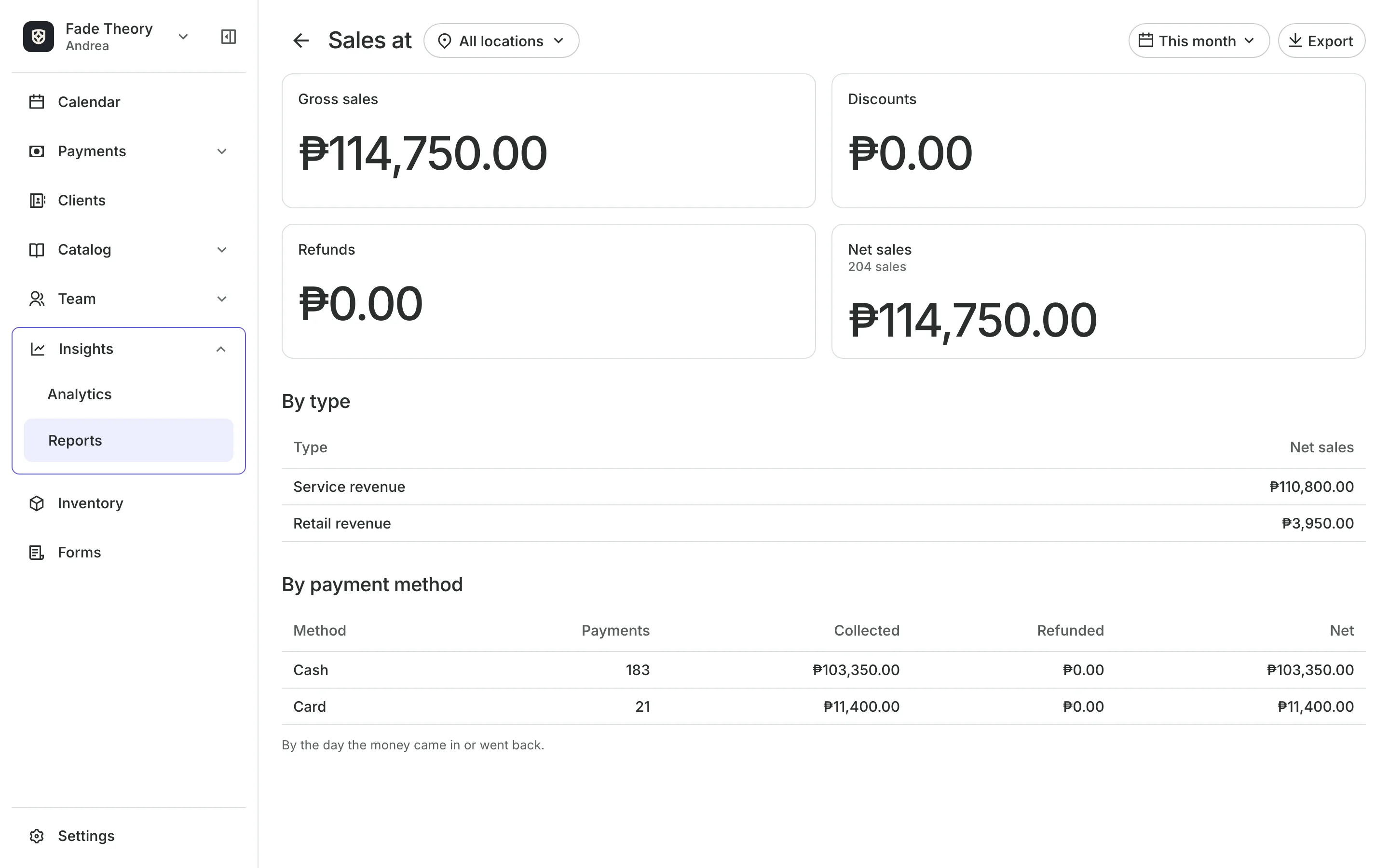
- Commission Earnings in Reports, with an export
Set up commissions today
Pick a template or set your own rates, choose your pay period, and read each period's payouts.
1
Pick a template
Weekly barbershop, Salon by staff level, or Simple percentage, or start from scratch.
2
Set your rates
By team member, by service or product, or in tiers that rise with monthly sales.
3
Read the payouts
Open each person's statement for the pay period, and print it.
Booking for any business
Tell us what you run and Onsuki sets itself up for it: your words, your way of booking, the screens you need.















Guides on Commissions

Frequently asked questions
On the day of the visit, at the service's regular price, unless you chose the package's price per visit. Selling the package earns none.
7 days, with every feature of your plan. You choose a plan when the trial ends.
No. You sign up with your email or Google account, tell us what you run, and start setting up.
Each plan is one monthly price with unlimited bookings. See the pricing page for the plans and what each includes.
Take bookings and get paid, the simple way.
Free 7-day trial. No credit card required.