Booking software for chiropractic clinics:Keep patients on their care plan
Sell a course of adjustments up front, or a monthly plan with visits included. Patients book their next adjustment online, and walk-ins go to whoever is free soonest.
Free 7-day trial. No credit card required.
Clients pay online or in person













Sell the plan, not one visit
Results come from regular adjustments. Onsuki holds the patient's plan, their credits left, and their next visit together, so they keep coming back.
Charting
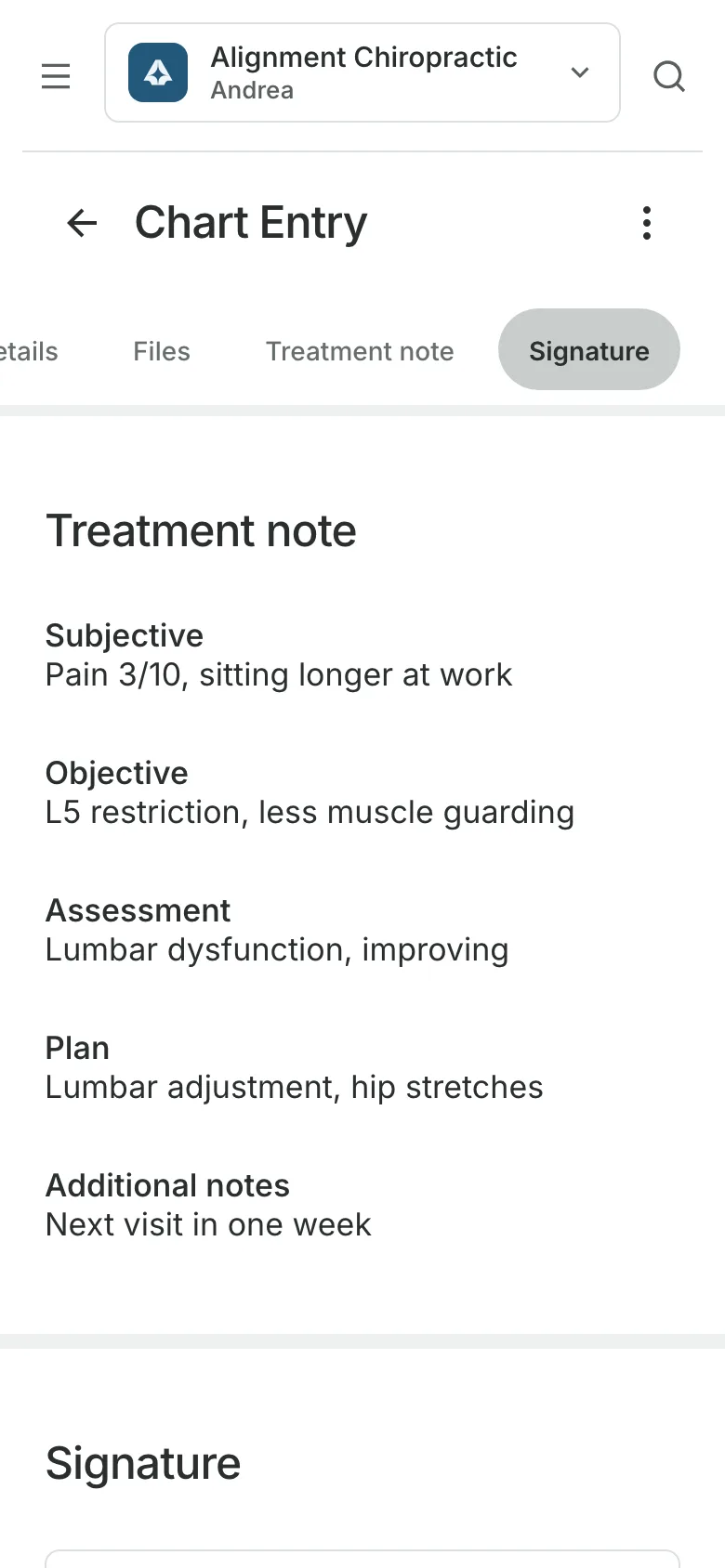
Write a SOAP note each visit
Chart each adjustment from the SOAP note template, and a treatment plan counts the visits given against the patient's package. Charting is on the Clinic plan.
- Entries signed with the chiropractor's PIN
- Changes after signing kept as amendments
- A PDF of the record when it's asked for
Packages and memberships
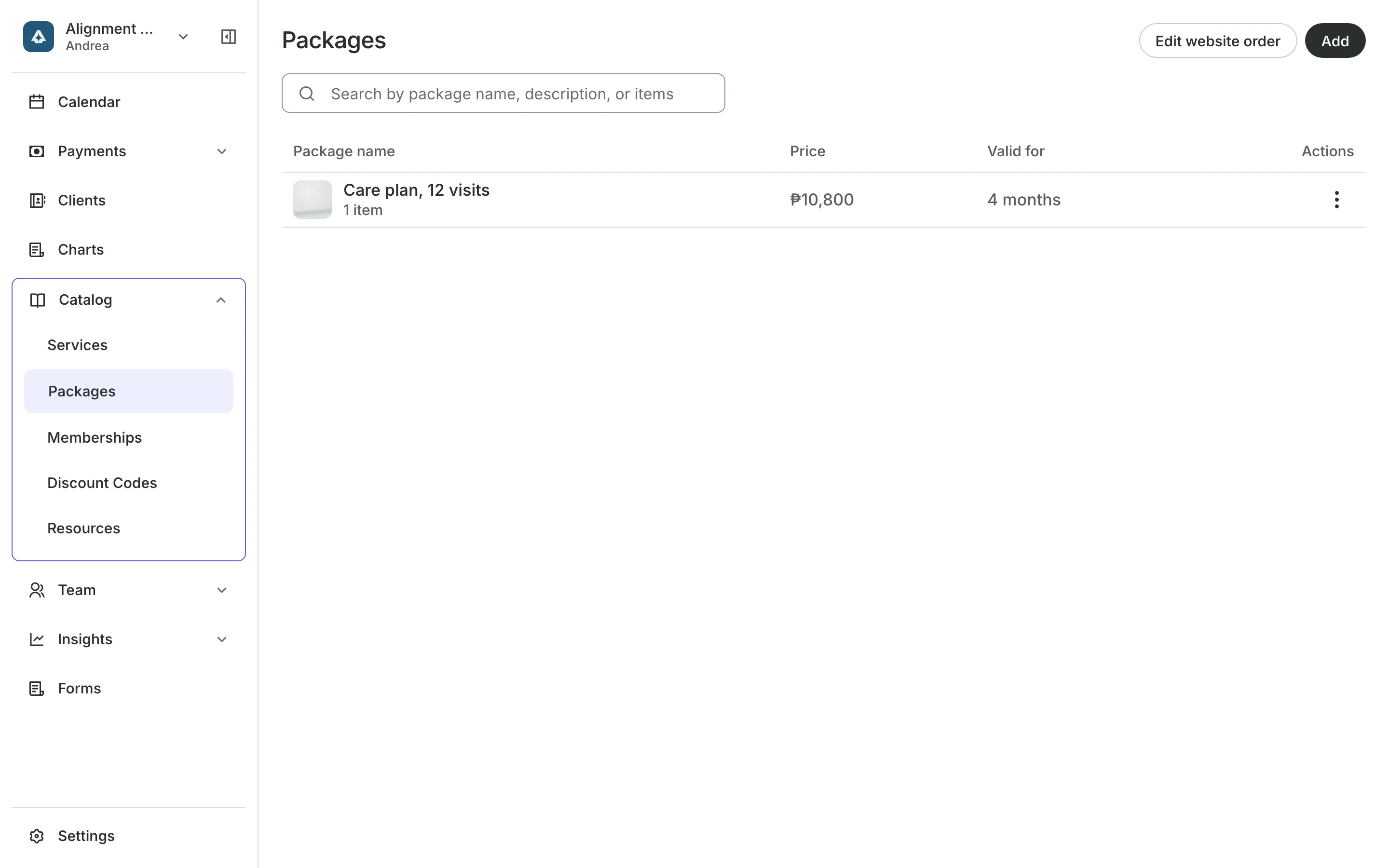
Sell care plans patients finish
Packages of 6 or 12 adjustments are paid once and used per visit.
Memberships give a set number of adjustments each month.
Renewal bills are emailed each period with a link to pay.
Use their package at checkout takes one credit for the visit.
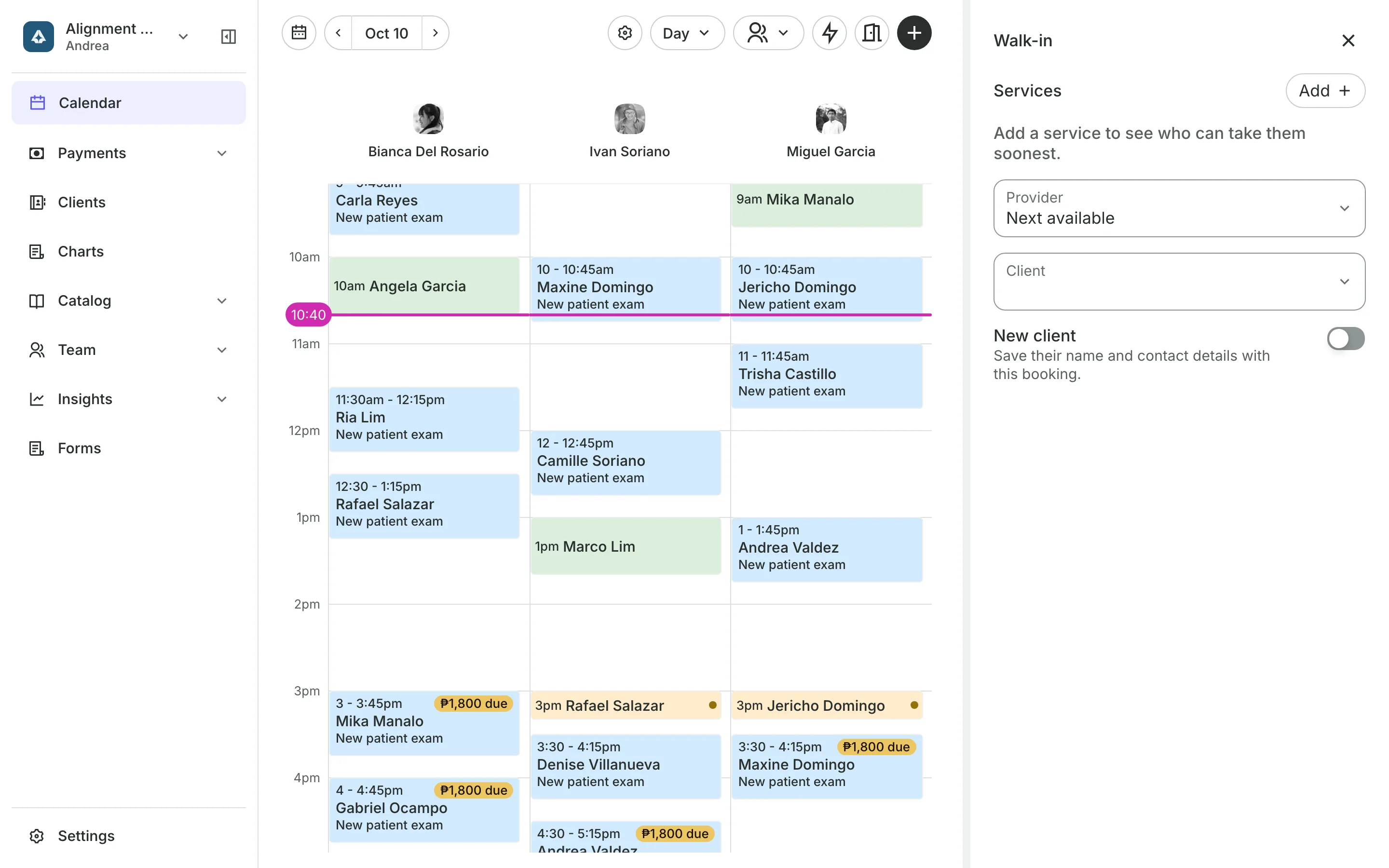
Walk-ins
Fit short visits into the day
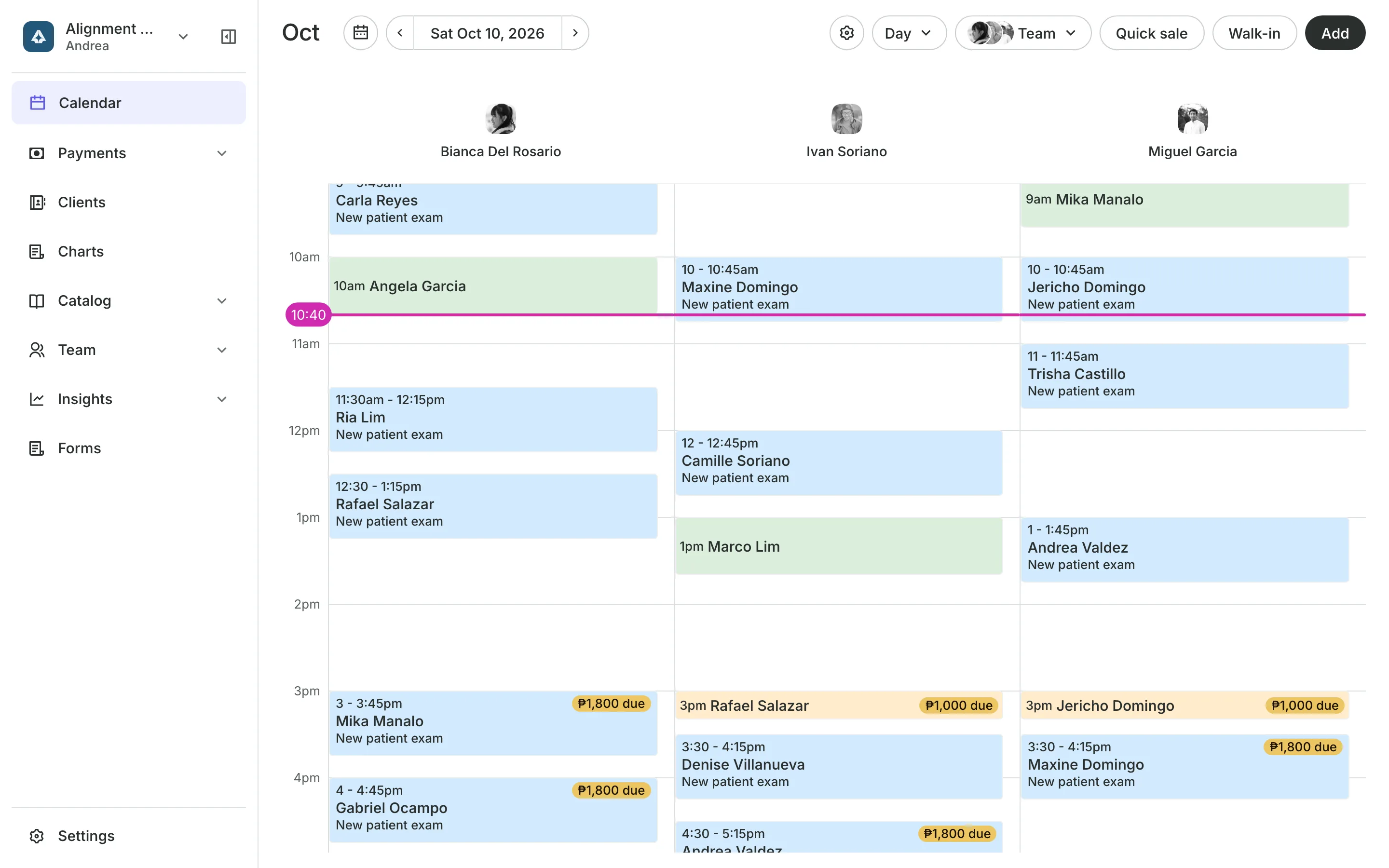
Add the adjustment and Onsuki lists who can see the patient and when, soonest first: Now, In 12 min, or later. One tap books them.
- Start times every 15 minutes for short visits
- Booked patients and walk-ins on one calendar
- A regular patient booked every week in one go
First visits
Start new patients with an exam
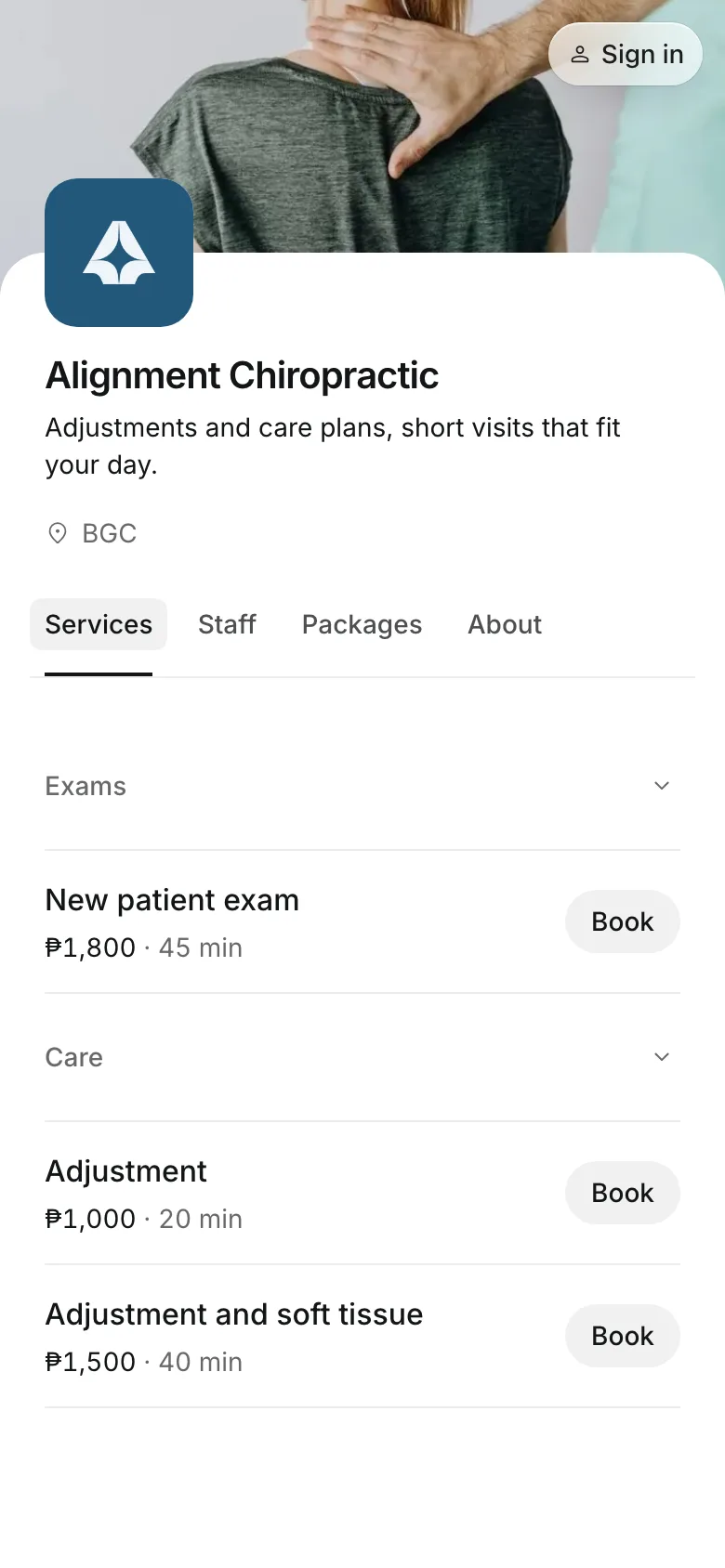
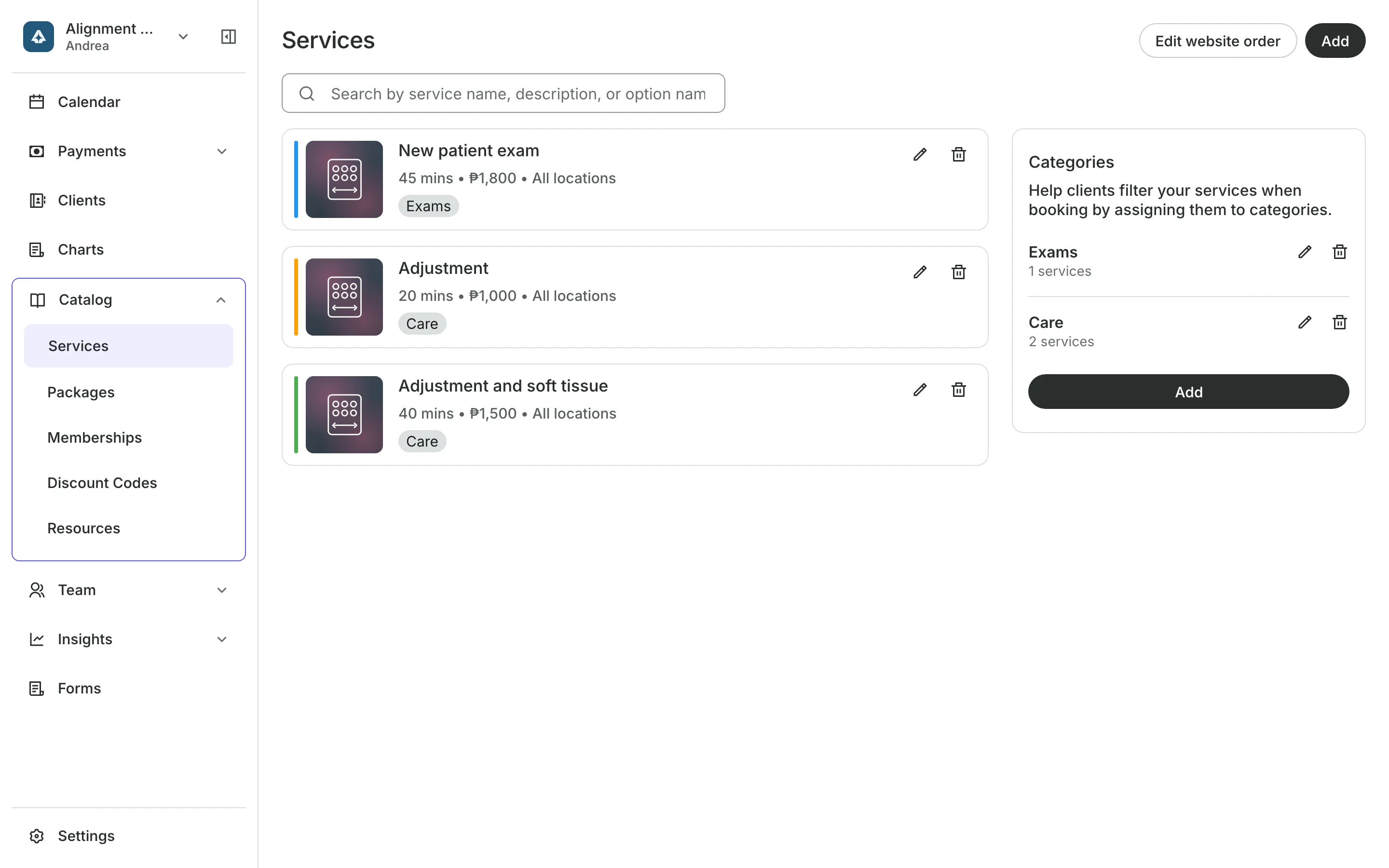
Your menu shows the exam and each adjustment with its price and length.
A consultation first sends new patients to the initial exam.
Intake forms collect the back pain history before they come.
Consent is agreed at checkout before the first visit.
Deposits and payments
Take a deposit when they book
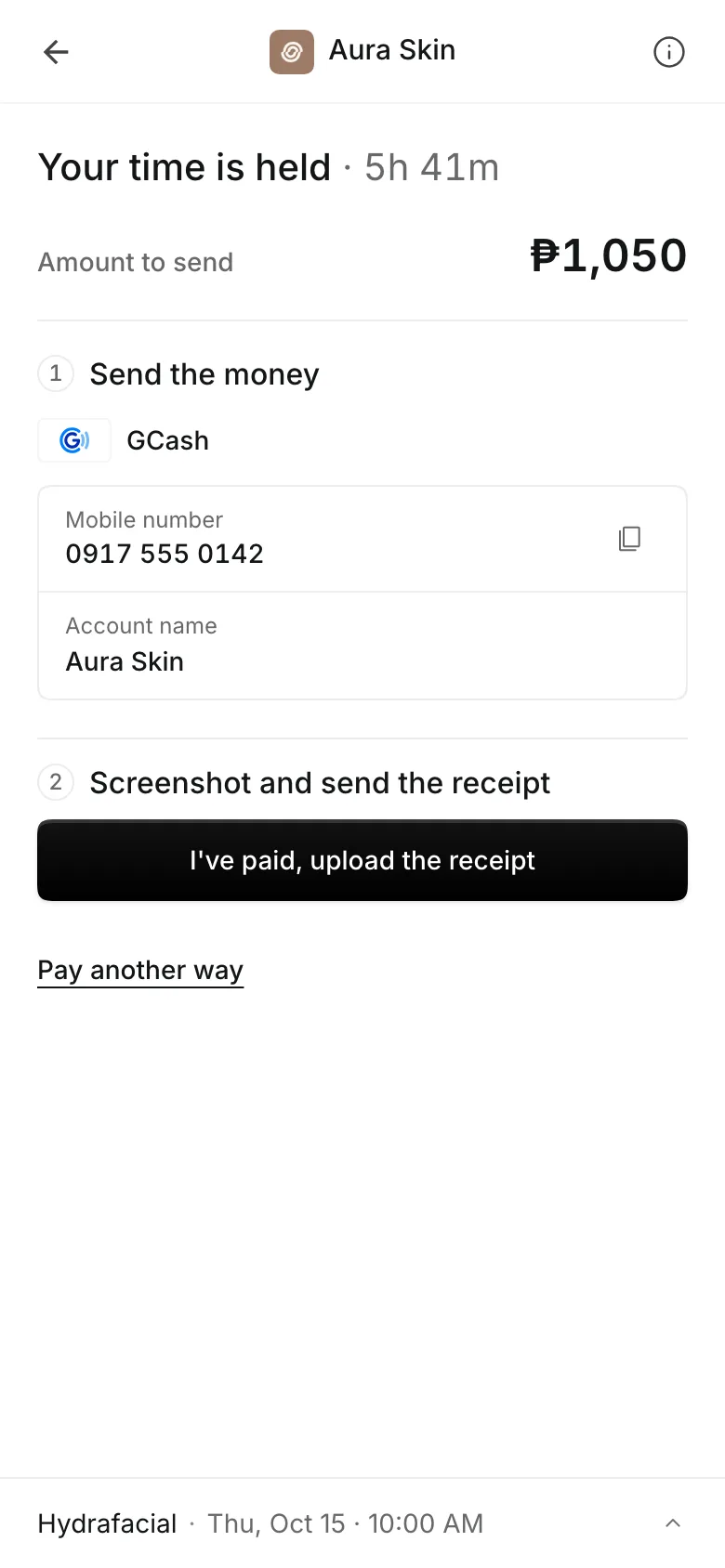
Ask for a percent or a fixed amount when patients book online, and show your cancellation policy before they pay. They pay online through PayMongo, by transfer to your own GCash, QR Ph, or bank account, or in person.
- A receipt with each transfer, approved by you
- A reminder email the day before
- A no-show keeps the deposit
See what your clinic gets
- AppointmentsServices, staff, rooms, and add-ons, booked online or from the calendar.
- PackagesPacks of visits and memberships that renew, with credits clients see in their wallet.
- Online BookingYour own booking site where clients book, pay, and manage their bookings.
- ClientsClient profiles with bookings, balances, notes, feedback, and packages.
- FormsIntake forms and a waiver, filled in before the visit or at the front desk.
- ChartingClinical charts with templates, photos, consents, and signed entries.
- PaymentsOnline checkout, transfers to your own accounts, and Pay in person.
- TeamRoles, permissions, hours, and time off for everyone who works with you.
- AssistantType what you need done, in English or Taglish, and confirm each change.
Pricing
Charting is on the Clinic plan
The Clinic plan is ₱4,400 a month, billed annually, or ₱5,500 month to month. Your whole team is included.
Clinic has everything in Business, plus client charts. Booking, forms, packages, and reports are on every plan.
Frequently asked questions
Each period Onsuki emails the patient a bill, and they pay online, by GCash or bank transfer, or in person.
Yes. Turn on Walk-ins, add the service, and pick from the list of chiropractors by who can start soonest.
Yes. Freeze the membership for a set time, and the next renewal moves back by the days frozen.
Charting is part of the Clinic plan. Packages, memberships, walk-ins, and forms are on every plan. See pricing.
7 days, with every feature of your plan. You choose a plan when the trial ends.
No. You sign up with your email or Google account, tell us what you run, and start setting up.
Each plan is one monthly price with unlimited bookings. See the pricing page for the plans and what each includes.
Take bookings and get paid, the simple way.
Free 7-day trial. No credit card required.